A property developer is preparing to purchase smart locks for a new project. The hotel operator recommends a hotel lock system with PMS integration, while the property management team argues that an apartment smart lock system offers greater flexibility for long-term tenants. Both seem like reasonable choices, but selecting the wrong system can lead to unnecessary costs, operational inefficiencies, and even future replacement.
This is a decision developers, architects, and property managers face in real projects every day. And in most cases, the right choice depends less on the lock itself than on how the property will actually be operated.
From a practical project point of view, the key differences between hotel smart locks and apartment smart locks are covered in this article by iLockey. By the end of this guide, you’ll know the difference between the two systems, in terms of access management, software, user experience and deployment, and you’ll be able to decide which one is the best solution for your property.
1. How Do Hotel Smart Locks and Apartment Smart Locks Differ?
First, let’s look at a quick comparison table.
| Comparison Item | Hotel Smart Locks | Apartment Smart Locks |
| Typical use | Hotels, resorts, boutique hotels, hotel chains | Apartments, serviced apartments, Airbnb, vacation rentals, student housing, co-living |
| Management model | Centralized, front-desk driven | Remote or self-service |
| Main users | Guests and hotel staff | Tenants, short-term guests, property managers |
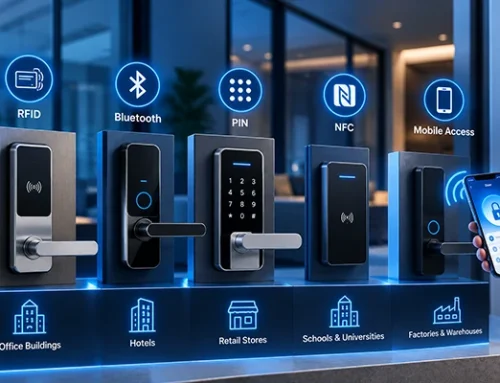
| Common access methods | RFID card, mobile key, mechanical key (PIN/app on some systems) | PIN code, mobile app, Bluetooth, fingerprint, RFID card |
| Software | Hotel lock software, PMS integration | Mobile app, cloud platform, gateway (Tuya, TTLock, etc.) |
| Access duration | Tied to check-in/check-out | Permanent, temporary, recurring, or one-time |
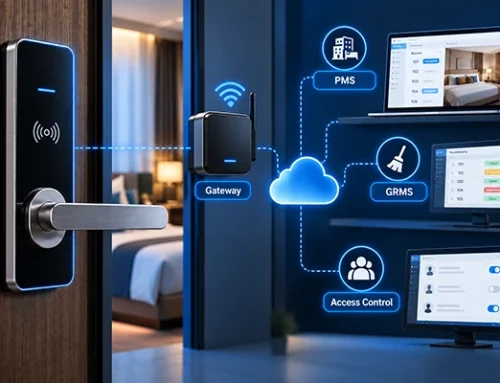
| Integrations | PMS, elevator control, energy-saving switches | Gateway, cloud service, smart home systems |
| Installation | Centralized project deployment | Standalone or app-based |
| Best for | Front-desk operations with frequent turnover | Remote access, self check-in, flexible user management |
The real difference isn’t whether the lock can open a door — it’s how access permissions are created, updated, and removed.
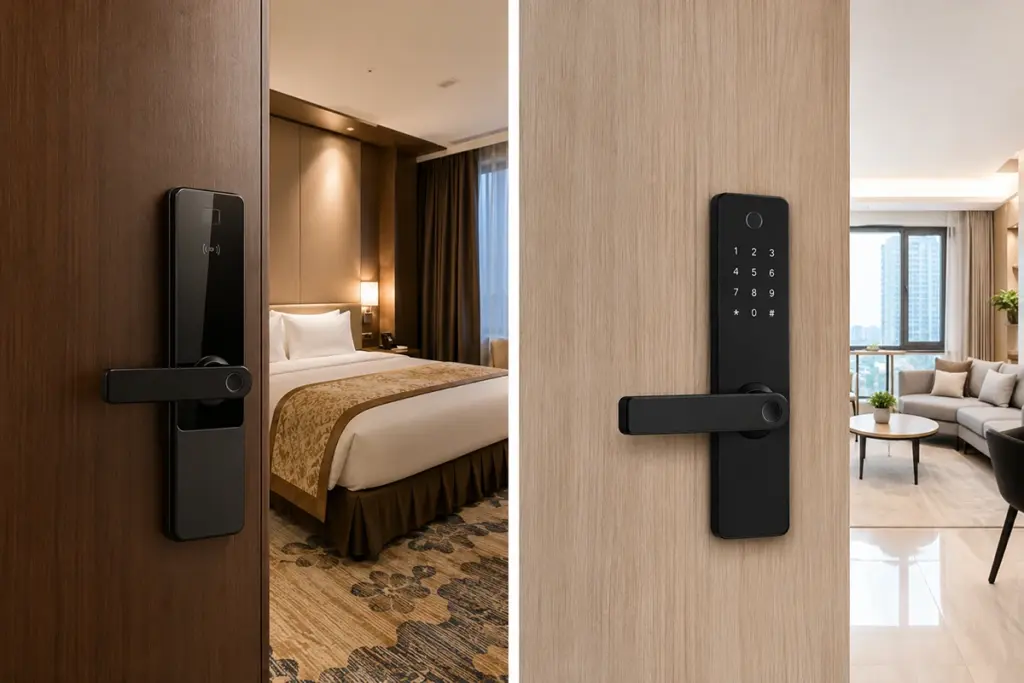
In the following sections, we will compare smart locks for hotels and apartments based on the following key aspects.
1) The Core Difference: Management Model
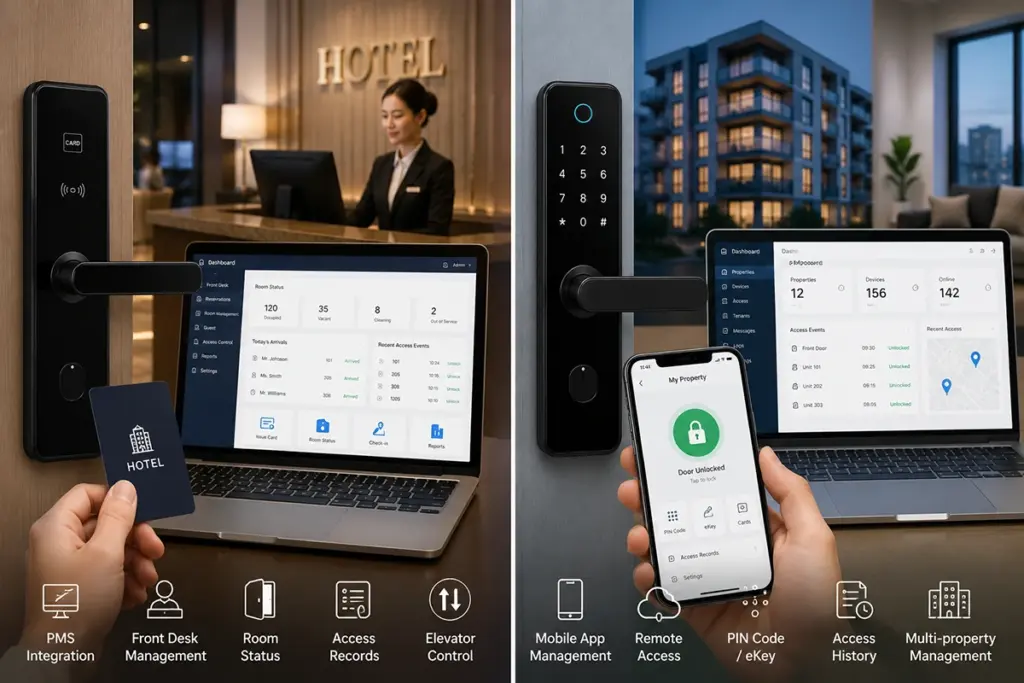
Hotel smart locks are designed with centralized services: guests check in at the front desk, the staff give them or receive their mobile key or RFID card by using hotel lock software, and the key then expires at check-out – or is deactivated at check-out. With rooms changing hands every day, this model helps with speedy check-in/out, room re-assignment, access logs and staff-level permissions.
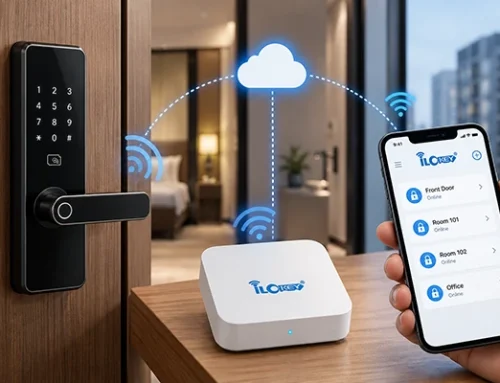
Apartment smart locks are built around remote, flexible access. Tenants or guests receive a PIN code, Bluetooth key, or app invitation without visiting a front desk. Property managers create, extend, or revoke access from a mobile app or cloud platform — ideal for apartments, Airbnb units, vacation rentals, and serviced apartments running self check-in.
2) Access Methods: Same Technology, Different User Journey
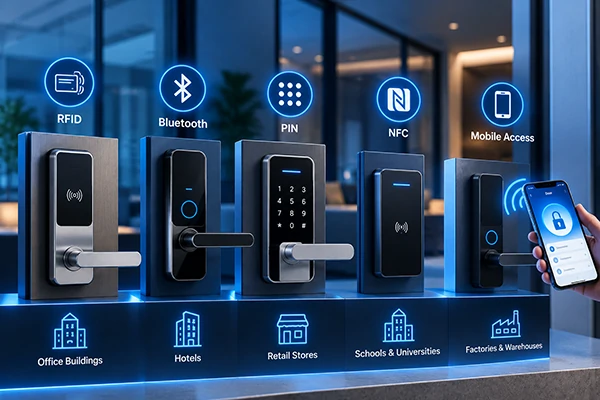
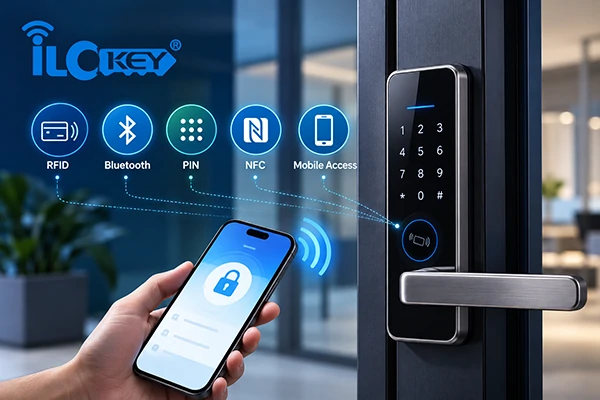
Both systems may offer RFID, PIN, app, Bluetooth, fingerprint, or mechanical key unlocking, but the journey differs.
Hotels still lean on RFID cards because front desk staff can issue, replace, and collect them quickly. A guest gets a card at check-in; it’s deactivated at checkout. Some hotel systems also support mobile keys, depending on the software and PMS.
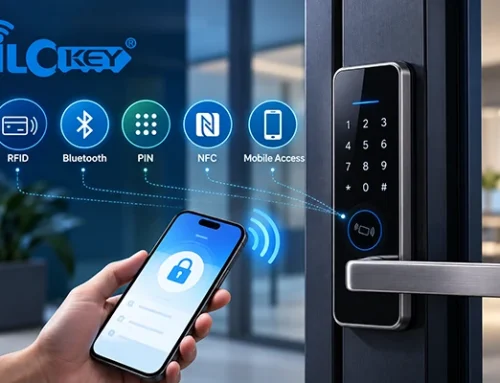
Apartments rely more on PIN codes and app access, since managers often never meet the guest in person. Many platforms also support one-time passwords, recurring access, and remote unlocking via gateway.
Don’t just ask “what unlocking methods does this lock support?” Ask: who creates the access permission, and how is it removed once the person leaves? For hotels, access ties to the guest stay. For apartments, it ties to user type or rental period.
3) Software and System Integration
The software platform matters more than the lock hardware — replacing a lock is far easier than replacing an entire management platform after installation.
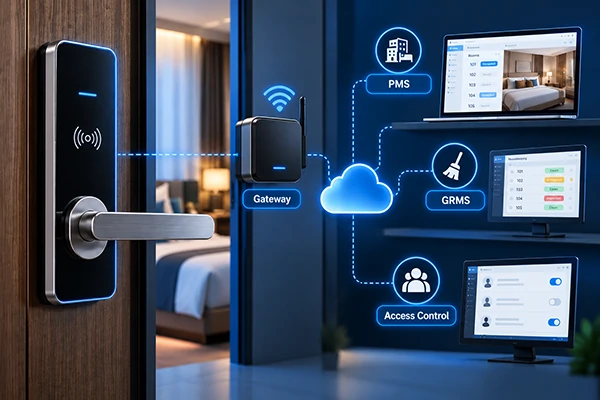
There are normally standard elements to hotel systems: hotel lock management software, card encoder, RFID key cards, PMS integration, elevator control, energy saving switches, staff card management, access logs, and mechanical key backup. Not all hotel lock systems accommodate all PMS; make sure to order a system that is compatible.
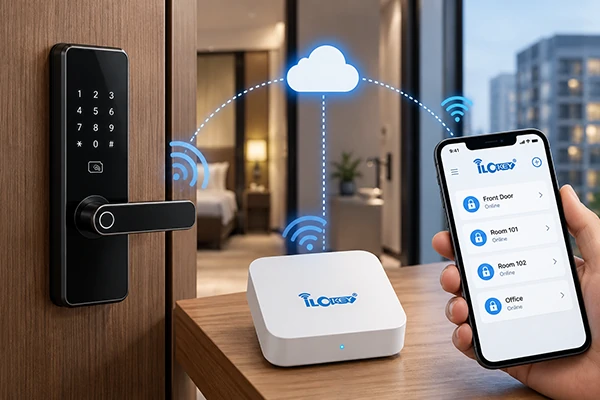
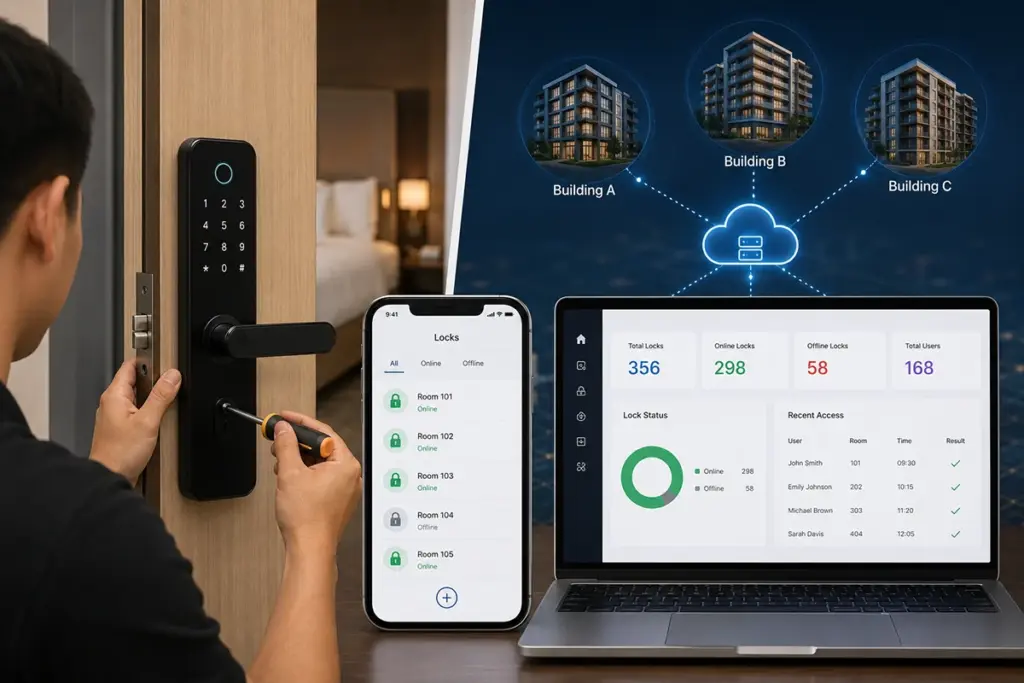
Usually, Apartment systems are managed via a mobile app or cloud platform (Tuya, TTLock, or similar), which features PIN management, temporary and one-time passwords, recurring access, fingerprint unlocking, RFID cards, remote unlocking through gateway, access logs, and multi-property management. Be sure that remote unlocking is through a gateway or that the lock is just Bluetooth, not WiFi. If you are going to need to expand to hundreds of units, check to see if the platform can support you.
4) Cost Structure: Look at the System, Not Just the Lock Price
The cheapest lock is rarely the best deal — total cost depends on the full system.
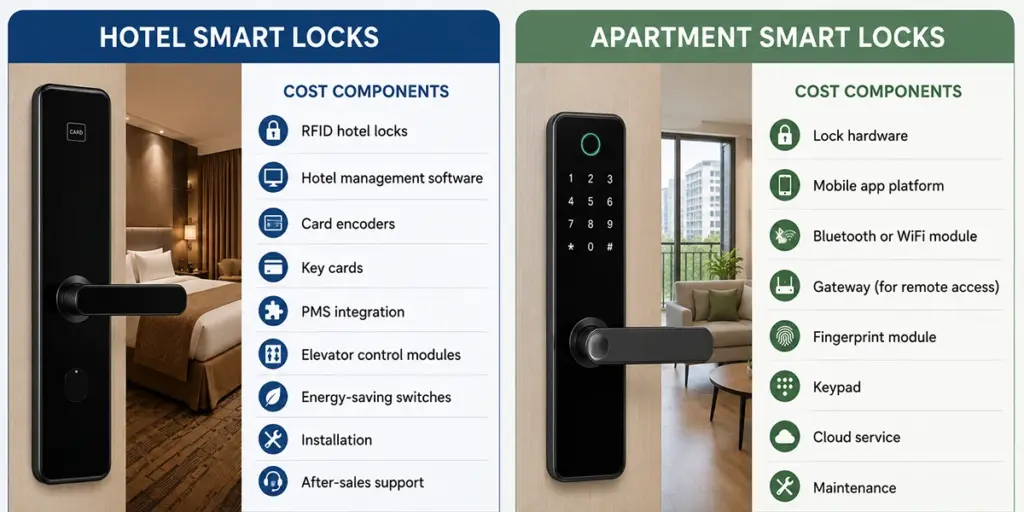
The components of a hotel project can vary from: lock hardware, hotel lock software, card encoder, RFID cards, PMS integration, elevator control, energy-saving switches, installation, staff training, after-sales support. More upfront planning is needed, but centralized management pays off with high guest turnover.
Apartment projects often include: lock hardware, app or cloud platform, Bluetooth/Wi-Fi/Zigbee module, gateway (if remote access is needed), fingerprint or keypad modules, cloud service fees, installation, and OEM branding if applicable. Entry cost can be lower for small, standalone deployments — but factor in gateways and cloud fees if you need remote or multi-building access.
iLockey suggest that ask instead: What does the complete system need to include? Will it still work as the project grows? Does the platform match how you actually operate day to day?
5) Deployment and Scalability
A system that handles 20 doors smoothly can become unmanageable at 200+ doors or multiple buildings — plan for scale from day one.
Hotel deployment requires configuring room numbers, lock software, staff permissions, and guest rules — plus PMS, elevator control, and energy-saving integration where needed. Confirm room count, door type/thickness, mortise lock body, PMS requirements, and fire/certification needs before you order.
Apartment deployment is typically simpler and app- or cloud-based, letting managers add locks and users directly. Still confirm: does the platform support multiple properties? Is a gateway required for remote unlocking? How many locks can one account manage? Can different lock models sit on the same platform?
6) Security: It’s About Fit, Not Which System Is “Safer”
Neither system is inherently more secure — security depends on how well access permissions are managed for the use case.
Hotel locks secure high guest turnover through centralized control: cards expire at checkout, lost cards are invalidated instantly by staff, staff access is role-based, and logs run through the hotel system, with mechanical key backup for emergencies.
Apartment locks secure flexible, remote access: temporary PIN codes for guests, one-time codes for visitors or service staff, remote revocation, and fingerprint/app users added or removed on demand.
Evaluate security against the actual operating scenario, not just a feature checklist.
2. Typical Applications of Hotel Smart Locks and Apartment Smart Locks
The following are some Typical Applications of Hotel Smart Locks and Apartment Smart Locks base on iLockey’s experience.
1) Hotel Smart Locks — Application Scenarios
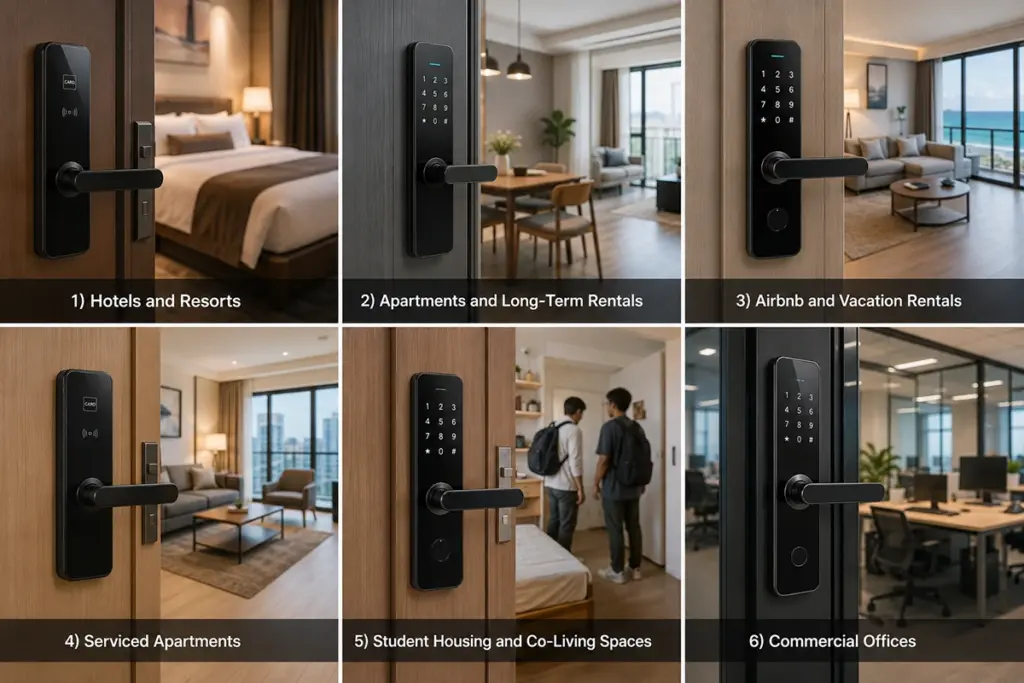
- Full-service hotels and resorts with 24/7 front desk operations
- Properties requiring PMS integration for automated check-in/out and room status sync
- Hotels with elevator control and floor-level access restrictions
- Business hotels with meeting rooms and event spaces requiring temporary access
- High-end boutique hotels with dedicated front-desk service
- Hospitality training facilities needing role-based access for students, instructors, and staff
- Properties where housekeeping schedules and staff access logs are essential
2) Apartment Smart Locks — Application Scenarios
- Airbnb and short-term vacation rentals with remote guest check-in
- Serviced apartments operating without front-desk staff
- Long-term rental apartments and residential buildings
- Student housing and co-living spaces with multiple occupants per unit
- Commercial offices and coworking spaces with shift-based access
- Property managers handling multiple buildings from a single dashboard
- Any scenario where PIN codes or mobile app credentials are preferred over physical cards
3. Application Challenges and Solutions of Hotel Smart Locks and Apartment Smart Locks
Having the right lock system has been a cause of endless trouble for many property owners over the years, as they’ve always looked at what hotels use or simply mimicked what their competitor down the street used. The reality is, the right system does not simply save you money, it is a daily nuisance with your employees, a hassle for your guests, and a security hole you will only discover when a problem arises.
Here is a breakdown of challenges and solutions for our real-life clients’ hotels, rentals and mixed-use properties. However, do not rush through the table; take the time to read the notes below. They have grown from tough experience.
| Application Challenge | Recommended System | Why |
|---|---|---|
| High guest turnover with daily check-in/out | Hotel smart locks | Front-desk staff handle credentials; PMS integration automates check-in/out and prevents key conflicts |
| Remote check-in with no on-site staff | Apartment smart locks | PIN codes or mobile keys can be generated and sent remotely; no physical card handover needed |
| Need for elevator control & floor restrictions | Hotel smart locks | Built-in elevator controller integration and floor-level access rights are standard in hotel-grade systems |
| Multiple occupants sharing one unit (e.g., co-living, student housing) | Apartment smart locks (cloud-based) | Cloud management allows bulk user creation, role-based permissions, and time-limited access for each occupant |
| Housekeeping scheduling and room status tracking | Hotel smart locks | Lock software integrates with housekeeping modules to show cleaning status, door events, and staff activity logs |
| Short-term rental with frequent guest changes | Apartment smart locks | Temporary PIN codes with expiration times eliminate rekeying costs and physical key management |
| High-security areas (e.g., offices, data rooms) | Apartment-style or general access control | Support for multiple credential types (PIN, fingerprint, RFID, app) with audit trails for entry logs |
| Limited budget but need basic access control | Apartment smart locks | Lower hardware cost, no PMS/license fees, and simpler installation reduce total investment |
| Mixed operation: front-desk hours + after-hours self-check-in | Hybrid approach (Hotel lock + mobile-enabled gateway) | Front-desk handles daytime check-in; after-hours guests use app or PIN—combining both worlds |
Let’s face it, the table above looks neat and tidy. Most projects do not fit into one of the columns, in practice. Over the years, we’ve installed and supported on the ground, we’ve learned the following:
First, never underestimate the “front-desk factor.” We’ve seen boutique hotels with only 12 rooms insist on a full hotel lock system—and it was overkill. They spent thousands on PMS integration they never used, and the front-desk staff ended up managing everything manually anyway. On the flip side, we’ve also seen 50-unit apartment buildings try to run on basic apartment locks, only to realize six months in that they couldn’t track housekeeping, couldn’t generate staff access logs, and had no way to remotely revoke a former employee’s PIN. They ended up replacing the entire system. That’s expensive—and avoidable.
Second, guest behavior is the variable nobody plans for. With apartment-style locks, guests love the convenience of a PIN code sent via text. We’ve also had properties report that older guests or internationals have problems with mobile apps or keypad entry, particularly in low light. A card system that is physical and has a back up at the front desk may be more guest friendly if your age range is older or less tech-savvy, although it will be more expensive in the beginning.
Third, the “hybrid” route is more common than you’d think. Many of our clients start with a hotel lock system and add a gateway or mobile module later, once they realize that late-night arrivals are a real pain point. Others start with apartment locks and upgrade to a cloud management platform as they scale from 10 units to 50. The key is choosing a brand or ecosystem that allows this migration without replacing all your door hardware. Ask your supplier upfront: “Can I add PMS integration later? Can I add remote access later?” If the answer is no, keep looking.
1) The “Not Sure” Scenario—A Practical Fallback
We get this question more than any other: “We’re not sure which one we need. What do we do?”
Here’s our honest, field-tested advice: Start with the operation you have today, not the one you dream of having in five years.
If you currently have a front desk that operates 8 hours a day, and you’re handling check-ins manually with a paper log—start with a basic hotel lock system. It will give you room-level control, staff access tracking, and a clear upgrade path. Don’t buy the full PMS integration package on day one unless you actually have a PMS to integrate with.
For a STRS with no physical office, and who’s already handling bookings on Airbnb or Booking.com, it’s best to work with apartment locks first. They’re less costly, simpler to install, and come with remote control. For real-time status updates and remote PIN generation, add a gateway.
And if you truly fall in the middle—say, a 20-room guesthouse with a front desk that closes at 8 PM, and you get late check-ins twice a week—then go hybrid. Install hotel-grade locks but add a mobile-enabled gateway. Train your staff to issue PIN codes for after-hours arrivals. This gives you the best of both worlds without overcommitting to either side.
4. How to Choose Between Hotel Smart Locks and Apartment Smart Locks for Your Property?
The most common mistake we see is property owners choosing a lock system based on what their property is called rather than how it operates. A “hotel” label doesn’t always mean you need a hotel system, and an “apartment” tag doesn’t automatically rule one out. After years of helping clients through this decision, we’ve learned that three simple operational questions cut through all the confusion: Who handles guest arrival? How is housekeeping coordinated? What happens when access needs to be revoked? Your answers will point you in the right direction far more reliably than any property-type checklist.
| Property Type | Recommended System | The Real Reason |
|---|---|---|
| Hotels & resorts | Hotel smart locks — RFID system, hotel lock software, card encoder, PMS integration, elevator control | Multiple departments rely on the same data—PMS integration keeps everyone on the same page. |
| Boutique hotels & guesthouses | Depends on operation: front-desk service → hotel locks; self check-in → apartment-style locks | Size doesn’t matter; staffing does. A 10-room guesthouse with a desk runs hotel locks better than a 30-room boutique running lean. |
| Serviced apartments | Hotel-style if reception/housekeeping/PMS is used; apartment-style if remote check-in and app management are used | Daily housekeeping + physical reception = hotel system. Self-service model = apartment system. No middle ground. |
| Airbnb & vacation rentals | Apartment smart locks — PIN code, Bluetooth, gateway-based remote access, access logs | No staff, no desk—remote PIN generation and activity logs are your operational backbone. |
| Long-term rental apartments | Apartment smart locks — PIN, app management, fingerprint or RFID as needed | Tenants stay for months. Durability and easy credential reset between turnovers matter most. |
| Student housing & co-living | Cloud-based apartment locks with multi-user, multi-room management | High turnover and shared units demand bulk user management and instant permission revocation. |
| Commercial offices | Apartment-style or general access control — PIN, card, fingerprint, or app depending on needs | Scheduled access, departmental permissions, and audit trails—but rarely any need for PMS or guest check-in workflows. |
The one thing we tell every customer, “Don’t purchase the system with the biggest list of features, purchase the system your staff can use. A vacation rental owner is overwhelmed by a hotel dashboard, a basic apartment app is a death sentence to a 200-room resort. And if you’re truly 50/50, choose a modular supplier that lets you start with apartment locks and layer in hotel features later—hardware retrofits are expensive, but software upgrades are easy. The deciding factor is always the daily operation model, not the property label.
5. Choice Considerations Buyer Often Overlook
After walking countless property owners through their first smart lock purchase, we’ve noticed a pattern: almost everyone focuses on the same few things—price, appearance, and whether the lock looks “hotel-grade” or “modern.” And everyone is blind to the same hidden traps. The six things that we see most often, and the questions that we wish we’d ask every buyer before signing a purchase order.
1) Choosing by appearance alone
The exterior may be almost identical; finish, handles, sleek touch screen, but the inside may be completely different with two different locks. We’ve had clients proudly install a gorgeous lock, only to find that it has a closed system that isn’t compatible with their property management software, or that it requires an outdated mobile app that hasn’t been updated in 3 years. The hardware is just the tip of the iceberg. What matters is the software and the management model behind it. A pretty lock that doesn’t fit your workflow is just an expensive paperweight. Always ask for a software demo before you decide on hardware.
2) Comparing only unit price
This is the trap we warn every client about upfront. That “$50 cheaper per door” lock looks like a steal—until you realize the quote didn’t include the gateway, the cloud subscription, the card encoder, or the software license fee. We’ve seen projects where the “cheap” lock ended up costing 40% more than the premium alternative once all the necessary accessories were added. A low-cost lock can be expensive quickly if it requires additional parts to perform what you need. NEVER compare per-unit price! Be sure to ask your supplier: “What is included, what is extra?” When they hesitate, that’s a red flag!
3) Ignoring PMS compatibility
It’s the one that hurts the most, as it is completely preventable, but still we can see it happening just about everywhere! A hotel owner purchases a full hotel lock system for 50 rooms, and then finds that their current PMS system is incompatible with the hotel locks. All at once, they end up paying for a costly middleware integration, switching PMS providers or simply accepting manual check-in/out processes that negate the original concept of the purchase of smart locks. Not all hotel locks integrate with every PMS platform. Before you buy, get written confirmation from the lock vendor that your specific PMS version is supported—and ask for a reference site using the same combination.
4) Assuming remote unlocking is included
Here’s a discussion we have a minimum of once per week: “But the sales rep told me it was a smart lock, so I can unlock it from my phone anywhere?” The answer is: No. There are many Bluetooth-only locks to choose from that require you to be within 30 feet of the lock to use them.
Remote access which unlocks the door from across the city/country goes beyond just the hardware, usually needs a WiFi bridge or gateway and is often a paid cloud subscription. There are locks that are Bluetooth-enabled only, and others that require remote access via Wi-Fi, a gateway or cloud.
Make this clear from the beginning, particularly if you’re running several properties or are considering remote check-in. Otherwise you’ll be driving across town at midnight to let a guest in who got stuck when they were stranded, and we all have been that person.
5) Overlooking door compatibility
This is a simple one, but one that is often forgotten until the day of install. We’ve been receiving orders for 50 locks, then seeing that the doors are thicker than normal, or they aren’t the mortise lock, or the backset is a few millimetres out. Then the installer arrives on site, the clock starts and they start paying for custom modifications or they have to return the whole order. Thickness, mortise type, backset, and cutout matter most for replacement projects. Before you order, measure every door type in your property—don’t assume they’re all identical. And always ask the supplier for a dimensional template you can use to verify fitment.
6) Not planning for growth
When you move to 50 units or a second location the system that is perfect for your current 20-unit building can be your main constraint. Others will limit out to 30 doors; others will not support multi-property management from one dashboard; others will require you to pay per user fees, that compound painfully as you scale. A platform that works for one building may not scale to multiple properties. We always advise clients to think three years ahead. Ask the vendor: “What’s your maximum door capacity? Can I manage multiple buildings from one login? What happens when I add 50 more doors?” If the answer involves “upgrading to a new system,” you’re better off investing in a scalable platform from day one.
The difference between a successful smart lock deployment and a painful one usually comes down to what you ask before you buy. Our advice: slow down the purchase process and speed up the discovery questions. Get every detail in writing. Talk to other property owners who use the system. And if a deal feels too good to be true on price alone—it probably is, once you add everything else up.
6. Practical Selection Guide
Here’s something we’ve learned after reviewing hundreds of RFQs: the difference between a smooth project and a painful one is almost always determined before the quote is even issued. An ambiguous question yields an ambiguous offer and that’s where the surprises begin. We’ve had projects delayed weeks because the buyer said their doors were non-standard, or the buyer thought ‘smart lock’ equated to ‘remote access’. If you provide your supplier with as much information as possible, the quicker they can be able to offer you the best system, and the fewer potentially costly change orders you will encounter.
1) What to Prepare Before You Reach Out
We recommend gathering this information before you contact any supplier. It takes an extra hour upfront and saves weeks of back-and-forth—not to mention the headaches of discovering mismatched hardware at installation.
| Project basics | Property type, target market, new build vs. replacement, door count, sample and first-order quantity, projected annual volume | Suppliers price and stock differently for sample orders vs. bulk orders. And a new build vs. a retrofit changes the entire installation approach—hardware compatibility matters far more in replacements. |
| Management needs | Front desk vs. self check-in, PMS integration, mobile app management, remote unlocking, access logs, multi-building management | This single category determines whether you need hotel-grade or apartment-style software. Don’t skip it—it’s the biggest driver of system cost and complexity. |
| Access methods | RFID, PIN, fingerprint, app, Bluetooth, Wi-Fi, mechanical key, one-time/temporary/recurring passwords | We’ve seen buyers assume all locks support fingerprint, only to find out it’s an add-on. Or they assume they’ll get both RFID and PIN in one lock—which most do, but confirm anyway. Be explicit about what credentials your guests and staff actually use. |
| Door and installation details | Door type and thickness, mortise lock body, backset, opening direction, existing cutout (for replacements), indoor/outdoor use, fire door requirements | This is where most installation nightmares begin. If you’re replacing existing locks, send photos of the current cutout and mortise. A simple photo can save your supplier from recommending a lock that simply won’t fit. Outdoor use? Fire-rated doors? These aren’t optional considerations—they’re compliance and safety requirements. |
| System and accessories | Card encoder, RFID cards, gateway, PMS integration, elevator control, energy-saving switch, API/SDK needs | The lock on the door is only half the system. A gateway for remote access, an encoder for issuing cards, elevator integration for floor control—these add-ons are often overlooked until the final quote arrives and the budget gets blown. Ask for a full accessories list before you approve any proposal. |
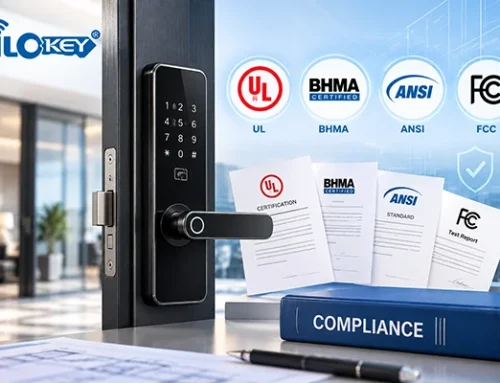
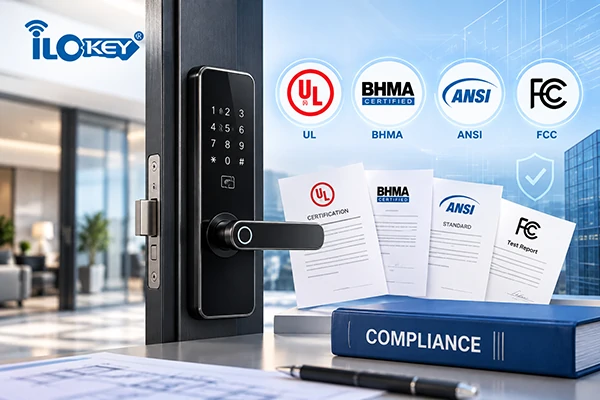
| Certification and branding | CE, FCC, RoHS, UL/BHMA, EN1634-1 fire rating, IP rating, logo/packaging/manual customization, OEM/ODM requirements | Certifications aren’t just paperwork—they’re your ticket through customs, building inspections, and insurance requirements. We’ve seen shipments held at port because a buyer assumed CE certification was included when it wasn’t. If you need customized branding or packaging, mention it upfront. OEM/ODM setups take time; rushing them leads to mistakes. |
The following recommendations can serve as a quick reference when choosing between hotel smart locks and apartment-style smart locks. While every project should be evaluated individually, these guidelines reflect the most common operational scenarios we’ve encountered across hundreds of installations.
2) Summary Takeaway for Daily Practice:
| ☑ Full-service front desk operates daily | ☑ No on-site staff / self check-in model |
| ☑ PMS integration is required | ☑ No PMS in use, or PMS integration is not needed |
| ☑ Multiple departments need to share lock data (front desk, housekeeping, maintenance, security) | ☑ Single owner or small team manages everything directly |
| ☑ Elevator control and floor restrictions are needed | ☑ No elevator or floor-level access control required |
| ☑ Physical RFID cards are the primary credential | ☑ PIN codes or mobile app are the primary credential |
| ☑ Real-time room status and housekeeping tracking is essential | ☑ Room status is managed manually or through other channels |
| ☑ Centralized on-site management is preferred | ☑ Remote management across multiple properties is preferred |
| ☑ You need to instantly revoke or reissue credentials from a central dashboard | ☑ Credentials auto-expire (time-limited PINs) and don’t require active revocation |
| ☑ Long-term reliability and staff accountability are the priority | ☑ Guest convenience and minimal staff involvement are the priority |
Clients often assume that if they choose apartment locks, they’re sacrificing quality or security. That’s simply not true. Apartment locks today offer robust encryption, reliable audit trails, and remote management capabilities that didn’t exist five years ago. The difference isn’t quality—it’s operational fit. We’ve seen 200-unit high-end properties run flawlessly on apartment-style systems, and we’ve seen 20-room guesthouses struggle with overcomplicated hotel software.
Choose the system that fits your team’s workflow, not the one that sounds more impressive on a brochure. That, in our experience, is the difference between a lock system you love and one you tolerate.
7. Conclusion
Hotel and apartment smart locks aren’t just different hardware—they represent two distinct access management philosophies. Hotel systems are built for centralized, staff-driven operations with PMS and elevator integration. Apartment systems prioritize remote management, self check-in, and app-based user control.
Before choosing, answer three questions: Will your property be staff-managed or remotely operated? Do you need PMS integration or app-based access? Will your project stay small or scale to multiple buildings and hundreds of doors?
With over 15 years as an OEM/ODM smart lock manufacturer, iLockey delivers tailored solutions for hotels, apartments, Airbnb, and commercial projects—including RFID/Bluetooth locks, Tuya and TTLock-compatible systems, elevator controls, and energy-saving switches for distributors and contractors.
Not sure which system fits? Share your property type, door count, management needs, and target market—we’ll recommend a practical solution for your real-world scenario.