A hotel buyer wants to believe that mobile access is more modern and requests that it be installed in the hotel.A hotel buyer expects to have Bluetooth because mobile seems more modern. A reason why an apartment operator requests Wi-Fi is because remote management seems more advanced.
A distributor wants to put RFID, PIN, fingerprint, NFC and an app in the same lock because more functions appear to be easier to sell. The three decisions may all be incorrect. The issue isn’t the technology. The issue is, picking the technology before you decide how you want to run the property.
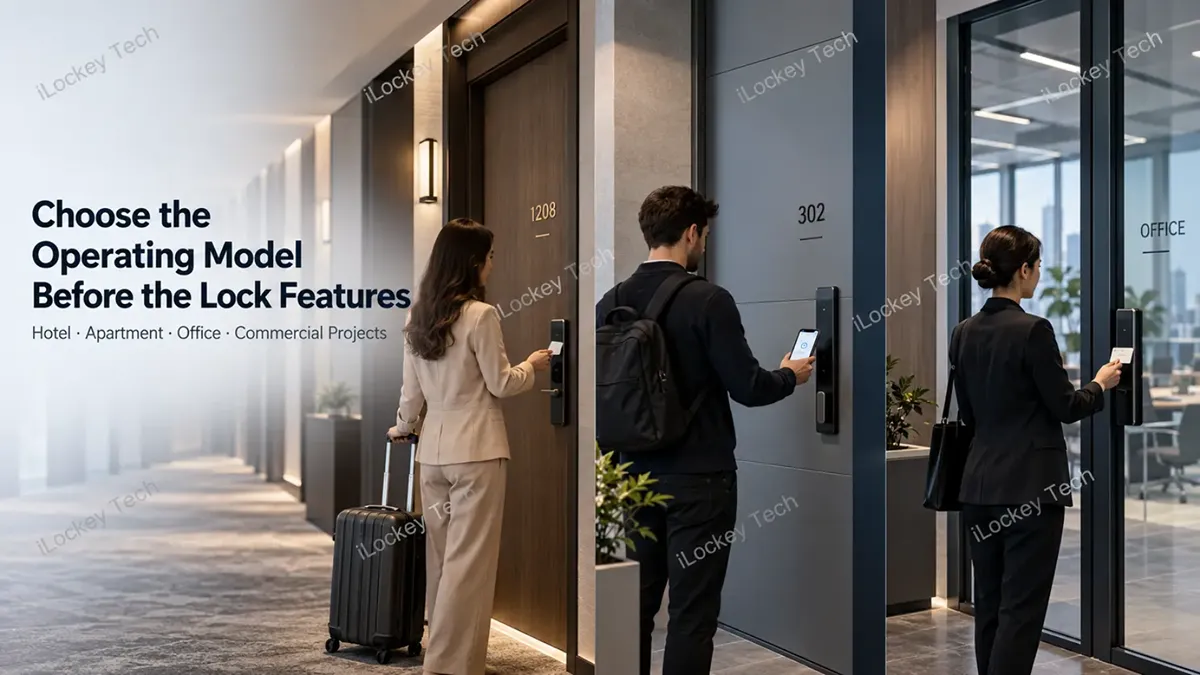
A 200-room hotel with a manned front desk won’t deal with access in the same way as 200 apartments throughout a city. This is a different credential problem than if it is a short-term rental. The same logic should not be applied to the evaluation of a locker that is used repeatedly all day long as would be applied to the evaluation of an apartment entrance.
That is why asking:
- What is the most intelligent lock system?
- It’s typically not the best place to begin.
The more telling questions are: Who uses the door? How frequently are users changing? How will access be granted and denied? Would the lock need to be on-line? So, what if the main communications channel breaks down?
With these questions answered, the decision to select RFID, Bluetooth, PIN, NFC and mobile access becomes much easier.
1. The First Mistake: Treating Every Access Technology as the Same Kind of Decision
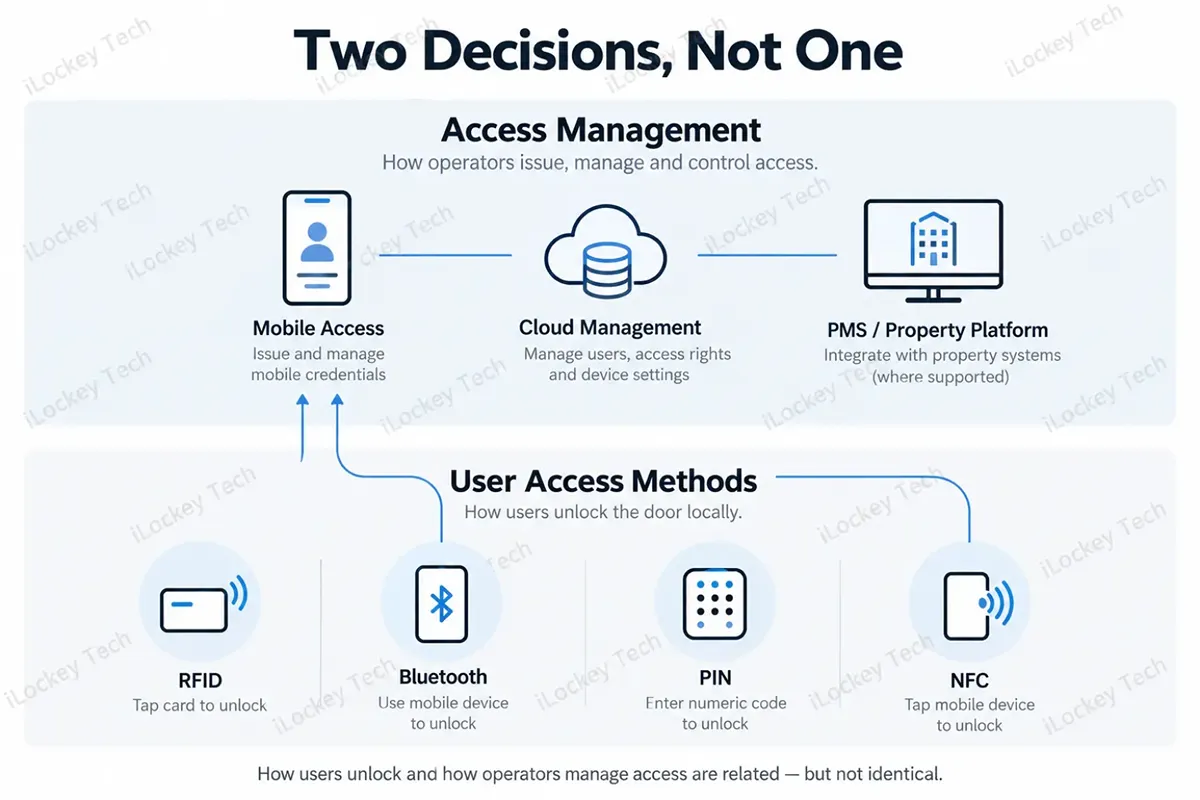
The ways of proving ownership to the door are primarily: RFID, Bluetooth, PIN and NFC.
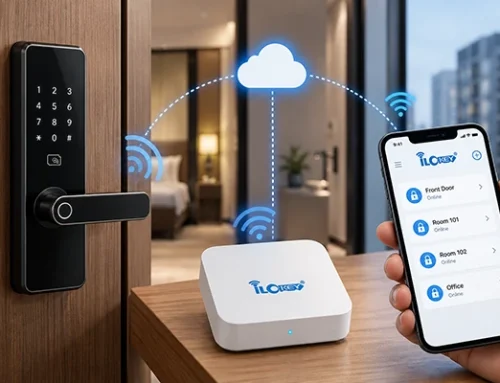
Things are different for mobile access. It is more widely recognised as a digital credential and management framework. Depending on the system architecture, it can be connected via Bluetooth, NFC, wireless or gateways and cloud platform.
This is important because so many projects get the two questions wrong: What will the user use to open the door? and What will be the approach for access management?
Although they are related, they are not the same decision.
|
Access Method |
What the User Uses |
Main Business Value |
Main Management Question |
|
RFID |
Card / wristband |
Fast, familiar local access |
Who issues and replaces credentials? |
|
Bluetooth |
Smartphone |
Digital key without physical handover |
How are digital keys issued and synchronized? |
|
PIN |
Numeric code |
No card required |
How are codes created, expired and controlled? |
|
NFC |
Card / mobile credential |
Fast tap-based access |
Which devices and credential systems are compatible? |
|
Mobile Access |
Smartphone + digital credential system |
Remote credential lifecycle management |
How does the software, cloud or PMS fit the workflow? |
2. RFID Solves One Problem Extremely Well: Fast, Familiar Access
Don’t mistake that RFID isn’t exciting because it’s new. It’s useful because it is familiar to users. Present the card. Open the door.
That’s why it’s important in places like hotels, offices, schools, fitness centers, and locker projects where users might switch regularly or if they have to use a smartphone to get to the place of intended use, it can be cumbersome.
It’s possible for a hotel front desk to issue a card in seconds. An employee may already have an access card. Some members of the gym may use a wristband rather than bringing their phone into a changing room.
That’s why RFID remains a viable solution despite the presence of more sophisticated technologies.
1)Where Buyers Go Wrong
The mistake is treating “RFID” as one universal specification.
Commercial buyers should still ask:
- What card technology is supported?
- Can the existing customer card be tested?
- Can the same credential be used across doors, elevators, access control or lockers?
- How are lost cards cancelled?
- What encoder or management software is required?
The real question is not simply: “Does this lock support RFID?”
It is: “Does this RFID system fit the credential workflow we already have?”
For hotel and commercial projects, iLockey can provide RFID door locks, cabinet locks and related credential accessories depending on the selected system and model.
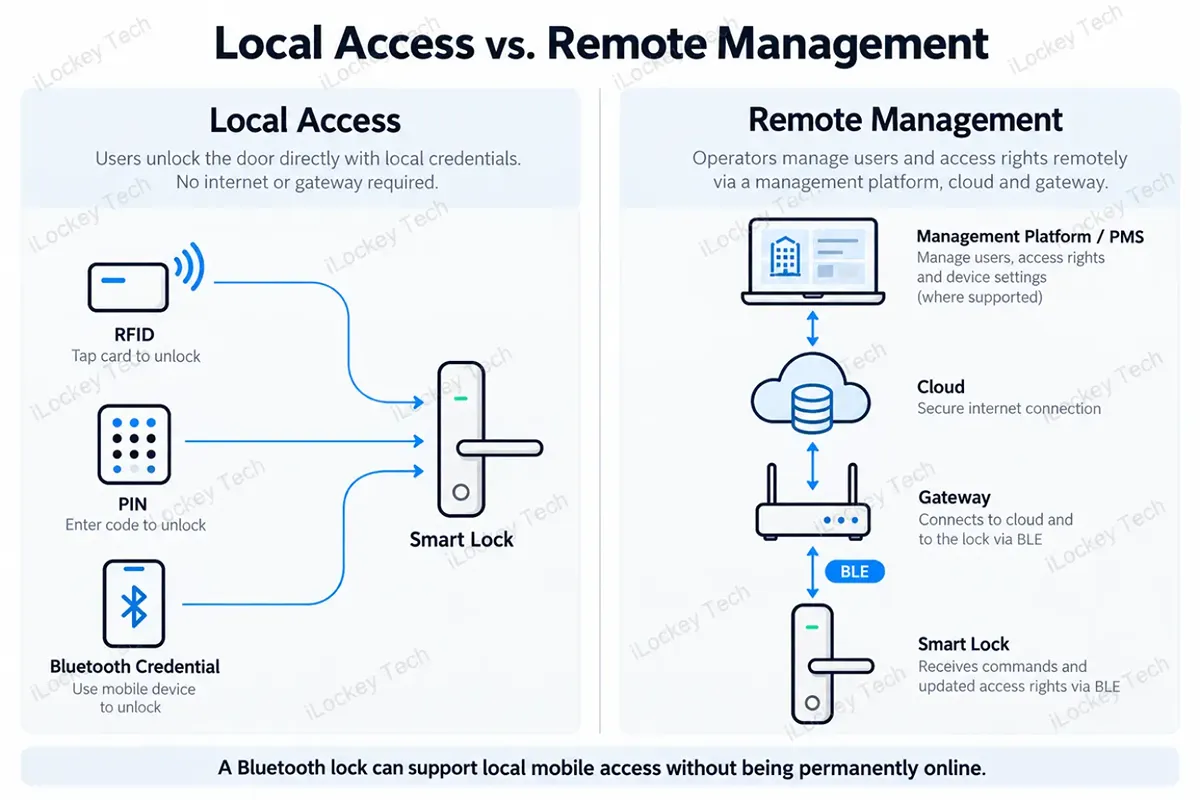
3. Bluetooth Does Not Mean the Lock Is Online
This is one of the biggest issues that people have when sourcing a smart lock.
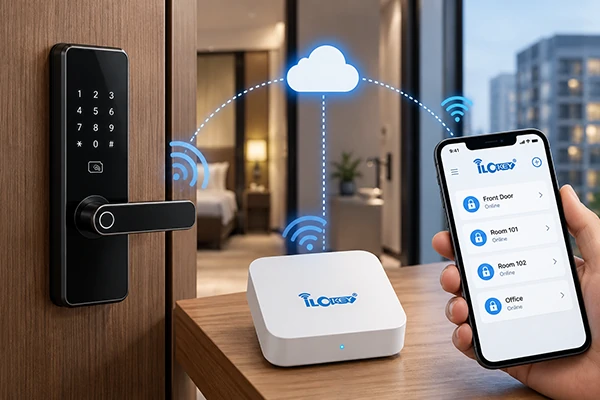
A Bluetooth lock can achieve local communication with an authorized Smartphone that is in the vicinity of the door, without having to make everything a permanently-online lock.
This is a big reason why Bluetooth is appealing for apartments, short-term rentals and distributed offices and other projects looking to cut down on the physical key exchange.
1) The Important Distinction: Sending a Digital Key vs Managing the Lock Remotely
These are different functions. A manager may send a digital credential to a user remotely. The user then arrives at the door and unlocks locally through Bluetooth. That does not automatically mean the manager can perform every lock operation remotely.
For supported network-based functions, a gateway or another online architecture may be required. So instead of asking: “Does the lock support Bluetooth?” ask: “Which functions work locally, and which functions need a gateway?” That one question can prevent a lot of confusion during deployment.
2) What Buyers Should Check
Before purchasing, confirm:
- how digital keys are issued;
- whether users need an App;
- whether an existing credential can work offline;
- which functions require a gateway;
- how logs are synchronized;
- whether third-party integration is required.
iLockey offers TTLock-based Bluetooth smart locks and gateway-enabled configurations, but project functions should always be verified by model and architecture.
Our another guide talks detailed: Smart Lock Gateway Guide: Do You Need One for Remote Management?
4. PIN Is Cheap to Deploy. It Is Not Free to Manage.
PIN access looks simple. No card. No key. No physical credential. That makes it especially useful for temporary visitors, short-term rental guests, maintenance teams and backup access. But the absence of a physical credential does not eliminate management.
Someone still needs to decide:
- who receives the code;
- how long it works;
- whether it can be forwarded;
- when it expires;
- what happens when a guest forgets it.
1) Where PIN Works Best
PIN is strong when the project needs a credential that can be communicated quickly without handing over a physical object.
That is why it often works well as:
- temporary access;
- visitor access;
- short-term rental access;
- maintenance access;
- backup access.
2) What Buyers Should Check
Depending on the selected lock and platform, useful functions may include:
- time-limited PIN codes;
- one-time PIN codes;
- recurring schedules;
- wrong-attempt protection;
- anti-peeping input.
These functions should be confirmed for the actual product rather than assumed across an entire smart lock range. The correct question is therefore not: “Does the lock have a keypad?” It is:“How will passwords be issued, controlled and removed?”
5. NFC Sounds Simple Until Mobile Compatibility Enters the Project
NFC is attractive because the user experience is simple: tap and enter. But procurement becomes more complicated when “NFC support” starts to mean “mobile phone access.” A lock supporting contactless cards does not automatically mean every NFC smartphone can behave like that card.
1) Physical NFC and Mobile NFC Are Not the Same Thing
Phone-based NFC depends on the entire credential chain: phone + operating system + mobile credential + reader + lock + management platform
That is why projects involving Apple Wallet, Android credentials or proprietary mobile keys should never be approved based only on an “NFC supported” line in a specification sheet.
2) Where NFC Makes Sense
NFC can work well in:
- corporate offices;
- hospitality;
- managed apartments;
- projects already using mobile credentials or compatible contactless infrastructure.
But the buyer should always confirm:
- which phones are supported;
- how credentials are provisioned;
- whether the lock reads a physical credential or mobile credential;
- whether the required ecosystem has already been defined.
The right purchasing question is: “What exact credential does the lock recognize?” not: “Does it have NFC?” For iLockey projects involving mobile NFC, compatibility should be confirmed against the specific lock, credential platform and customer requirement.
6. Mobile Access Is Not a Lock Feature. It Is an Operating System for Access.
This is where many projects become over-specified. The buyer says:
“We need mobile access.”
- But what does that actually mean?
- Do guests receive a Bluetooth key?
- Do tenants receive a PIN from a property platform?
- Does a hotel PMS trigger credential creation?
- Does the lock stay offline while a gateway handles synchronization?
- Does the phone use BLE or NFC?
“Mobile access” can describe several different architectures.
1) When Mobile Access Creates Real Business Value
Mobile access becomes useful when it changes the operating workflow.
For example:
- eliminating physical key handover;
- issuing access before the guest arrives;
- revoking access when a lease ends;
- managing properties in different locations;
- connecting access rights to hotel or apartment workflows.
The phone itself is not the value. The value is what happens to the management process.
2) What Buyers Should Clarify
Before selecting hardware, answer:
- Who creates the credential?
- How does the user receive it?
- Does the user need an App?
- What happens if the phone has no network?
- Which remote functions require a gateway?
- Is PMS or property-management integration required?
- What API or SDK is available?
- Are there platform fees?
If the project cannot answer those questions yet, choosing a lock model is probably premature.
You can reference our another guide: Mobile Key Smart Locks: How to Rethink Guest Access for Hotels and Apartments
7. The Wrong Question: “Which Technology Is Best?”
The answer depends on the project and is not useful without knowing the project. For a hotel that has a reception staff, RFID could be a great solution. It might not make much sense to follow the same steps for a collection of apartments in multiple cities.
For tenants that are already utilising smart phones, Bluetooth could be best suited. If the user has access cards, it might not be necessary for a staff only storage room. Technology itself is worth nothing unless it helps to eliminate a practical problem.
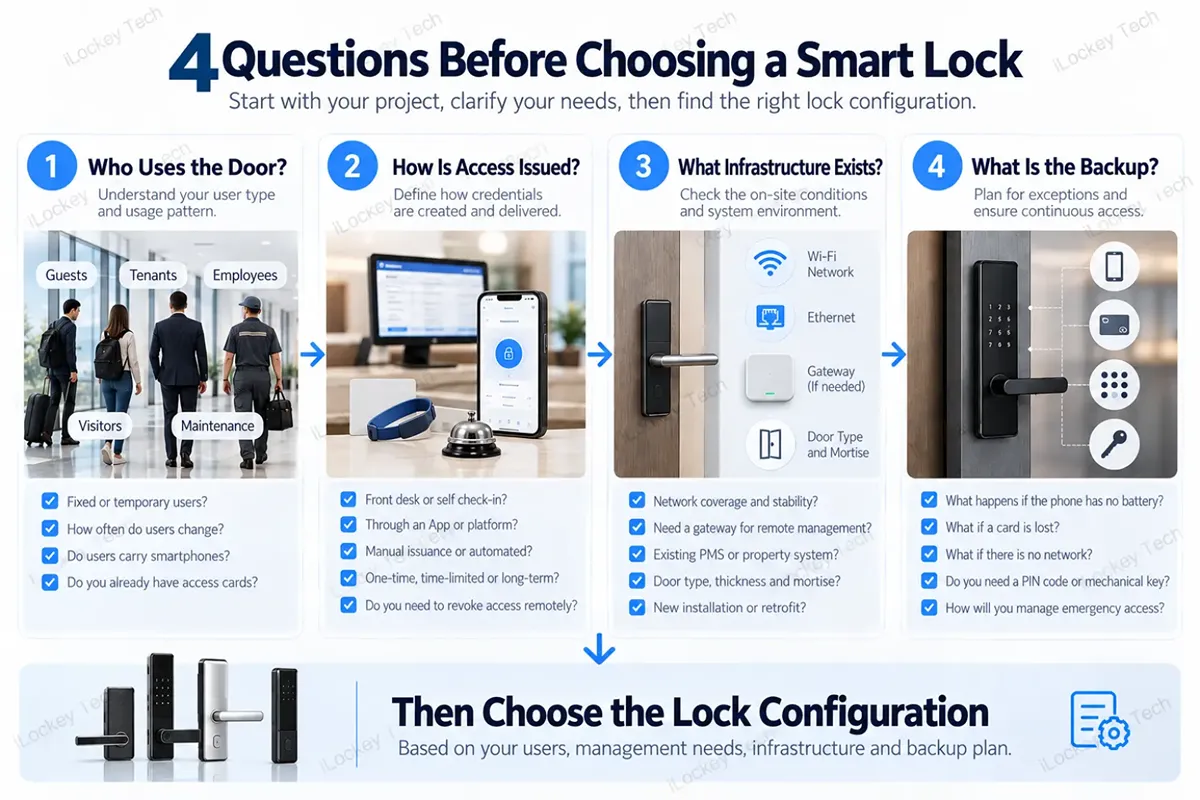
8. Use These Four Questions Before Comparing Lock Models
1) Question 1: Who Actually Uses the Door?
- Fixed employees?
- Hotel guests?
- Long-term tenants?
- Short-term visitors?
- Maintenance staff?
The more frequently users change, the more important credential lifecycle management becomes.
2) Question 2: How Will Access Be Issued?
- At a front desk?
- Through an App?
- Through a booking platform?
- By a property manager?
- Remotely from another city?
This question often determines whether RFID, Bluetooth or PIN makes more operational sense.
3) Question 3: What Infrastructure Already Exists?
Check:
- door type;
- mortise;
- existing access cards;
- Wi-Fi;
- Ethernet;
- possible gateway locations;
- current PMS or property platform.
The most expensive mistake is sometimes replacing infrastructure that did not need replacing.
4) Question 4: What Happens When the Main Method Fails?
- Phone out of battery.
- Card lost.
- Internet unavailable.
- PIN forgotten.
- Software temporarily unreachable.
Every commercial access plan should have a realistic fallback. Not necessarily five fallback technologies. Just one that the operator can actually manage.
9. Different Projects Need Different Combinations
The point of combining access methods is not to maximize features. It is to reduce operational friction.
|
Project |
Common Starting Combination |
Why |
|
Hotel |
RFID + optional mobile access / PIN |
Mix of front-desk credentials, guest convenience and backup |
|
Managed Apartment |
Bluetooth + PIN |
Remote credential distribution plus practical fallback |
|
Office |
RFID + mobile credential / NFC where supported |
Frequent employee access and existing credential systems |
|
Short-Term Rental |
PIN + Bluetooth |
Remote guest access without physical key handover |
|
Locker Project |
RFID or PIN |
High-frequency use and simple credential workflow |
|
Distributed Property |
Bluetooth + gateway where needed |
Centralized management across locations |
These are not universal recommendations. They are starting points. A project should still verify:
- user behavior;
- credential compatibility;
- door hardware;
- management workflow;
- network conditions;
- integration requirements.
10. The Feature List Should Come Last
Many procurement discussions start with:
- “Does it have RFID?”
- “Does it have fingerprint?”
- “Does it have Wi-Fi?”
- “Can we add NFC?”
That is backwards. With the operating model established, the list of features is easy.
For example:
For hotel guests that are issued cards at reception, RFID might already be the solution for the principal access issue.
The more frequently apartment renters move in and out and the further away the management, the more crucial it becomes to have digital credential management.
When maintenance contractors require temporary access, PIN might be more useful than another mobile App.
When the same employee needs to access doors and other access systems the compatibility of the card can be more important than adding new unlocking capabilities.
Additional functions don’t necessarily produce additional value.
They may just add other things to configure, train, maintain and troubleshoot.
11. Ask These Questions Before Asking for a Final Quote
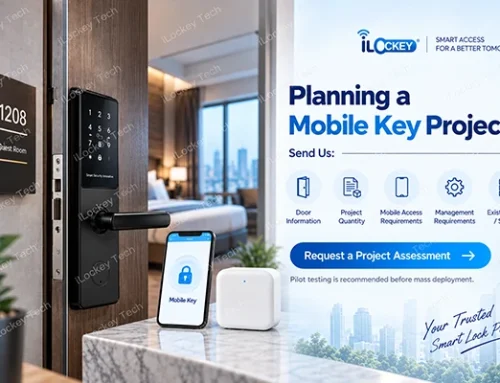
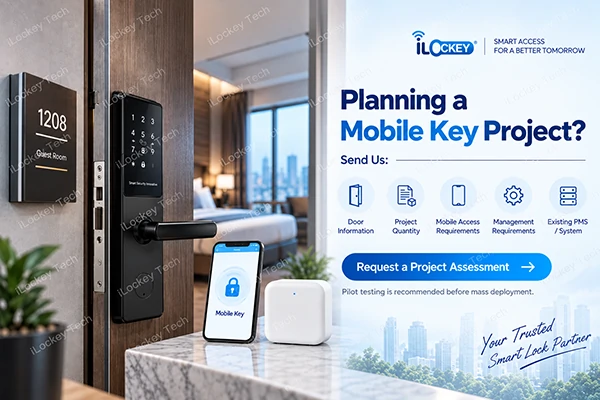
A useful smart lock RFQ should contain more than quantity and finish. Before requesting a quotation, prepare:
1) Door Information
- Door material
- Door thickness
- Existing mortise
- Existing openings
- Door photos or drawings
2) Project Information
- Application
- Quantity
- Number of buildings or locations
- New installation or retrofit
3) User Information
- Fixed or temporary users
- Expected user turnover
- Smartphone use
- Existing RFID credentials
4) Management Requirements
- Local or remote management
- Access logs
- Gateway requirements
- PMS or third-party platform
- API or SDK requirements
Backup Requirements
- PIN
- RFID
- Mechanical key
- Other emergency access
This information usually tells the supplier far more than saying: “Please quote your best smart lock.”
12. Smart Lock Access Technologies FAQs
The following are some common questions.
1) Is RFID better than Bluetooth for a hotel?
Not necessarily. For hotels with manned front desk and physical cards, RFID can be practical. If digital check-in or delivery of credentials remotely is a part of the operating model, Bluetooth or mobile access can provide value.
2) Does a Bluetooth lock need a gateway?
Not for all local Bluetooth unlocking situations. A gateway is relevant when remote management functions that support the lock require a network for communication.
3) Is PIN access suitable as the main access method?
It may be as per the application, PIN is particularly valuable when there is a need for temporary users or backups, but there is a need to consider code sharing, expiration and credential management in the project.
4) Can any NFC phone open an NFC smart lock?
No. Mobile NFC is based on the phone, the OS, the credential architecture, the reader and the lock. Mobile NFC compatibility is not guaranteed just because of physical NFC compatibility.
5) Is mobile access always better than RFID?
No. It is possible to eliminate handling of physical credentials but introducing mobile access introduces software considerations and onboarding challenges. RFID can still be the simpler operating model for many projects.
6) Should commercial smart locks support multiple access methods?
Generally yes, but not to obtain the highest number of functions. Having a single sensible backup approach is generally more essential than having all of the various types of credentials.
13. Conclusion
The price of the smart lock isn’t the most important factor. It can be the one that makes the property team adhere to a workflow they didn’t need. Mobile access does not have to be considered a modern feature of a hotel.
Just because remote management is important, it doesn’t have to mean that every lock must be permanently online on an apartment project. Having more features does not mean that an existing credential system have to be replaced in an office.
Five access methods to a lock is not necessarily more valuable than two. Instead, it’s quite easy to do the right thing:
- Define the users.
- Outline the management process.
- Check the infrastructure.
- Choose a backup.
- Next select the lock.
If you are interested in a new iLockey project, provide us with your door type, your project quantities, your user profile, any existing credential system, the network conditions (noise, connectivity, etc.), and your network management requirements. Include PMS or third-party software or existing access control platform if applicable.
The objective is not to sell you the lock that has the longest list of features. The best way is to determine the access architecture first, before investing in hardware.