A smart lock can open a door perfectly and still be the wrong lock for your project. The problem is often not the lock itself. The problem is everything that needs to happen around it.
Who creates the guest credential? Who sends access rights to the lock? Who enables remote management? What should happen when a guest checks out? Can the same credential operate the elevator and shared areas? Should opening a guest-room door trigger lighting or HVAC automation?
These functions belong to different systems. That is why commercial smart lock procurement should not begin with a product catalogue. It should begin with system architecture.
No goal is set to link as many systems as possible. Only after determining which systems are required in your operation, what data flows between them, and then how these data flows are flowing, can the appropriate combinations of locks, gateways and interfaces be selected. Architecture before hardware.

1. Start With the Operating Requirement, Not the Lock
There are three common mistakes in commercial smart lock projects.
The first is assuming that because a smart lock is purchased, it is automatically a smart lock with remote management capabilities. A Bluetooth lock could function flawlessly if the phone is in close proximity but still need a gateway to carry out some of its functions remotely.
The latter is assuming that the more integrations, the better system. For each additional layer, gateway, cloud platform, PMS interface, GRMS or access control integration, hardware costs, configuration, commissioning, maintenance and support costs increase.
The third is that two systems can be easily integrated just because they both publish an API.
An API is just the beginning. There is still a project that needs its answer to the above question:
Who provides the API? Who develops the connector? Which events can be exchanged? Is middleware required? Who tests the integration? And who supports it after deployment? Before asking which lock model to purchase, define what the building needs to manage.
2. Understand the Roles Before Connecting the Systems
A commercial smart lock architecture may involve several functional roles:
| System | Primary Responsibility | Typical Question It Answers |
| Smart Lock | Physical access execution | Can this credential open this door now? |
| Gateway / Network | Remote connectivity | How does a low-power lock communicate remotely? |
| Lock Management Platform | Device and credential management | Where are locks, users, permissions and records managed? |
| PMS / Property Platform | Operational workflow | Who is checking in, checking out or starting a lease? |
| RCU / GRMS | Guest-room automation | What should the room do based on occupancy and room status? |
| Access Control | Building-wide permissions | Where else can this person go? |
These roles do not necessarily mean six separate products.
A cloud lock platform may combine several management functions. A traditional RFID hotel lock could be used more of an offline system. A commercial building could need more than a hospitality PMS when it comes to a centralized access control system. The architecture depends on the project.
3. How Smart Lock Data and Commands Really Transfer?
This is where things get murky in procurement discussions. Not all smart locks follow the same data path.
1) Architecture A: Offline RFID Hotel Lock
A conventional offline hotel lock may operate through a workflow such as:
Hotel Software / PMS Workflow → Card Encoder → RFID Card → Door Lock
The lock is used to validate the credential locally. Internet at all guest-room doors may not be necessary. This architecture may be appealing in situations where offline survival is important and easy issuance of cards is a requirement.
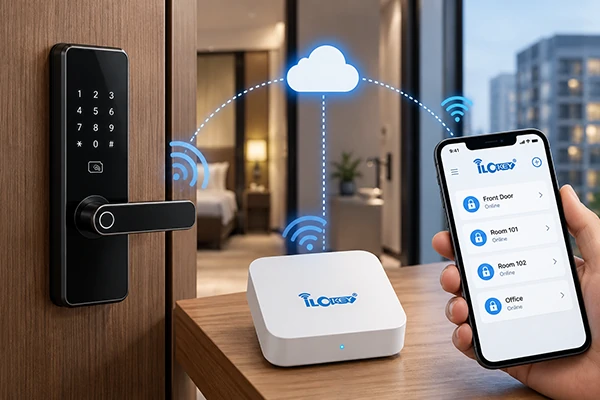
2) Architecture B: Bluetooth Lock + Gateway
A connected Bluetooth architecture typically looks more like:
User / Property Platform → Lock Management Platform → Internet → Gateway → Bluetooth Lock
The gateway connects the normal internet with the low-level Bluetooth device.
The TTLock documentation for TTLock-based systems mentions that TTLock should be connected via gateway and that the gateway documentation mentions gateway-enabled functions, such as remote unlocking and automatic record upload.
3) Architecture C: Wi-Fi Direct Lock
A Wi-Fi lock may connect more directly:
Lock → Wi-Fi Network → Cloud Platform
This eliminates the need for a separate Bluetooth gateway but not network planning.
Wi-Fi availability, credentials, signal stability, network security, power consumption and control of the building network are still issues that must be taken into account.
The key is easy: Two smart locks can offer similar unlocking methods while requiring completely different deployment architectures.
4. The Smart Lock Controls the Door—Not the Entire Business
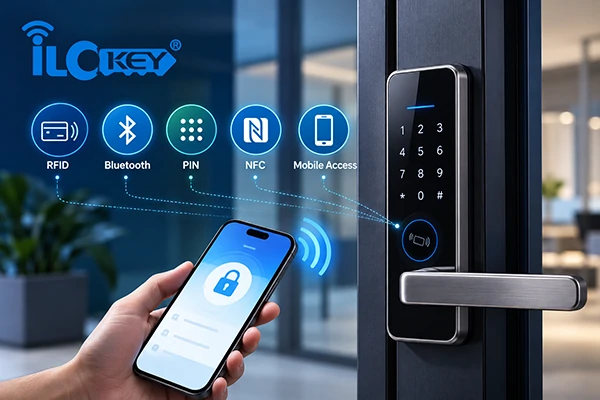
The smart lock is the physical access endpoint. It can validate an RFID card, mobile credential, pin code, fingerprint or other credential that is supported depending on the model. It executes the physical opening operation and may store or report access records and device status.
But the lock normally does not know the complete business context.
It has no knowledge that the guest has an appointment for Room 608 for 3 nights, that a tenant’s lease has expired or that an employee has been moved to a different department.
Those decisions typically come from other sources.
It’s an important distinction because sometimes a buyer will request an extensive list of software capabilities from a hardware vendor, and then they will agree to the systems that are actually used to run the software functions.
Prior to picking the lock, check the physical basics too:
door type (mortise or latch), door thickness, door handing, backset, credential method, emergency access and necessary certification.
No perfect software design can fix a badly fitting lock.
5. The Gateway Connects the Door to Remote Management
In the case of low-power Bluetooth locks, the gateway offers the connection between the local locks and the remote platform. That does not mean the gateway should be selected simply by asking:
“How many locks can one gateway support?” Actual deployment is dependent on considerably more than a count on the number of devices.
The construction of the walls, fire doors, metal structures, corridor layout, RF interference, position and signal strength of the gateway can have an impact on communication.
TTLock‘s own documentation gives a 10-meter unobstructed reference range for its G2 gateway, while separately describing gateway-to-lock relationships as dynamic rather than a simple fixed lock-count limit.
For a commercial project, the better question is therefore: Where can the gateway communicate reliably with the required locks in the actual building?
Gateway placement should be validated during the pilot rather than calculated only from a catalogue specification.
6. PMS Integration Connects Access to the Guest or Tenant Lifecycle
The PMS does not replace the lock management system. It answers a different question: What is happening operationally?
A hotel PMS may know that a reservation has arrived, a room has been assigned, a guest has checked in, the stay has been extended or the guest has checked out.
The access platform knows something different: which credential is valid for which lock and for what period. Integration connects those two worlds.
A typical connected workflow may therefore be: Reservation / Check-in → PMS → API or Middleware → Lock Platform → Credential → Guest
When the stay changes: PMS Event → Integration → Credential Updated or Revoked
Oracle’s OPERA Cloud documentation is a useful industry example: its OHIP environment provides APIs for integration with external applications and includes workflows relating to external room-key requests. It’s an important principle, but not all lock systems integrate seamlessly with OPERA. Technical implementation and validation of integration is still to be done.
1) Before ordering locks, ask six questions
- What is the PMS or property-management platform?
- Which version or deployment environment is being used?
- Does the PMS provide the required API or integration method?
- Does the lock platform expose the functions the project needs?
- Is middleware required?
- Who is responsible for development, testing and ongoing support?
“API available” is not the same as “integration completed.”

7. Opening the Door Is Not the Same as Knowing the Room Is Occupied
This distinction is especially important in hotel automation. A door opening does not automatically mean:
- the guest has entered,
- the guest remains in the room,
- the room is occupied,
- HVAC should change immediately,
- or energy should be shut down as soon as the door closes.
A proper guest-room automation strategy may combine several signals:
door status + occupancy detection + room status + key-card switch + RCU logic + PMS/GRMS data
Depending on the project design, the Room Control Unit (RCU) controls room level devices (lights, curtains, DND/MUR functions and HVAC related control).
The Guest Room Management System (GRMS) is a higher level management system that can be used to centralize room information and control logic.
For instance, Schneider Electric’s hotel room controller is said to be able to aggregate information from room subsystems and provide that information to GRMS and PMS.
This is why buyers should not simply ask: “Does the lock support RCU?”
Ask instead: What does the lock have to send, what does the room controller want, and what does the system determine to do next?
Depending on the hardware and project, possible integration methods can be door contacts, dry contact signals, local buses or software interfaces. These interfaces must be confirmed model by model.
8. Access Control Extends the Credential Beyond the Guest Room
A hotel guest journey rarely ends at the room door. It may include: entrance → lobby → elevator → guest room → gym → parking → other authorized areas
This changes the procurement question. Instead of asking only: “Does the hotel lock support RFID?” ask: “Can the required credential be recognized across every access point that matters?”
Locks, elevator controllers, access-control readers, turnstiles, and automatic doors are just some of the systems that can be integrated into a building-wide design.
The integration may depend on:
- credential technology,
- card UID or encrypted sector data,
- reader/controller interfaces,
- elevator-control logic,
- mobile credential architecture,
- software APIs,
- and which system owns the permission lifecycle.
Protocols such as Wiegand and OSDP may appear in access-control specifications. OSDP is maintained by the Security Industry Association as an access-control communication standard intended to improve interoperability and security. However, seeing “OSDP” or “Wiegand” on two specification sheets is not sufficient proof that an entire project will integrate correctly.
Compatibility must be checked at the actual reader, controller, credential and software levels.
9. Before Asking for a Smart Lock Quotation, Answer These Four Questions
You do not need every integration simply because it exists. Start with four questions.
1) Do You Need Remote Management?
If no, a standalone or offline architecture may be sufficient.
If yes, determine whether the project requires a gateway-based connected lock or a direct-connected architecture.
2) Should Access Rights Follow Reservations or Leases Automatically?
If no, the lock management platform may be sufficient.
If yes, PMS or property-platform integration should be investigated before bulk ordering.
3) Do Door and Occupancy Events Need to Trigger Room Automation?
If no, do not add RCU/GRMS integration simply to make the specification longer.
If yes, define the required signals and interfaces before selecting the lock.
4) Should the Same Credential Work Beyond the Room?
If no, the guest-room lock system may remain largely independent.
If yes, elevator, public-area and access-control compatibility should become part of the original architecture—not an afterthought.
5) Typical Starting Architectures
| Project Type | Typical Starting Point | Add When Required |
| Conventional Hotel | Hotel lock + hotel lock management software | PMS workflow or common-area integration |
| Connected Hotel | Lock + gateway + management platform | PMS integration |
| Full-Service / Upscale Hotel | Connected lock architecture + PMS | GRMS/RCU + elevator + access control |
| Long-Term Apartment | Lock + remote management platform | Property-management integration |
| Distributed Rental | Direct-connected lock + cloud platform | Booking/property-platform integration |
| Commercial Building | Smart locks + centralized access control | Elevator and other building-system integrations |
These are starting points, not universal specifications. The correct architecture comes from the operation.
10. Integration Responsibility Must Be Defined Before the Purchase Order
Cross-system projects frequently involve more than one supplier. There may be:
- a lock manufacturer,
- a lock-platform provider,
- a PMS vendor,
- a GRMS supplier,
- an access-control contractor,
- an elevator contractor,
- and a local system integrator.
Without any responsibilities being assigned, each supplier could rightfully claim that their product is working, and that the overall system is not functioning as its user desires.
For each integration, define: System A → System B → Interface → Responsible Developer → Test Environment → Acceptance Criteria → Post-Deployment Support
This is one of the most valuable documents a buyer can prepare before placing a bulk order.
11. Pilot the Complete Workflow, Not Just the Door Lock
A sample lock opening successfully on a desk is not a system test. For a connected commercial project, the pilot should reproduce the actual operational chain as far as practical: Create credential → deliver credential → open door → retrieve required records → modify access → trigger required integrations → revoke access
If PMS, GRMS or access control is included, those systems should also participate in the pilot. Test abnormal conditions as well:
- temporary internet loss,
- gateway offline,
- credential expiration,
- network recovery,
- permission changes,
- multiple users,
- log synchronization,
- device replacement,
- and administrator recovery procedures.
The objective of the pilot is not to prove that the lock can open.
It is to prove that the architecture can operate.
12. Smart Lock System Architecture FAQs
The following are some common questions about smart lock system architecture.
1) Does Every Commercial Smart Lock Project Need a Gateway?
No. A gateway is only relevant if the desired lock architecture necessitates a network bridge between the two, for example remote administration of some Bluetooth locks. There are different architectures between the offline hotel locks and direct-connected Wi-Fi locks.
2) Will the Door Lock be controlled directly by PMS?
Not necessarily. PMS is used to generate a business event in a number of architectures including check-in and check-out. This is followed by an API, middleware or integration service interacting with the access credential platform managing the access credential.
3) APIs are provided by Both Systems, Does That Guarantee Integration?
No. The required API functions, authentication, event flow, data mapping, middleware, and development responsibility and test environment still need to align.
4) Is it possible to add RCU or GRMS at a later stage?
Occasionally, if the original hardware and system architecture are present to deliver the necessary signals or interfaces.
When considering future room automation, be sure to check the integration method required before making a lock specification.
5) Will One Credential be capable of operating the Room, Elevator and Public Areas?
Potentially, but compatibility must be designed.
The credential technology, readers, card data, elevator controller, access-control platform and permission lifecycle all need to be aligned. “Same card technology” alone does not guarantee a complete one-card solution.

13. Conclusion
The worst smart lock error is to pick one that has a lot of additional features. It is choosing hardware prior to determining access. Start with the operational questions:
- Do you need remote management?
- Should access follow reservations or leases automatically?
- Do you need guest-room automation?
- Should the same credential work across the building?
Then define the systems, interfaces and responsibilities required to make those workflows possible. Only after that should the project move to lock selection.
For a new hotel, apartment or commercial access project, iLockey recommends providing the project team with your door quantity, door specifications, required credentials, PMS or property platform, network environment, RCU/GRMS requirements and existing access-control system.
From there, the architecture can be evaluated before samples are selected and a pilot begins. Define the architecture first. Validate the workflow second. Scale the hardware last.