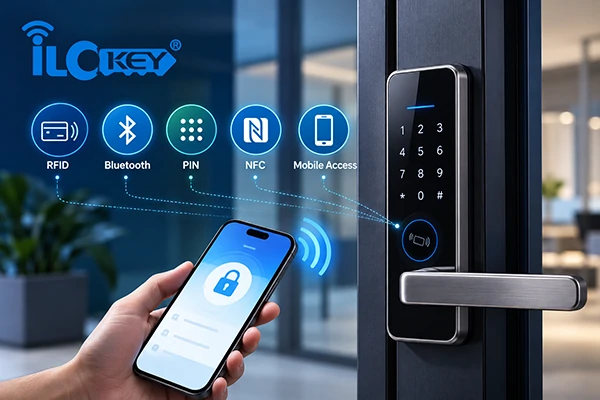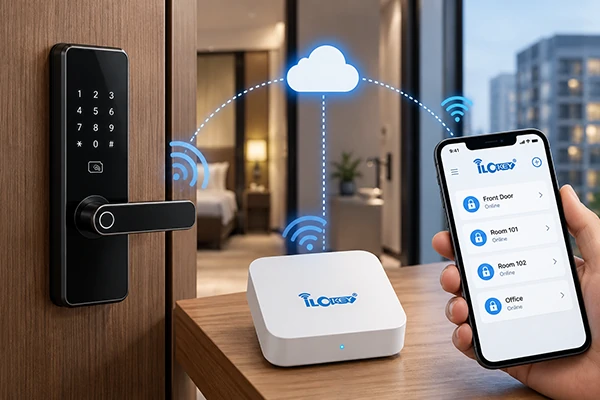
Electronic cabinet locks and smart door locks can be used to complement the access methods such as RFID cards, PIN codes, fingerprints and mobile Apps. But two product categories cannot be swapped out for each other by the same credentials.
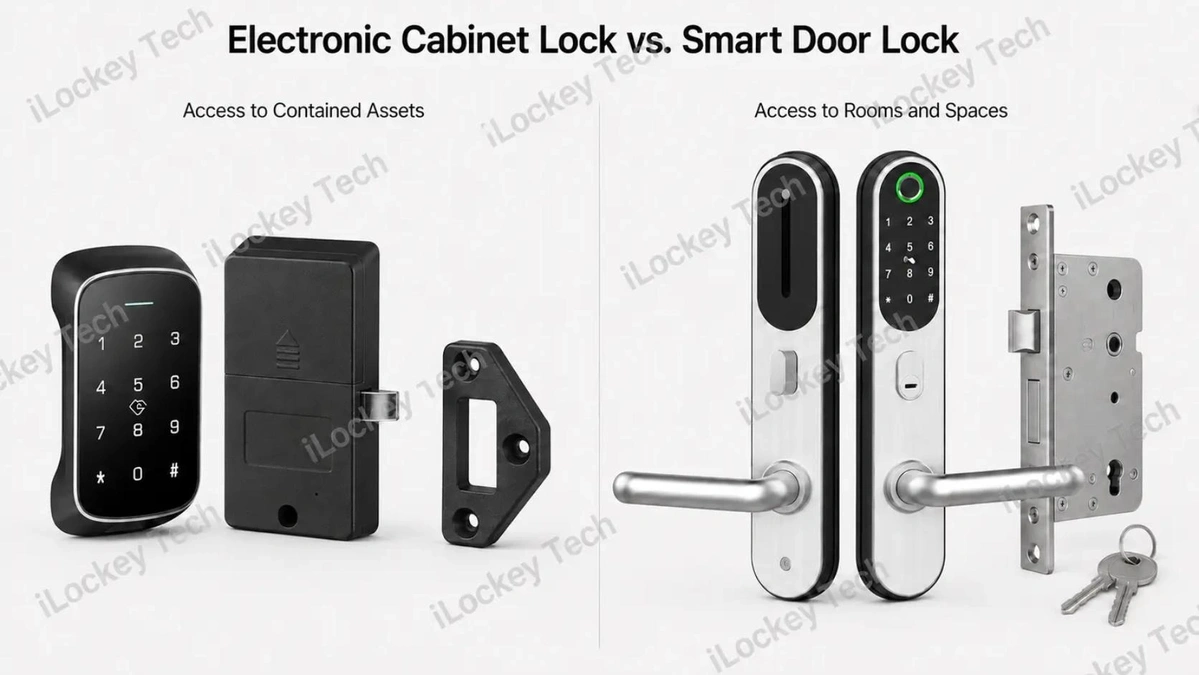
Usually a smart door lock is used to regulate gain access to a room, apartment, hotel guest room, workplace. Electronic cabinet locks control access to a locker, drawer, storage compartment or cabinet.
This difference has an impact on the product structure, installation procedure, locking system, emergency access, user workflow and the project requirements that can be applied. For B2B customers, it’s not just about openability; it’s about the right kind of openability. But the question to ask is: Does the project restrict access to a space or access to a specific asset?
This guide discusses the primary differences between electronic cabinet locks and smart door locks, the applications for each, how they can coexist in a manageable environment and what buyers should check before ordering a sample or a bulk order.
1. What Is an Electronic Cabinet Lock?
An electronic cabinet lock is designed to control access to a cabinet, drawer, locker or individual storage compartment. It normally uses a more compact structure than a smart door lock because it does not need to accommodate a full architectural door, a large handle assembly or a conventional door mortise.
Depending on the model, an electronic cabinet lock may use:
- A rotating cam;
- A motor-driven latch;
- A solenoid latch;
- A spring bolt;
- A hidden RFID locking mechanism;
- A motorized hook or locking catch.
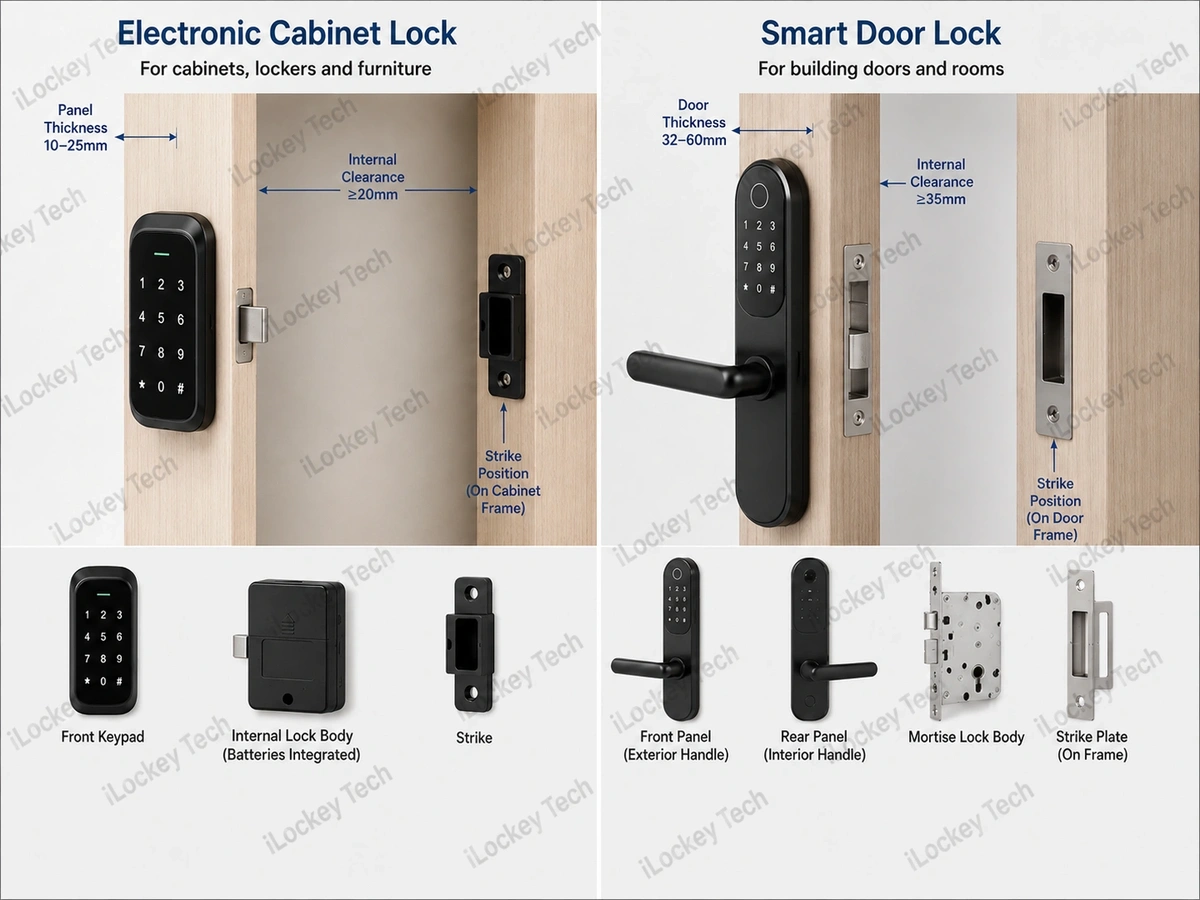
The correct structure depends on the cabinet material, panel thickness, opening direction, internal clearance and position of the strike. Electronic cabinet locks are often selected when the project needs to control who can access an individual storage unit, rather than who can enter a room.
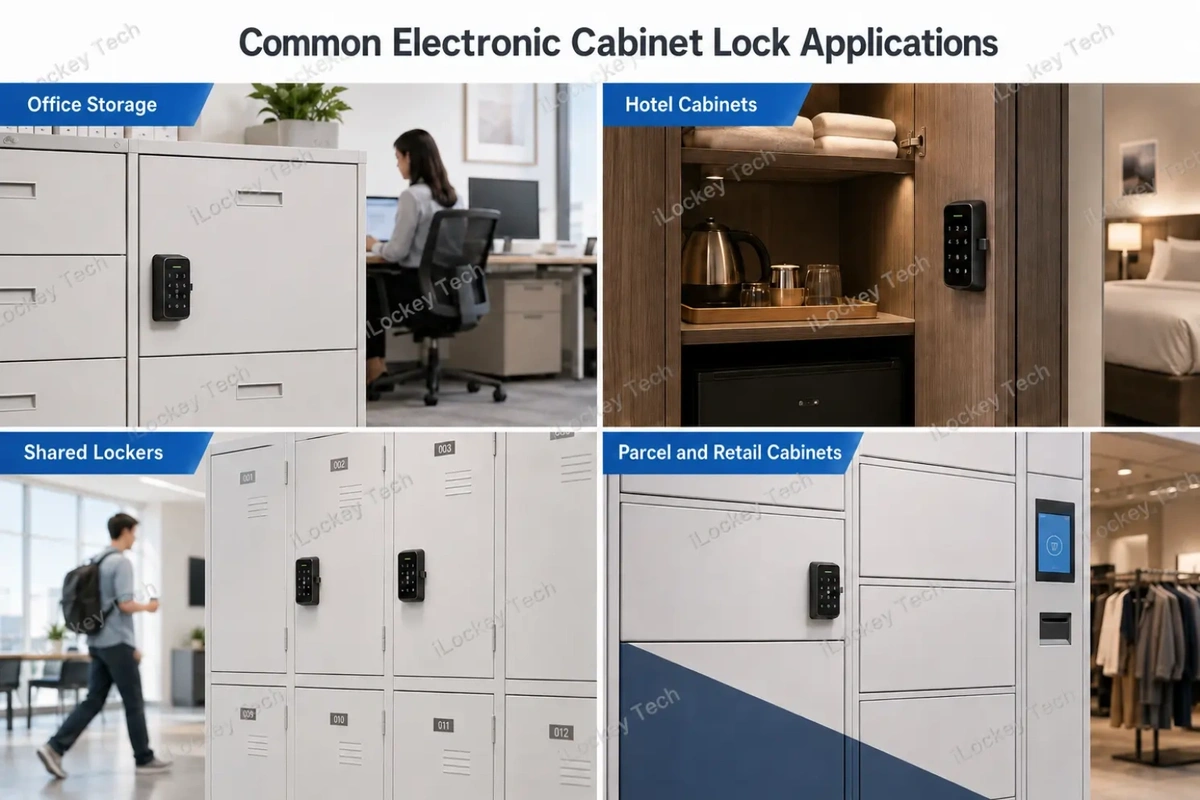
They are commonly used in:
- Office filing cabinets;
- Employee lockers;
- Hotel minibars;
- Hotel linen and staff cabinets;
- School and gym lockers;
- Shared storage compartments;
- Parcel and pickup cabinets;
- Retail display or storage cabinets;
- Furniture and cabinet manufacturing projects.
The primary business value may include easier credential management, reduced mechanical-key handling, access records and more efficient administration across a large number of compartments.
2. What Is a Smart Door Lock?
A smart door lock is designed to control access to an apartment, hotel guest room, office, meeting room or other enclosed space.
A typical door-lock assembly may include:
- An exterior panel;
- An interior panel;
- Lever handles or knobs;
- A mortise lock, latch or deadbolt;
- A strike plate;
- Batteries or wired power;
- Mechanical or electronic emergency-access components.
The selected lock must match the actual door material, thickness, mortise dimensions, backset, opening direction and door frame. A product suitable for a standard timber door may not fit a narrow aluminium-profile door, a glass door or an existing door prepared for a different mortise.
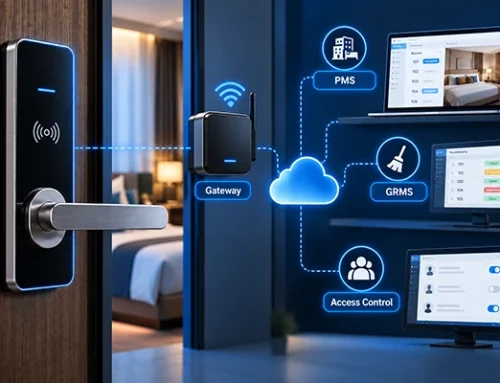
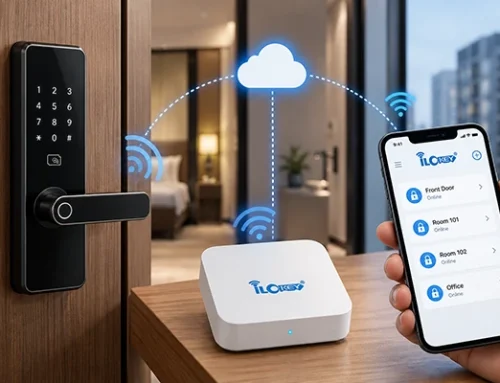
For hotel and apartment projects, the lock is also part of a wider management workflow. Buyers may need to consider guest or tenant authorization, temporary credentials, staff permissions, access records, gateways, software and third-party integration.
3. Electronic Cabinet Locks vs. Smart Door Locks: Quick Comparison
| Comparison Area | Electronic Cabinet Lock | Smart Door Lock |
| Primary security boundary | A contained asset or storage compartment | A room, apartment or building area |
| Typical installation | Locker, cabinet, drawer or furniture panel | Hotel, apartment, office or commercial door |
| Product structure | Compact reader and internal latch or cam | Front panel, rear panel, handle and door-locking mechanism |
| Common panel material | Wood board, sheet metal, glass or composite panel | Timber, steel, glass or aluminium-profile door |
| Typical locking mechanism | Cam, motor latch, solenoid or hidden lock | Mortise latch, deadbolt or other door-locking hardware |
| Installation space | Usually compact and cabinet-specific | Requires sufficient door thickness and mortise clearance |
| Normal user workflow | Assigned locker, shared cabinet or temporary storage access | Guest, resident, employee, visitor or staff access |
| Emergency access | Administrator credential, external power, service access or mechanical override, depending on model | Mechanical key, emergency power, interior release or other project-specific method |
| Management scale | From individual cabinets to large locker installations | From individual doors to hotel, apartment or office systems |
| Centralized management | Available in compatible configurations | Available in compatible configurations |
| Fire-rated door application | Not designed or certified for fire-rated door use | Selected models may have EN 1634-1 or UL fire-test documentation |
| Typical maintenance | Battery replacement, latch alignment and cabinet servicing | Battery replacement, door alignment, mortise servicing and emergency procedures |
This table is a general comparison. Final selection must be based on the dimensions, functions and test documents of the actual quoted model.
4. Where Electronic Cabinet Locks Are Commonly Used
The following sections explain where electronic cabinet locks are commonly used and what project requirements should be considered for each application.
1) Office and Workplace Storage
Electronic cabinet locks can be used for filing cabinets, employee lockers, tool storage and shared office compartments. Compared with mechanical keys, electronic credentials can simplify permission replacement when an employee changes position, leaves the company or loses access authorization.
For projects with many compartments, buyers should consider how users are assigned, how administrators open a cabinet during an exception and whether access records are required.
2) Hotels and Hospitality Facilities
Electronic cabinet locks can be used for minibars, linen cabinets, staff lockers and internal storage areas. These applications should not be confused with hotel guest-room doors. A guest-room door controls access to an occupied space, while a minibar or linen cabinet controls access to a contained asset.
The hardware and workflow may therefore be different even when both products use RFID credentials.
3) Schools, Gyms and Shared Lockers
Shared locker projects may involve hundreds or thousands of individual compartments. Before selecting a lock, the operator should define whether:
- Each locker is permanently assigned;
- Users can select any available locker;
- Credentials expire automatically;
- Staff need administrator access;
- Access records are required;
- A forgotten PIN or lost card can be handled centrally;
- Batteries can be maintained efficiently.
A product that works well for ten employee lockers may not provide the most efficient management workflow for a large school or gym project.
4) Furniture, Parcel and Retail Cabinets
Electronic locks can also be integrated into furniture, parcel cabinets, pickup cabinets and retail storage units. For OEM and ODM projects, the lock should be evaluated together with the cabinet structure. The manufacturer may need to coordinate the lock dimensions, cable routing, battery position, strike design and assembly sequence with the cabinet factory.
5. Where Smart Door Locks Are Commonly Used
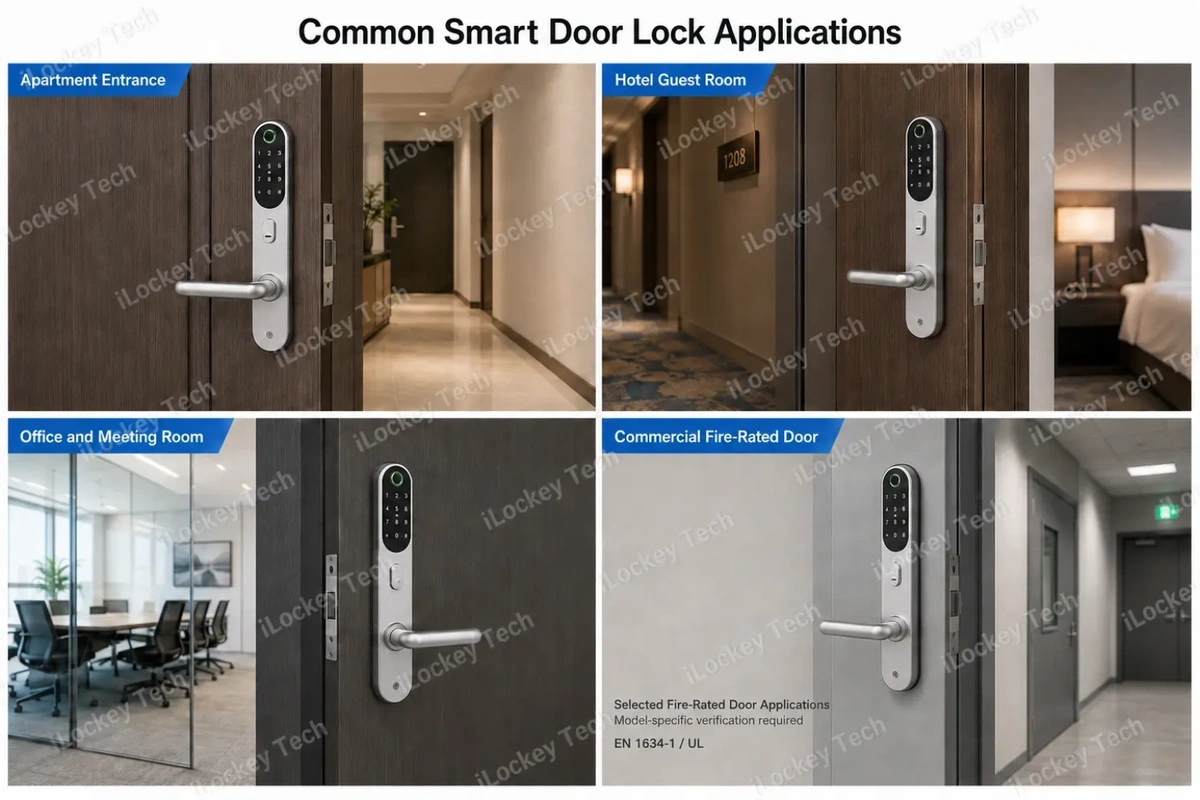
The following sections introduce the main application scenarios for smart door locks and the specific requirements to consider for each type of project.
1) Apartment and Residential Projects
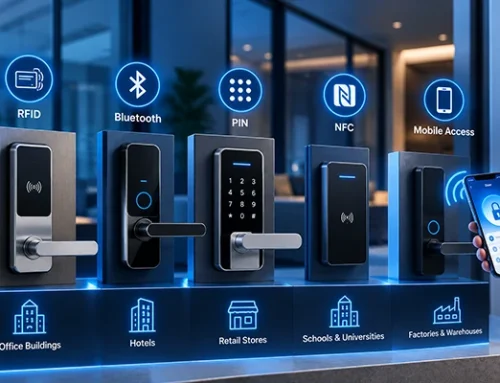
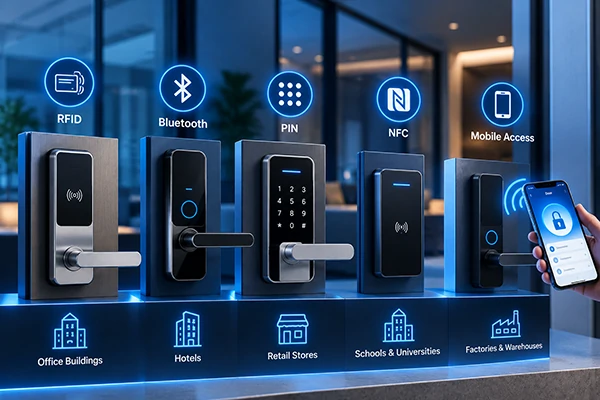
Smart door locks can be used for apartments, serviced residences, villas and rental properties. The project may require temporary PIN codes, RFID cards, mobile credentials, staff permissions or remote authorization. The correct configuration depends on property size, tenant turnover, network conditions and the existing management process.
2) Hotel Guest-Room Doors
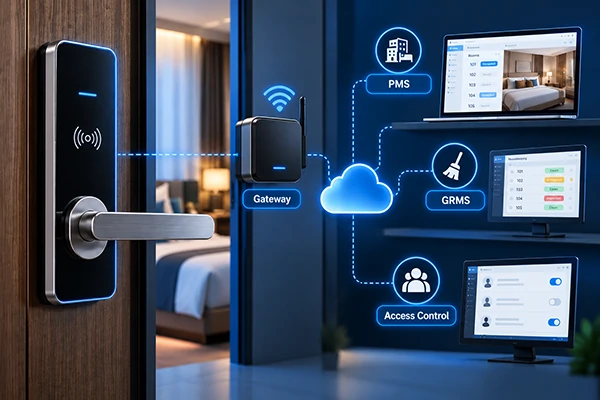
Hotel locks normally operate as part of a broader access-management system. Depending on the selected solution, the project may include reception software, card encoders, guest cards, staff cards, mobile credentials, gateways, access records and PMS integration.
A hotel lock should not be selected only because it supports Bluetooth or RFID. Buyers should first define the guest arrival process, staff workflow, door conditions and system architecture.
3) Offices and Meeting Rooms
Smart door locks can also be used for private offices, meeting rooms and internal commercial doors. The operator may need employee credentials, temporary visitor access, access records and centralized permission cancellation.
The selected door lock must still match the physical door and mortise. Software compatibility cannot compensate for an incorrect mechanical installation.
4) Fire-Rated Door Projects
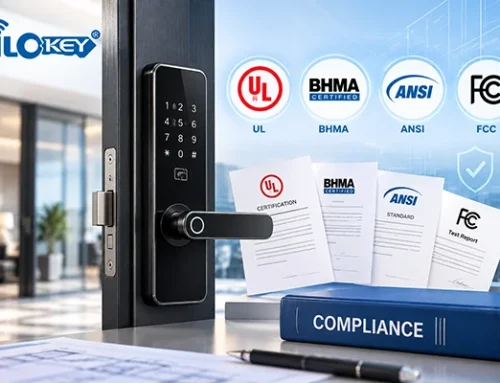
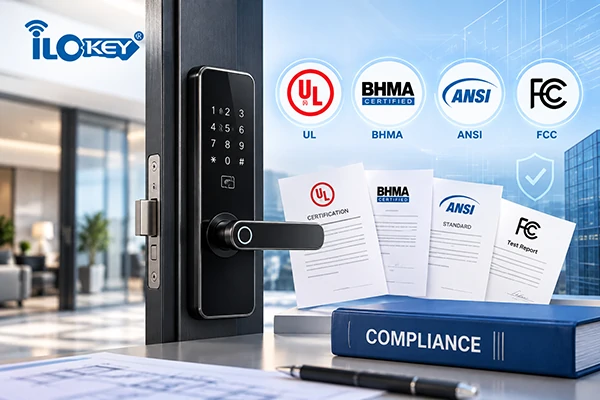
Selected iLockey smart door lock models have fire-related test documentation under EN 1634-1 or UL requirements. However, this does not mean every smart door lock can be installed on every fire-rated door.
EN 1634-1 concerns fire-resistance testing of door and shutter assemblies, openable windows and related building-hardware elements. UL fire-door testing also evaluates defined door assemblies and tested configurations. The exact lock model, door construction, mortise, installation method, test duration and report scope must therefore be verified before the product is specified for a fire-rated opening. Electronic cabinet locks do not have fire-door certification and must not be presented as alternatives to fire-rated door locks.
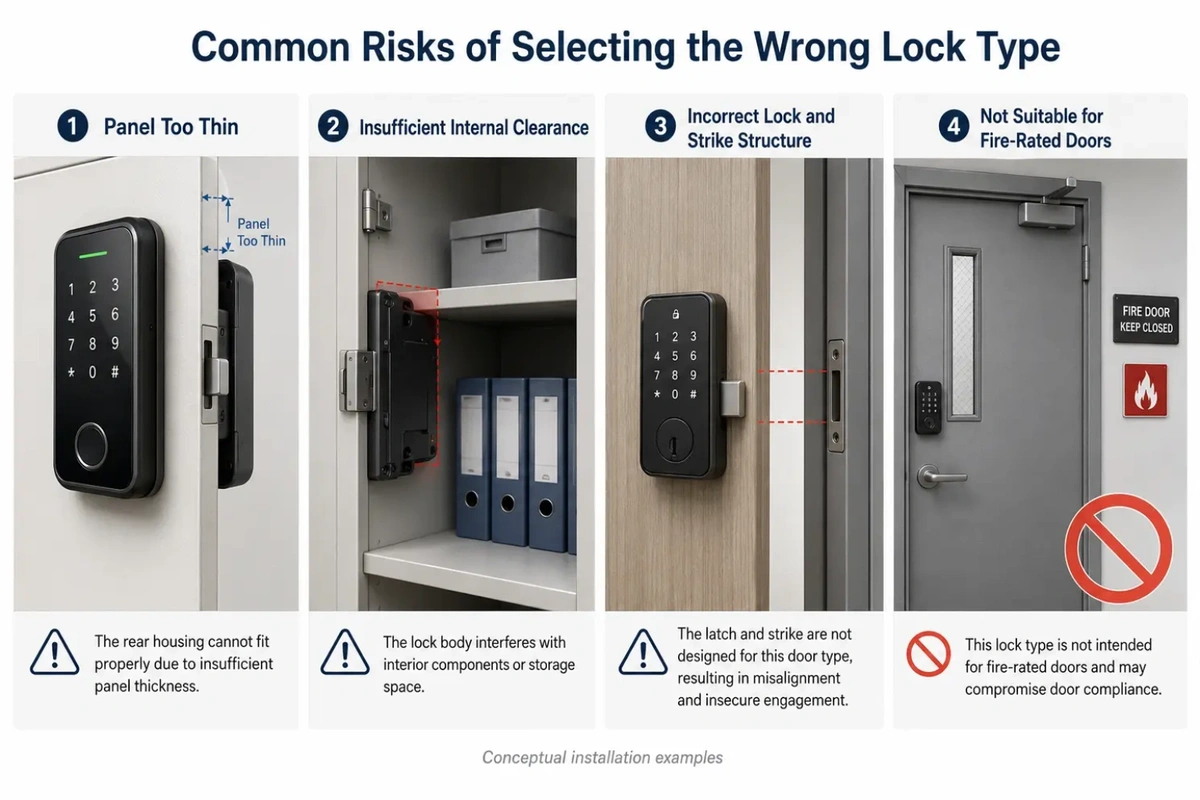
6.Why Cabinet Locks and Door Locks Cannot Be Interchanged
The following comparison explains the key mechanical, operational and compliance differences that prevent cabinet locks and door locks from being used interchangeably.
1) Different Mechanical Structures
A smart door lock may require a thick door, through-holes, a spindle, a mortise pocket and sufficient space for front and rear panels. A cabinet door may be much thinner and have limited internal clearance. A large door-lock panel can interfere with shelves, drawers or stored items and may place unnecessary weight on a lightweight cabinet door.
A compact cabinet lock may fit physically on a room door, but it is not designed to replace the complete mechanical and operational functions of a smart door lock.
2) Different Locking Loads
Door locks must operate under repeated door closing, handle use, frame movement and possible attempts to force the door. Cabinet locks normally work with smaller panels and different latch directions. The result depends heavily on the cabinet frame, strike design and stiffness of the panel.
Buyers should not assume that two locks are equivalent simply because both can be opened by an RFID card.
3) Different Emergency Requirements
A room door may need an interior release, mechanical override, emergency power method or a specific fail-safe or fail-secure configuration. A cabinet may use an administrator credential, service opening method or external power contact.
The correct emergency procedure must be confirmed for the selected product. It should not be assumed from the product category alone.
4) Different Compliance Boundaries
Fire-rated doors are a clear example of why the two categories cannot be exchanged. Selected smart door locks may have test documentation for fire-rated door applications, while electronic cabinet locks do not.
Installing a cabinet lock on a fire-rated door would not provide the required door hardware, emergency operation or tested assembly compatibility.
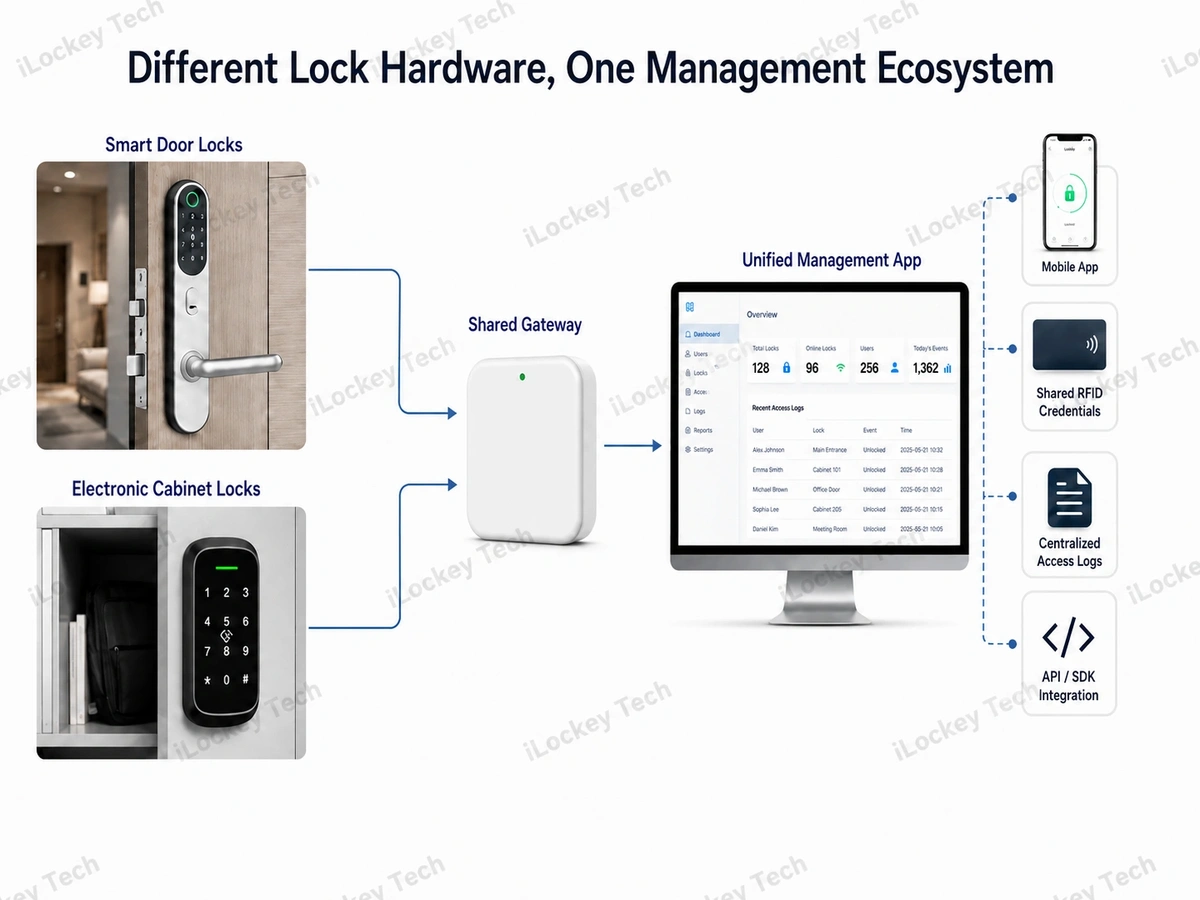
 7. When Door Locks and Cabinet Locks Should Work Together
Using different lock hardware does not necessarily mean operating two separate management systems.
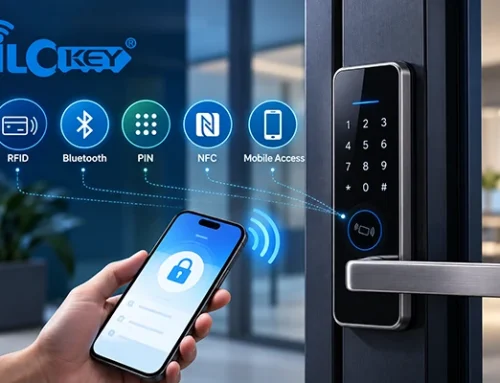
Within a compatible iLockey configuration, selected smart door locks and electronic cabinet locks can support:
- The same management App;
- The same RFID credential;
- The same gateway;
- The same management backend;
- Centralized access records;
- API or SDK integration.
This allows a project to use application-specific hardware while maintaining a more consistent management workflow.For example, a hotel may use smart door locks for guest rooms and electronic cabinet locks for staff lockers or internal storage. An office may use smart door locks for meeting rooms and cabinet locks for filing cabinets or employee compartments.
A compatible RFID card may authorize the employee to enter the correct room and open an assigned locker. Administrators may manage permissions and review records through the same platform.
The exact product combination still needs to be confirmed before quotation. Compatibility may depend on the selected hardware, communication protocol, software version and project configuration.
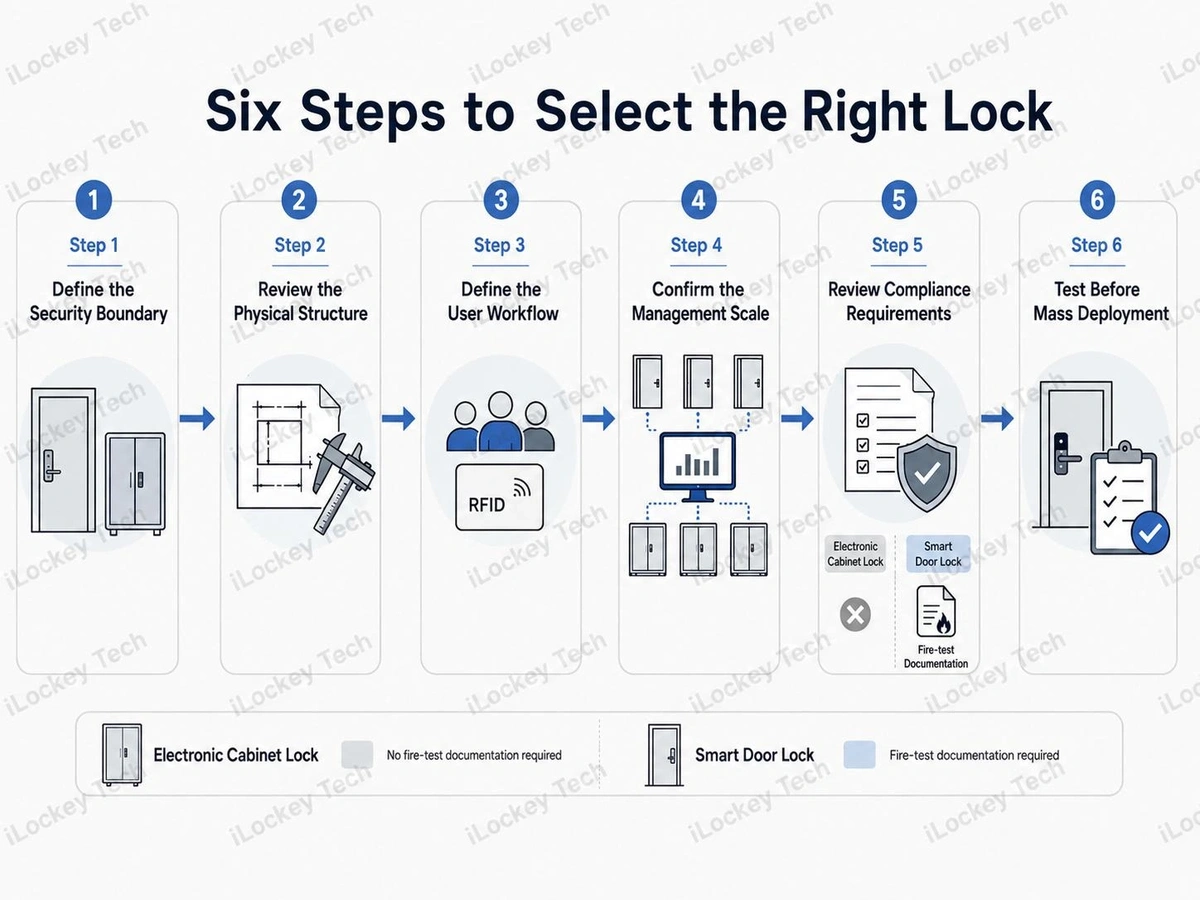
 8. How to Select the Right Lock Type
The following steps provide a practical process for matching the lock type with the project’s physical conditions, access workflow, management scale and compliance requirements.
1) Step 1: Define What Is Being Protected
Determine whether the lock controls entry to a space or access to a contained asset. This is the starting point for deciding between a smart door lock and an electronic cabinet lock.
2) Step 2: Review the Physical Structure
Provide:
- Door or cabinet material;
- Panel thickness;
- Opening direction;
- Hinge position;
- Strike position;
- Existing holes;
- Available internal clearance;
- Installation drawings or photos.
A supplier cannot reliably confirm compatibility from a product photo alone.
3) Step 3: Define the User Workflow
Confirm:
- Who needs access;
- Whether access is permanent or temporary;
- Whether users share the opening;
- How lost credentials are cancelled;
- Whether administrator override is needed;
- Whether access records are required.
The management process should be defined before selecting opening methods.
4) Step 4: Confirm the Management Scale
A few independently operated locks may not require the same architecture as a project with hundreds of doors and lockers.
For larger projects, buyers should evaluate:
- Centralized permission management;
- Shared RFID credentials;
- Gateway coverage;
- Access logs;
- API or SDK requirements;
- Internet outage procedures;
- Software and service costs.
5) Step 5: Review Compliance Requirements
For standard indoor cabinet projects, confirm the relevant electrical, wireless and material documents for the selected product. For smart door locks, also determine whether the project requires mechanical performance, fire-door compatibility or other market-specific documentation.
EN 1634-1 and UL fire-test documentation must be checked against the exact smart door lock model and tested door configuration. They do not apply to electronic cabinet locks.
6) Step 6: Test Before Mass Deployment
Install samples on representative doors and cabinets. The test should cover more than unlocking. It should verify:
- Mechanical fit;
- Lock and strike alignment;
- Credential issuance;
- Administrator access;
- Access records;
- Gateway communication;
- Emergency procedures;
- Battery replacement;
- Daily operating workflow.
A pilot installation can reveal installation and management issues before they affect a full project.
 9. B2B Procurement Checklist
Before requesting a final quotation, confirm:
1. Is the lock protecting a room or a storage compartment?
2. What are the door or cabinet material and thickness?
3. Where are the hinges, frame and strike located?
4. Is the project new installation or retrofit?
5. Which access methods are required?
6. How will users receive and lose permission?
7. Is the lock permanently assigned or temporarily shared?
8. Is centralized management required?
9. Will door locks and cabinet locks use the same RFID card?
10. Are one App, one gateway and one backend required?
11. Are API, SDK or centralized logs required?
12. How will low battery or power failure be handled?
13. Does the door project require EN 1634-1 or UL fire documentation?
14. Do the documents cover the exact quoted door-lock model?
15. Which spare parts should be stocked locally?
16. Has the full workflow been tested before mass deployment?
10. Electronic Cabinet Locks vs Door Smart Locks FAQs
The following we list some common questions abbout the Electronic Cabinet Locks vs Door Smart Locks.
1) Can a smart door lock be installed on a locker?
It may be physically possible on a specially designed cabinet, but it is usually not the most efficient solution. Smart door locks generally require more panel thickness, internal clearance and installation processing than electronic cabinet locks.
2) Can an electronic cabinet lock be installed on a room door?
A cabinet lock should not be used as a direct replacement for a smart door lock. Its locking structure, emergency operation and installation method are designed for cabinets rather than architectural doors.
3) Can door locks and cabinet locks use the same App?
Yes. Within a compatible iLockey configuration, selected smart door locks and electronic cabinet locks can be managed through the same App and management backend.
4) Can they use the same RFID card and gateway?
Yes. Compatible configurations can support shared RFID credentials and the same gateway. The exact models and project architecture should be confirmed before quotation.
5) Are API, SDK and centralized access logs available?
Yes. Compatible iLockey configurations can support API, SDK and centralized access records. Availability should be confirmed according to the selected product combination and software configuration.
6) Can an electronic cabinet lock be used on a fire-rated door?
No. iLockey electronic cabinet locks do not have fire-door certification and should not be used as fire-rated door hardware.
7) Do all iLockey smart door locks have fire certification?
No. Only selected smart door lock models have EN 1634-1 or UL fire-related test documentation. Buyers must verify the exact model, report scope, door construction, tested configuration and required rating.
8) What information should buyers provide for product selection?
Provide door or cabinet drawings, material, thickness, opening direction, installation photos, project quantity, required access methods, management workflow and software or integration requirements.
11. Internal Fact-Check List
Complete the following checks before publication:
1. Confirm the exact electronic cabinet lock models shown in the article images.
2. Confirm the exact smart door lock models shown in the article images.
3. Confirm the compatible combinations that support the same App, RFID card, gateway and management backend.
4. Confirm which product combinations support API, SDK and centralized access logs.
5. Confirm whether any software, gateway, cloud or integration fees need to be disclosed.
6. Confirm the specific smart door lock models with EN 1634-1 fire-test documentation.
7. Confirm the specific smart door lock models with UL fire-test documentation.
8. Confirm the exact UL standard, certificate or report number before writing “UL 10C” or displaying a UL mark.
9. Confirm the fire-test duration, door construction, mortise and tested installation configuration before placing them in the article or images.
10. Do not apply one model’s fire-test documentation to other smart door locks.
11. Do not associate any electronic cabinet lock with EN 1634-1, UL fire testing or fire-rated door applications.
12. Do not add IP ratings, outdoor capability, industrial applications or medical applications to the cabinet-lock section.
13. Ensure Image 05 is labelled as a conceptual installation example, not a real customer case.
14. Ensure all product structures, handle directions, lock positions and strike relationships match the real iLockey products.
12. Conclusion
Electronic cabinet locks and smart door locks may use the same RFID card, App, gateway and backend, but they protect different security boundaries.
A smart door lock controls access to a room or occupied space. An electronic cabinet lock controls access to a locker, drawer or contained asset. The correct product should be selected according to: installation structure; locking mechanism; user workflow; management scale; emergency-access requirements; applicable project documents; long-term maintenance needs.
The main advantage of a unified system is not using the same lock everywhere. It is using the correct hardware for each opening while managing compatible door locks and cabinet locks through one ecosystem.
iLockey is a manufacturer and solution provider specializing in smart locks and hotel access control systems. With over 20 years of industry experience, our core team provides OEM, ODM, hardware, software and project-based solutions for global B2B customers. For project evaluation, please provide: Door or cabinet drawings; Material and panel thickness; Project quantity; Required access methods; Software and management requirements; Fire-test requirements for applicable door-lock projects. A representative sample or pilot installation is recommended before mass deployment.