Managing access across a commercial property involves much more than choosing how a door opens. Physical keys must be issued, collected and replaced. RFID cards need to be prepared and reissued when lost. Temporary workers may require access for only a few hours, while tenants or employees may need credentials for months or years.
A keypad smart lock changes this process by turning access into a digital credential. Instead of handing over a physical key, an operator can assign a PIN that follows a defined permission rule. For commercial buyers, however, the important question is not simply: “Can this lock open with a PIN?”
The more useful questions are: How is the PIN created? When does it become valid? Can it expire automatically? Can it be revoked remotely? Is the access event recorded? Does the lock need to be online? How are dozens or hundreds of doors managed? Does the hardware actually fit the intended door?
The true power of a keypad smart lock is not in the keypad, but rather the efficiency with which the access system can create, distribute, control and remove permissions.
It describes the mechanics of PIN-based access, discusses the value of PIN-based access for commercial devices, outlines the different management architectures available, and provides guidelines for buyers to check before taking a sample test and scaling up to bulk production.
1. What Is a Keypad Smart Lock?
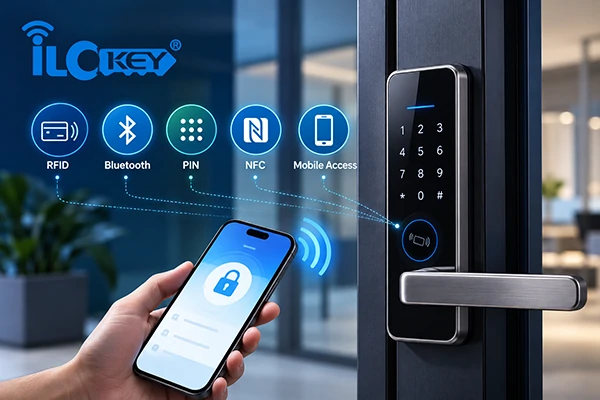
A keypad smart lock is an electronic locking or access-control device that allows an authorized user to enter a numerical PIN to gain access. PIN entry can be the primary credential or one option within a multi-credential system that also supports RFID cards, mobile apps, Bluetooth or other authentication methods.
One important distinction is often overlooked: A keypad is an authentication method. It does not define the complete system architecture. Two products may both have numeric keypads while operating in completely different ways.
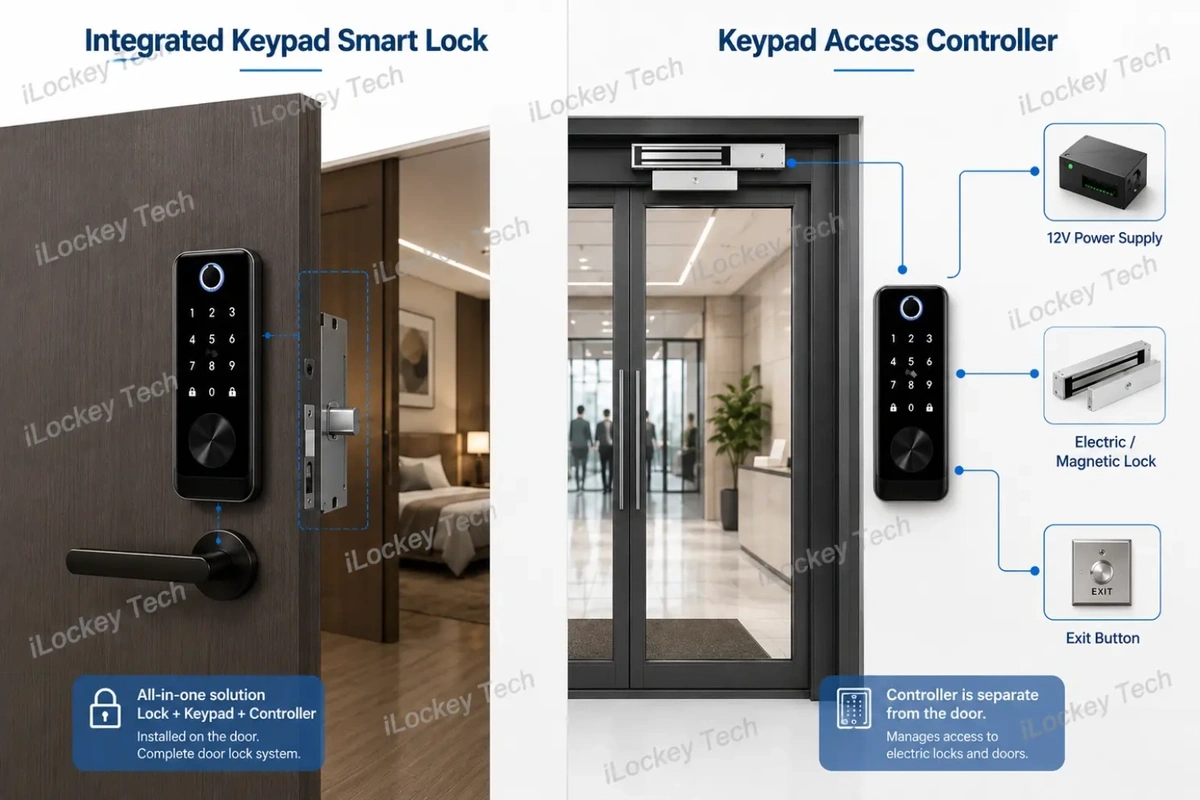
1) Integrated Keypad Smart Lock vs. Keypad Access Controller
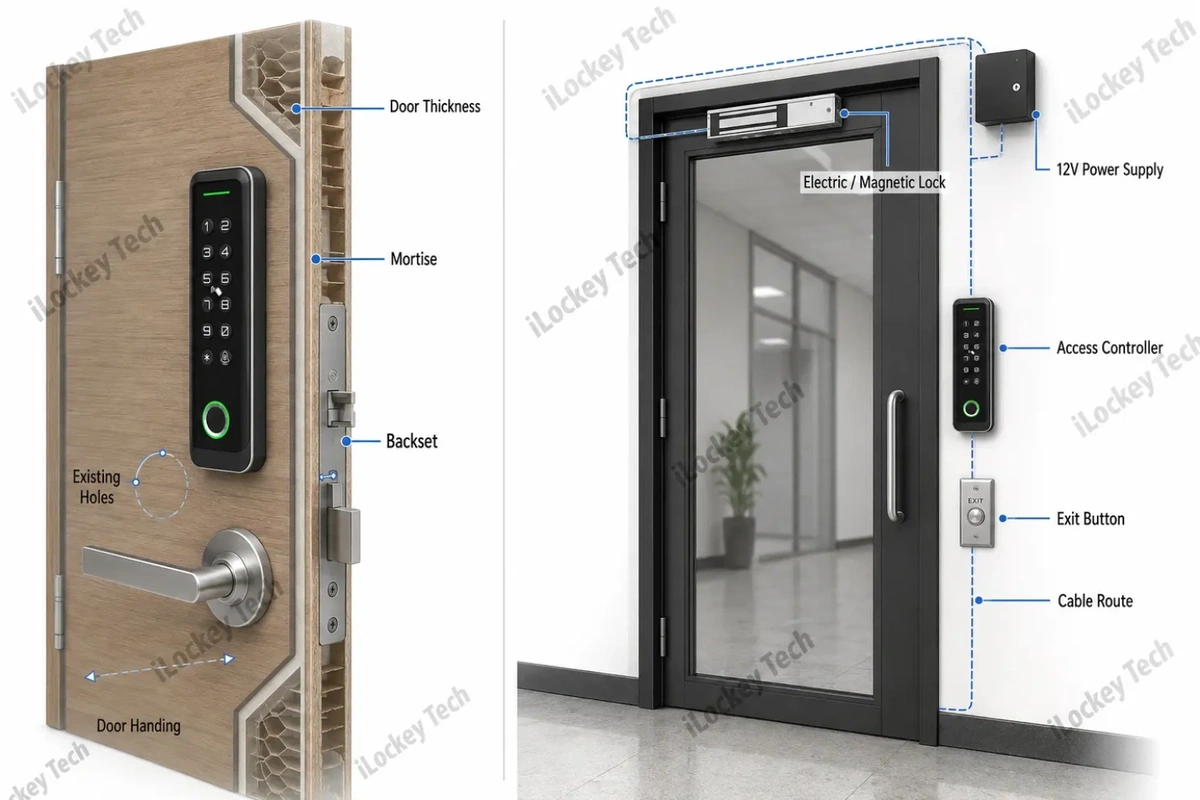
An integrated keypad smart lock normally combines the electronic credential system with the lock hardware installed on the door. The project therefore needs to consider door thickness, mortise compatibility, spindle position, existing holes and inside-opening hardware.
A keypad access controller, by contrast, is normally connected to a separate locking device such as an electric strike or magnetic lock.
Its system may look like this:
User → Keypad / Card / App → Access Controller → Electric Lock → Door
This type of architecture is common for office entrances, apartment common areas, glass doors, campuses and other controlled commercial entrances.
For example, selected iLockey access controllers use fixed low-voltage power and can work as part of a system that includes the controller, power supply, electric locking hardware, exit button and other accessories.
The procurement requirements are therefore different.
| Project Factor | Integrated Smart Lock | Keypad Access Controller |
| Locking hardware | Integrated with or connected to door mortise | Separate electric or magnetic locking device |
| Typical power | Often battery-powered | Usually fixed low-voltage supply |
| Main installation concern | Door and mortise compatibility | Wiring, power and electric lock compatibility |
| Typical location | Apartment or room door | Entrance, glass door, common-area door |
| Retrofit concern | Existing holes and lock body | Existing electrical access-control infrastructure |
This distinction should be made before buyers begin comparing PIN functions.
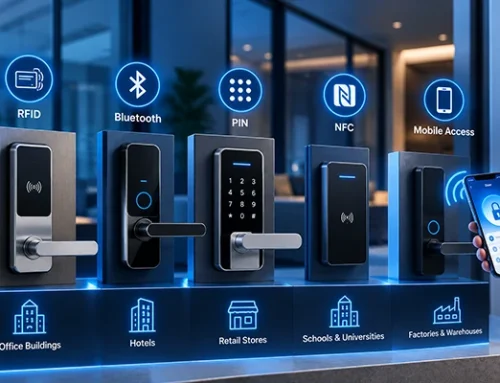
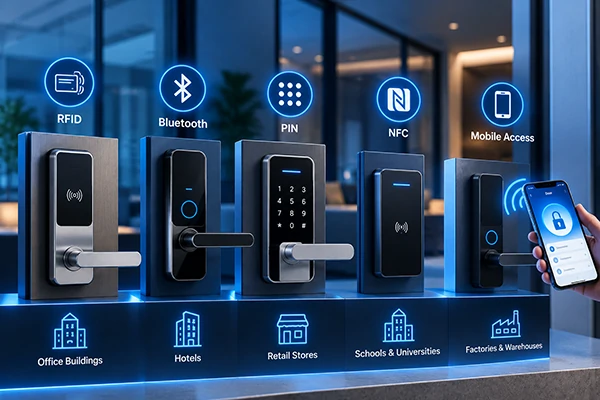
2) Keypad vs. RFID vs. Mobile vs. Biometrics
No authentication method is automatically better for every commercial project. The correct choice depends on how users enter the property, how often credentials change and how much administration the operator wants to handle.
| Authentication Method | Depends On | Main Operational Advantage | Main Limitation | Typical B2B Fit |
| PIN | Remembered credential | No physical credential to issue or collect | PINs can be shared, forgotten or observed | Rentals, apartments, temporary access |
| RFID Card | Physical card or fob | Fast and intuitive for frequent users | Cards must be issued and replaced | Hotels, staff access, high-frequency entrances |
| Mobile / Bluetooth | Smartphone | Flexible digital permission management | Requires phone and user onboarding | Apartments, offices, managed properties |
| Biometrics | Fingerprint or other biometric | Strong link between credential and user | Higher hardware complexity and privacy considerations | Selected fixed-user environments |
Commercial projects often combine more than one method. The objective should not be to maximize the number of unlocking methods, but to give each user group an appropriate credential.
2. Why Businesses Use PIN-Based Access Control
The strongest commercial advantage of PIN access is that the credential does not need to be physically handed to the user. That changes the complete access-management workflow.
1) Reduce Physical Credential Handling
Consider three common scenarios.
- A new apartment tenant needs access for twelve months.
- A cleaner needs access every Tuesday morning.
- A short-term guest needs access from Friday afternoon until Sunday morning.
Using physical keys may require collection and handover. RFID cards require issuance and replacement procedures. With a suitable PIN-based system, the operator can instead assign a digital credential according to the required period.
This can reduce administrative work associated with:
- key handovers;
- card preparation;
- lost credentials;
- credential collection;
- tenant turnover;
- temporary contractor access.
The operational saving may become more important than a small difference in hardware purchase price.
2) Different Users Need Different PIN Rules
Commercial access should rarely be based on one shared password. Depending on the selected platform and product configuration, PIN permissions may include different credential types such as:
- Permanent PINs for long-term residents or employees;
- Time-limited PINs for guests or contractors;
- Recurring credentials for scheduled cleaners or service teams.
Selected iLockey TTLock-based access-control products provide digital PIN management functions, and available credential types depend on the selected model, software platform and configuration. The important purchasing question is therefore not simply whether a product “supports passwords.” Buyers should ask: Which types of PIN can be created, and how can each type be changed or removed?
3) Think About the Complete PIN Lifecycle
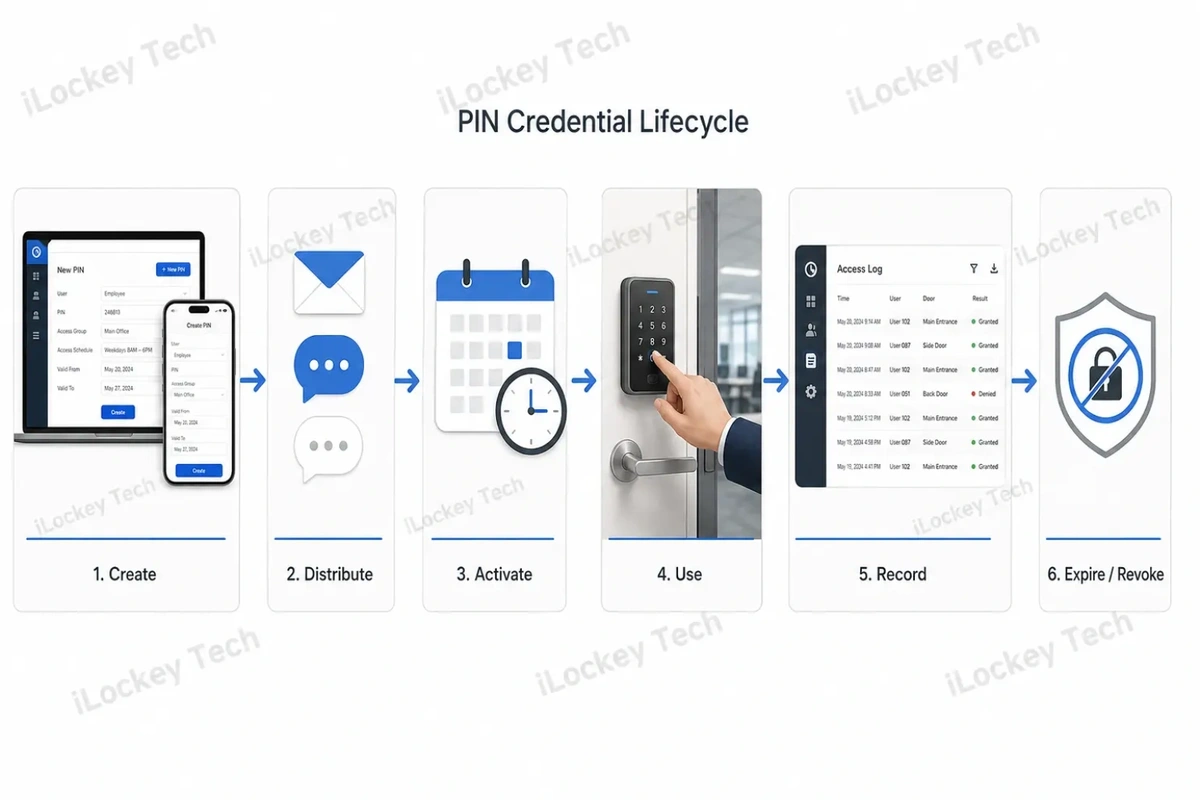
A commercially useful PIN needs a lifecycle:
Create → Distribute → Activate → Use → Record → Expire or Revoke
A property operator first creates the credential. It can then be delivered through an appropriate communication channel such as a booking message, email or property-management workflow. The credential becomes valid according to its permission rules and is used at the door. Where the selected system supports access records, the event can later be reviewed.
Finally, the credential should expire automatically or be removed when access is no longer required. That lifecycle is far more important than the physical appearance of the keypad.
 4) Individual Credentials Improve Traceability
Access logs require careful interpretation. A management platform may record that a specific credential opened a specific entrance at a certain time. Each employee or resident can be assigned an individual PIN, which can then be linked to an authorized individual.
But 20 workers can enter with one PIN, and the system can then be sure that the PIN was used, but not definitely say who used it. It is therefore better to use unique user credentials rather than codes that are distributed broadly for projects in which accountability is an issue.
5) Anti-Peep PINs Can Reduce Observation Risk
One common concern with keypad access is that another person may observe the user entering the password. Selected keypad systems provide virtual or anti-peep password input, allowing additional digits to be entered around the valid PIN.
This can reduce the risk of simple shoulder-surfing, but it should be treated as one security measure rather than a complete security solution. Good commercial PIN management should also include appropriate credential length, controlled sharing, timely revocation and failed-attempt protection where available.
3. Where Keypad Access Works Best
PIN access is particularly useful when users change frequently or when distributing physical credentials creates unnecessary operational work.
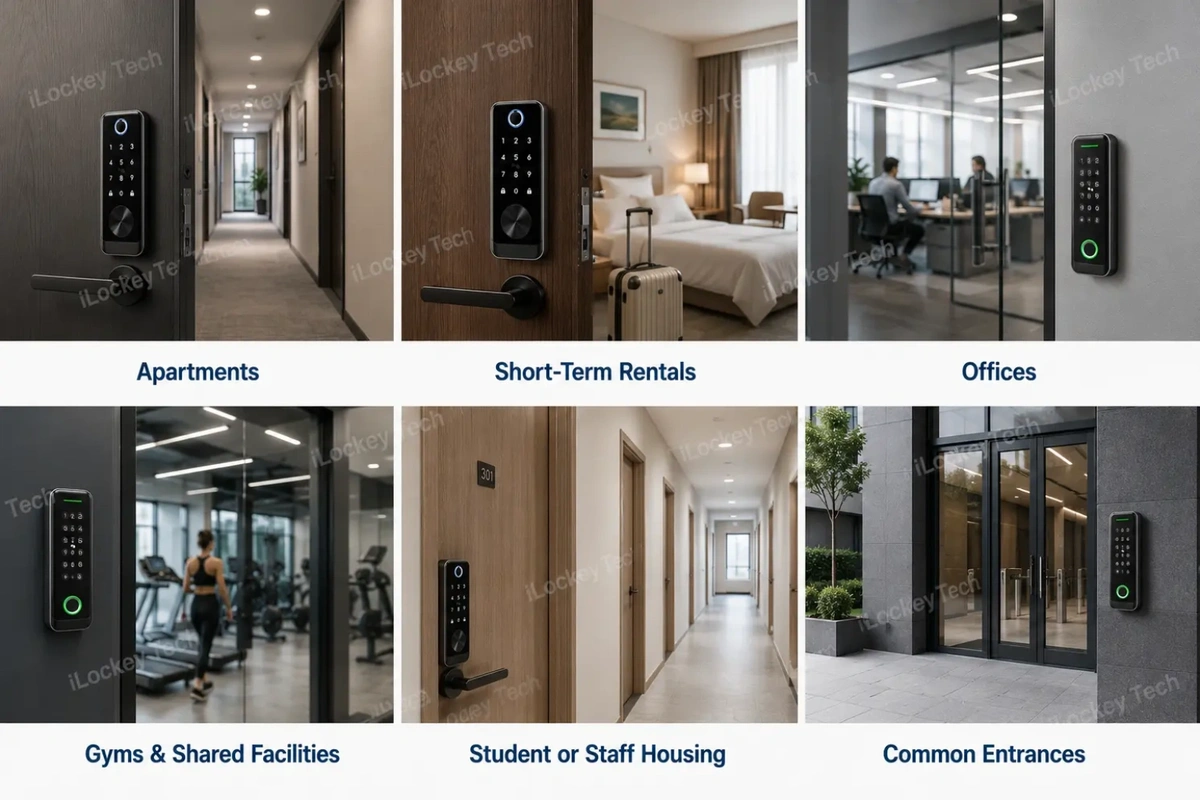
1) Apartments and Long-Term Rentals
Tenant turnover often involves collecting keys, replacing missing credentials or changing access rights.
A digitally managed PIN can make the transition easier. When a tenant leaves, the old credential can be removed or allowed to expire according to the selected system. The incoming tenant then receives a new credential. For operators managing many properties, this can reduce repetitive credential administration.
2) Short-Term Rentals and Serviced Accommodation
Short-term accommodation has a natural relationship between reservation time and access time.
A typical workflow may be:
Reservation → Credential Creation → Guest Receives PIN → Check-In → Check-Out → Credential Expires
Where supported by the selected platform and property-management system, parts of this process may be automated through software integration.
However, buyers should verify the exact API, PMS and credential-generation capabilities before assuming that an automated booking workflow is available.
3) Offices and Coworking Spaces
Commercial offices normally contain several user types.
- Employees may need long-term credentials.
- Visitors may need only a few hours of access.
- Cleaning or maintenance teams may enter according to a fixed weekly schedule.
PIN access can be useful where these permissions need to be distributed quickly without issuing another physical card.
For high-accountability environments, individual credentials should be used rather than one shared departmental PIN.
4) Gyms and Shared Facilities
Fitness centers, member areas and shared facilities frequently manage users according to membership or booking periods. Digital credentials can therefore support time-based access without requiring every temporary or infrequent user to receive a physical key.
If a project also includes electronic lockers, entrance-door access and locker access should be evaluated as part of the overall credential workflow rather than as completely separate products. The exact relationship between door locks, locker locks and software should be confirmed according to the selected iLockey platform and models.
5) Student Housing and Staff Accommodation
Large accommodation projects can have significant onboarding and offboarding workload.
A project with hundreds of rooms may need to manage:
- room assignment;
- credential activation;
- user replacement;
- access expiration;
- maintenance access;
- common-area permissions;
- centralized records.
In these projects, the management architecture becomes more important than the keypad itself.
6) Common Entrances and Controlled Commercial Areas
Not every keypad should be installed as an integrated door lock. Building entrances, glass doors, office lobbies and common-area doors may be better suited to a separate access controller connected to an electric or magnetic locking device.
This is where access-controller products such as selected iLockey AC04, AC05, K3 and K3F configurations become relevant.
4. Standalone, Bluetooth or Gateway-Connected?
The next decision is how the keypad will be managed. This is where commercial projects often become unnecessarily complicated.
A buyer may specify “Wi-Fi” or “remote management” without first defining which tasks actually need to happen remotely.
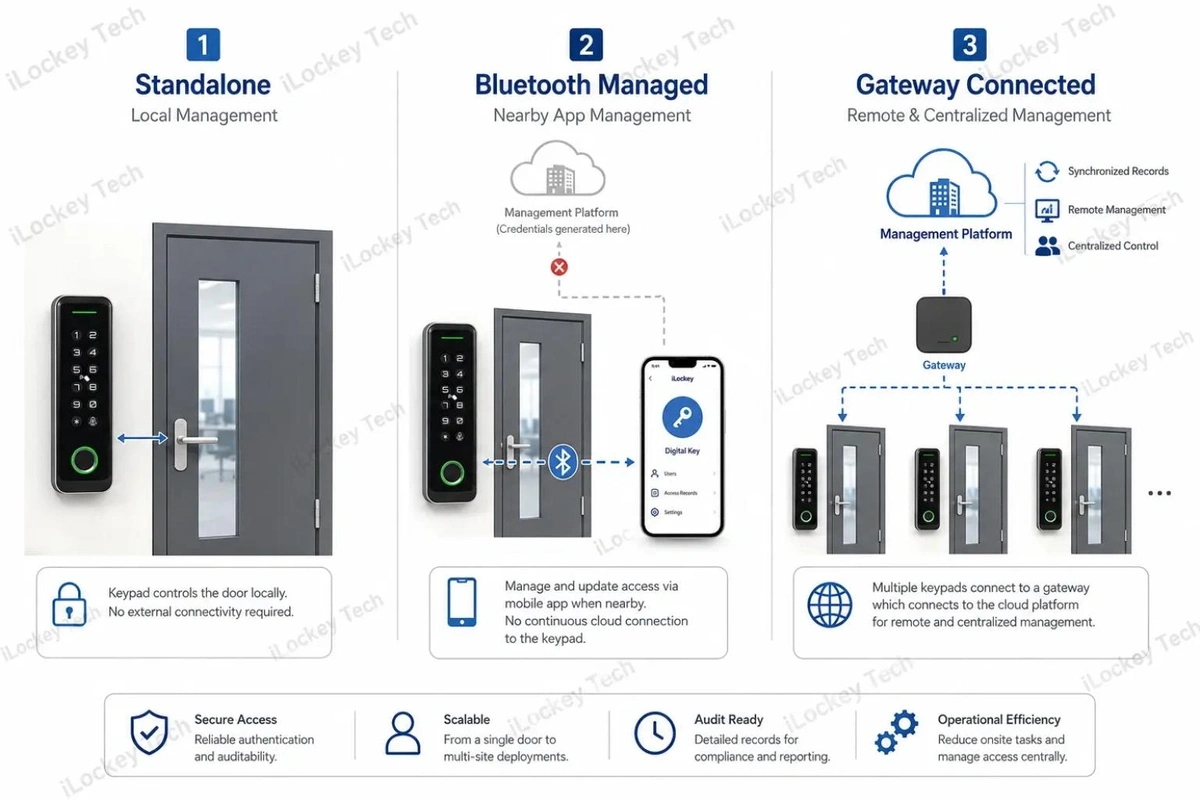
1) Standalone Management
A standalone keypad system stores and manages credentials locally. It can be appropriate for a small or relatively static access point where:
- users rarely change;
- remote control is unnecessary;
- access records are not a central operating requirement;
- network infrastructure would add unnecessary complexity.
Its limitation appears when permissions change frequently. Repeated on-site programming can quickly become an operational burden.
2) Bluetooth-Managed Access
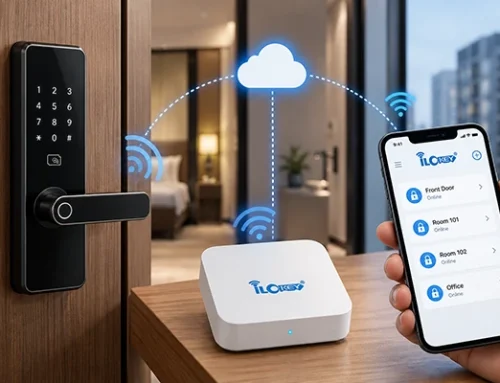
Bluetooth management allows an administrator to communicate with the device from a nearby smartphone. Depending on the selected platform, Bluetooth-based systems may support digital credential creation and other app-based management functions without requiring the device itself to remain continuously connected to the internet.
This makes Bluetooth particularly useful for distributed properties where permanent network infrastructure at every door is undesirable. But Bluetooth and “real-time remote control” are not the same thing. That distinction matters.
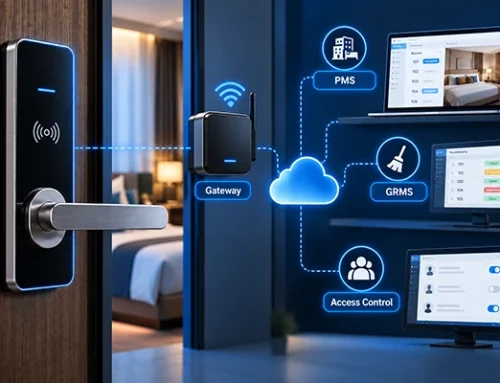
3) Gateway-Connected Access
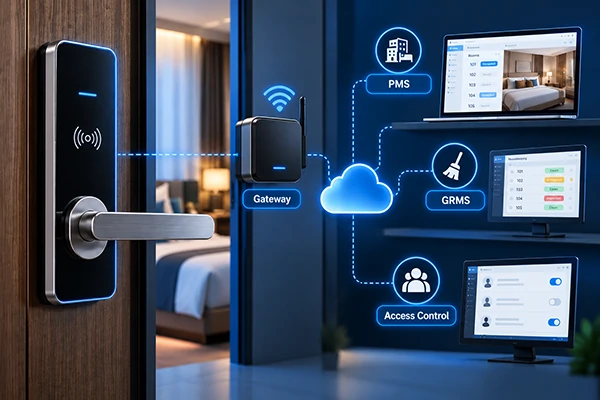
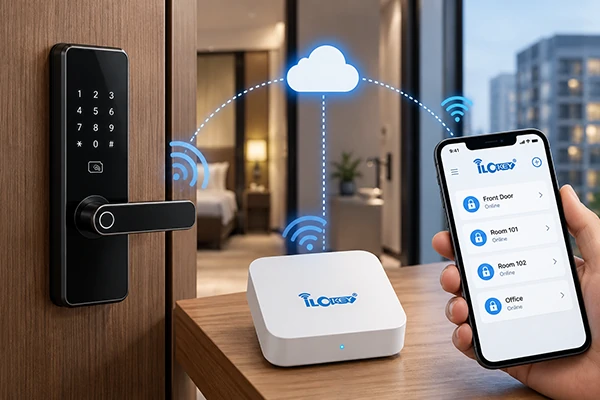
A gateway adds another management layer between local devices and the network platform.
Depending on the selected system, it may enable functions such as:
- remote device management;
- synchronized access records;
- remote credential changes;
- device-status monitoring;
- remote door operation.
Selected iLockey TTLock-based access-control products illustrate this difference clearly: certain functions can already be handled through local Bluetooth or digital credential workflows, while gateway-connected configurations add stronger real-time remote-management capabilities. This leads to an important procurement principle:
Being able to send a PIN remotely does not necessarily mean the lock is continuously online. The gateway becomes more important when operations require immediate remote changes, synchronized information or continuous central management.
| Project Requirement | Standalone | Bluetooth Managed | Gateway Connected |
| Continuous network at device | No | No | Gateway/network required |
| Local credential management | Yes | Yes | Yes |
| Remote digital credential workflow | Limited | Platform-dependent | Stronger |
| Real-time synchronization | No | Limited | Typically available |
| Central multi-door operation | Limited | Moderate | Strong |
| Infrastructure complexity | Low | Low–Medium | Medium–High |
The number of locks alone should not determine the architecture. Ten doors may require real-time centralized control, while hundreds of relatively static doors may operate under a different model. The workflow should make the decision.
 5. How to Select a Keypad Smart Lock for a Commercial Project
A practical procurement process should begin with operations, not the product catalogue.
1) Step 1: Define the Users and Access Workflow
Identify who needs access:
- residents;
- guests;
- employees;
- contractors;
- cleaners;
- administrators.
Then determine how often those users change.
A warehouse with three permanent employees has very different requirements from a short-term rental portfolio with new guests every day.
2) Step 2: Decide How Credentials Must Be Managed
Ask whether the operator needs:
- remote credential creation;
- automatic expiration;
- recurring permissions;
- access records;
- multi-property management;
- centralized administrator control.
Do not pay for network complexity that the operating model does not require.
At the same time, do not select an inexpensive standalone solution if staff will later need to visit every door repeatedly to change permissions.
3) Step 3: Check the Door and Locking Hardware
Electronic features do not solve mechanical incompatibility.
- For integrated smart locks, confirm:
- door material;
- door thickness;
- mortise type;
- backset;
- center distance;
- existing holes;
- handle position;
- door handing;
- strike dimensions.
For access-controller projects, confirm:
- electric or magnetic lock type;
- power supply;
- relay requirements;
- exit button;
- cabling;
- installation position.
Retrofit projects deserve particular attention.
A lock that cannot cover an existing door preparation may create far more installation cost than expected.
 4) Step 4: Evaluate the Environment
Do not select an exterior product based only on one marketing term such as “waterproof.”
Ingress-protection documentation is important, but environmental suitability can also depend on:
- installation exposure;
- temperature;
- UV;
- corrosion;
- cable entry;
- sealing;
- rain direction;
- surrounding door construction.
Selected iLockey access controllers have documented IP protection levels for specific tested configurations, but project suitability should still be confirmed according to the actual installation environment.
An IP rating is useful evidence. It is not a substitute for project evaluation.
5) Step 5: Calculate Total Cost of Ownership
The lowest unit price is not always the lowest project cost. For commercial deployment, consider:
TCO = Hardware + Installation + Infrastructure + Software + Integration + Maintenance + Credential Administration
This may include:
- lock or controller;
- mortise or electric locking hardware;
- gateway;
- power supply;
- installation labor;
- door modification;
- software fees;
- integration work;
- batteries where applicable;
- spare parts;
- service visits;
- staff time spent managing credentials.
A small hardware saving may become irrelevant if the chosen system creates repeated site visits across hundreds of doors.
6) Step 6: Confirm Software and Integration Requirements
Only after the user workflow is understood should buyers decide whether API, SDK or PMS integration is necessary. For example, a short-term rental operator may want:
Reservation → Create PIN → Send PIN → Check-Out → Expire PIN
A small office administrator may simply want to create credentials manually. These are very different software requirements.
Before procurement, confirm:
- which interface is available;
- which functions the interface supports;
- who performs the integration;
- whether additional software or service fees apply;
- how the integration will be tested.
“Supports an App” should never automatically be interpreted as “supports any third-party integration.”
6. Hardware and System Specifications Buyers Should Verify
The following specifications cover the key hardware, security, power, capacity and compliance factors buyers should verify before selecting a keypad smart lock or access controller.
1) Keypad Construction
Touch keypads and physical buttons have different user experience and environmental characteristics. Instead of assuming one is automatically more durable, buyers should review the specification and available test data for the exact product.
Pay attention to:
- keypad surface;
- wear resistance;
- visibility;
- backlighting;
- wet-condition use;
- operating environment.
2) PIN Security Functions
Where available, useful PIN-management features may include:
- individual credentials;
- time restrictions;
- recurring access;
- failed-attempt protection;
- anti-peep password input.
These should be confirmed for the exact platform rather than assumed from the presence of a keypad.
3) Power and Emergency Procedures
For integrated smart locks, buyers should understand:
- battery type;
- low-power warning;
- replacement procedure;
- emergency access method.
For access controllers, check:
- required power supply;
- wiring;
- relay output;
- backup-power strategy where required.
Emergency planning is a system question, not merely a battery specification.
4) User and Record Capacity
Large projects should verify the actual capacity of the selected configuration.
Relevant questions include:
- How many PIN users?
- How many card users?
- How many administrators?
- How many event records?
- Where are records stored?
- When are records synchronized?
Capacity may differ between product versions, platforms and firmware configurations.
5) Outdoor and IP Requirements
Selected iLockey AC04 and AC05 access controllers have documented IP66 test results for the tested configurations, while K3 and K3F have IP67 documentation. This is useful when evaluating exposed access points, but buyers should still check the full installation environment and the scope of the relevant test documentation.
IP ratings describe ingress protection. They do not automatically define performance against every environmental condition.
6) Fire-Rated and Emergency-Exit Doors
Fire-door suitability cannot be judged by the keypad alone. For a fire-rated opening, the project should verify the exact:
- lock model;
- locking hardware;
- mortise;
- door construction;
- tested configuration;
- local compliance requirements.
Likewise, emergency egress and fire resistance are separate engineering considerations. The complete door assembly must be evaluated rather than assuming that an electronic access feature makes a product suitable for a fire-rated exit.
7. Five Common Keypad Lock Procurement Mistakes
The following five mistakes are common in keypad lock procurement and can lead to unnecessary costs, installation problems or inefficient access management.
1) Mistake 1: Buying More Connectivity Than the Project Needs
A gateway and centralized platform can provide valuable remote-management capabilities. But adding connectivity where no remote workflow exists increases infrastructure, setup and maintenance requirements. Start with operations, then specify connectivity.
2) Mistake 2: Choosing the Product Before Checking the Door
A beautiful keypad does not solve a mismatched mortise or exposed old bore holes. Door and locking-hardware evaluation should happen before bulk ordering.
3) Mistake 3: Using Shared PINs Where Accountability Matters
One shared code is simple to distribute but weakens traceability. If access records must be linked to individual users, use individual credentials.
4) Mistake 4: Selecting Outdoor Hardware Only by IP Rating
IP documentation is important, but outdoor reliability also depends on the actual installation environment. Review the complete specification and test configuration.
5) Mistake 5: Comparing Lock Price Instead of Operating Cost
Hardware cost is only one part of the project. Credential administration, gateways, installation, door modifications, service visits and software can become much larger cost drivers over time.
8. Keypad Smart Lock Guide for Commercial Projects FAQs
The following FAQs address common questions about keypad smart lock security, PIN management, connectivity, centralized administration and system integration.
1) Are keypad smart locks secure?
They can provide an appropriate level of access control when the system matches the risk of the application and the operator uses a sensible credential policy.
Important factors include PIN length, individual vs. shared credentials, credential expiration, failed-attempt protection and physical lock construction. For higher-risk applications, PIN may also be combined with another credential method.
2) Can temporary PINs work without the lock being continuously online?
Depending on the selected platform, time-limited digital credentials may be generated without requiring the device itself to maintain continuous internet connectivity.
However, credential-generation rules, expiration and cancellation methods vary by platform. They should be confirmed before the project is specified.
3) Can a PIN expire automatically?
If the selected system supports time-limited credentials, the permission can be configured according to a defined access period. This is particularly useful for short-term guests, contractors and temporary workers.
4) Can many keypad devices be managed from one platform?
Yes, centralized management is possible with suitable system architecture. The project must still confirm the selected platform, gateways, network design, user volume, record requirements and integration scope.
5) Does remote PIN generation mean the door is online?
Not necessarily. Some platforms allow digital credentials to be generated remotely even though the door device is not continuously connected.
A gateway becomes more relevant when real-time synchronization, immediate remote changes or continuous remote device management is required.
6) Can a keypad lock integrate with our PMS or management software?
Potentially, but integration capability must be confirmed for the selected platform. Buyers should verify API or SDK availability, supported functions, commercial terms and development responsibilities before ordering.
7) Can keypad access be used outdoors?
Yes, if the selected device and complete installation are suitable for the environment. Review documented IP performance together with temperature, exposure, corrosion, sealing and installation conditions.
9. Internal Fact-Check List — Not for Website Publication
1. AC04 / AC05 product type
2. AC04 and AC05 documentation identifies the products as access controllers, with fixed DC power and wiring diagrams showing external power and locking hardware.
3. AC04 PIN / card / App capabilities
4. AC04 product materials show TTLock App, IC Card and Password access together with password management, card management and unlock-record functions.
5. Virtual / anti-peep passcode
6. AC04 marketing material explicitly shows a “Virtual Passcode anti peeping” function. This supports mentioning the function for selected iLockey products, not the entire product range.
7. Permanent / timed / recurring credential examples
8. AC04 product screenshots show Permanent, Timed and Recurring credential categories. Final website wording therefore uses conditional/model-specific language.
9. Gateway management difference
10. K3/K3F product material differentiates standard and gateway editions. The gateway configuration adds functions including real-time cloud record updates, remote door operation and remote deletion of password/card users.
11. AC04 IP66
12. Intertek report 240910157GZU-001 identifies AC04 as a 12V DC, IP66 access-control sample tested to IEC 60529. The report scope should not be expanded beyond the tested configuration.
13. AC05 IP66
14. Intertek report 240910157GZU-002 identifies AC05 as a 12V DC, IP66 access-control sample tested to IEC 60529.
15. AC04 / AC05 IP test limitation
16. The Intertek reports state that the water test was conducted on the front panel according to the client’s request. Website wording should therefore avoid “completely waterproof” or claims covering the full installed door system.
17. K3 / K3F IP67
18. The supplied documents contain IP67 documentation for both K3F and K3 under EN 60529.
19. Operating temperature
20. Current AC04/AC05 materials contain inconsistent temperature ranges across different documents. No specific model temperature range has therefore been used in this Blog.
21. User capacities
22. Different product/platform documents show different PIN, card and biometric capacities. No universal capacity figure has been presented as an iLockey range-wide specification.
23. API / SDK / PMS
24. The article discusses integration as a procurement requirement and deliberately does not claim that every keypad model or every platform supports the same API, SDK or PMS functions.
25. Fire-rated doors
26. No keypad access-controller document supplied for this article is being used as proof of fire-door suitability. Fire-related capability must continue to be confirmed by exact door-lock model and certification documentation.
10. Planning a Keypad Smart Lock or Access-Control Project?
iLockey works with smart-lock brands, distributors, property operators, system integrators and project customers on commercial access-control applications.
When requesting a recommendation, provide as much of the following information as possible:
- door photos and dimensions;
- existing mortise or electric-lock information;
- application scenario;
- project quantity;
- user types;
- required PIN workflow;
- remote-management requirements;
- software or PMS requirements;
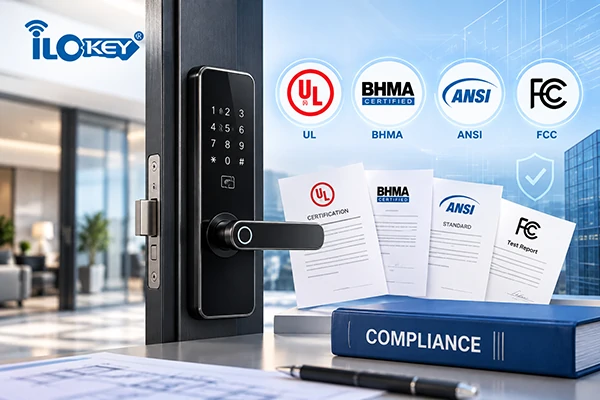
- target market and compliance requirements.
For larger projects, testing representative doors or running a small pilot before mass deployment can help verify hardware compatibility, credential workflows and system-management requirements.
11. Conclusion
A keypad smart lock can reduce the operational work associated with issuing and collecting physical credentials. But the keypad itself is only one part of the decision. Commercial buyers should evaluate three separate layers. Authentication Method: How will the user prove that access is authorized? Management Architecture: Will permissions be managed locally, by Bluetooth or through a connected gateway? Door Hardware Architecture: Does the project require an integrated smart lock or an access controller connected to separate electric locking hardware?
The correct solution should reflect: user turnover; permission workflow; door conditions; installation environment; network infrastructure; software requirements; long-term maintenance.A small static site may need only straightforward local PIN management. A distributed rental operation may benefit from digitally managed PIN credentials without complex infrastructure.
A centralized apartment, office or staff-accommodation project may require gateways, centralized records and system integration. The best choice is therefore not the product with the longest feature list. It is the architecture that meets the actual operational requirements with the least unnecessary complexity.