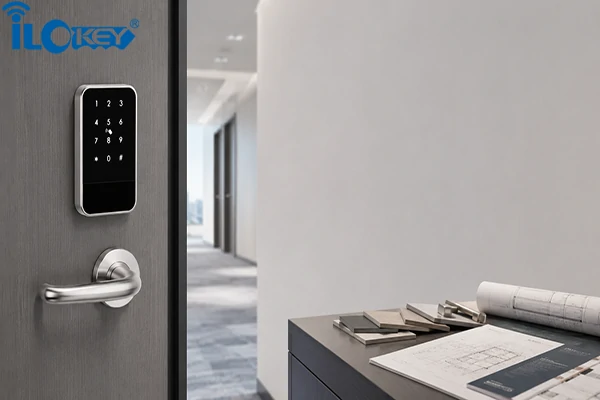
Replacing hotel door locks is rarely just a hardware purchase. The moment mobile keys, PMS integration, staff access and remote management are involved, the project becomes part of the hotel’s daily operation. A decision made at the door can affect reception, housekeeping, engineering, IT support and, ultimately, the guest experience.
This is why a successful Bluetooth hotel lock project should start with the hotel’s workflow, not with a product catalogue.
Based on iLockey’s more than 10 years of experience serving customers, before comparing finishes, battery life or app screenshots, a hotel should first answer a few practical questions:
- How will guests receive their room access?
- Will RFID cards remain available?
- Does the existing PMS need to trigger mobile keys?
- How will cleaners and maintenance staff be authorised?
- What happens if the internet, gateway or guest’s phone is unavailable?
- Can the existing locks be replaced without major door modifications?
In this guide, we will look at those questions from the perspective of hotel owners, operators, engineering teams and system integrators.

1. What Is a Bluetooth Hotel Door Lock?
A Bluetooth hotel lock allows a nearby smartphone to communicate directly with the door lock. Once a reservation or check-in is confirmed, the hotel or access platform can issue a digital key for a specific room and time period. The guest then uses a mobile app, hotel-branded app, mini-program or another supported platform to unlock the door.
A digital key may include:
- The authorised room
- The time the key becomes valid
- The check-out or expiry time
- Access to selected public areas
The important point is that Bluetooth usually handles the final communication between the phone and the lock. It does not replace the PMS, access platform or network infrastructure.
1) Bluetooth, Wi-Fi and PMS Are Different Parts of the System
These terms are often mixed together, but they perform different jobs.
- Bluetooth connects the guest’s phone to the lock at close range.
- A gateway may connect nearby locks to a cloud or local platform through Wi-Fi, Ethernet, PoE or 4G.
- The PMS manages reservations, room status, check-in and check-out. The access platform manages digital keys, lock permissions, users and device information.
For automatic mobile key delivery, these systems must exchange the right information at the right time. A Bluetooth lock alone does not create a complete mobile check-in journey.
Below, we have summarized a common hotel lock structure table for your quick reference.
| System | Access methods | System requirement | Data synchronisation and management |
| Traditional RFID hotel lock | RFID room card | Local hotel lock software, encoder and front-desk computer | Cards are issued at reception. The lock normally works offline and does not provide real-time lock data |
| Bluetooth + RFID hotel lock | Mobile key and RFID room card | Local server or locally deployed hotel management system; no gateway required | Mobile keys and cards can work without a gateway, but lock records and battery status are not uploaded automatically |
| Bluetooth + RFID + Passcode | Mobile key, RFID card and passcode | Local or cloud-based management platform; no gateway required for local access | Guests can unlock locally. Lock records, battery data and permission changes must be synchronised by a staff member standing near the lock with the mobile app |
| Bluetooth + RFID + Passcode + Gateway | Mobile key, RFID card, passcode and remote access | Management platform plus gateway and network connection | The gateway enables remote operations, automatic record uploads, battery-status reporting and near real-time data synchronisation |
The main difference is not simply whether the lock supports Bluetooth. It is whether the lock has a gateway that keeps it connected to the management platform.
Without a gateway, guests can still use valid RFID cards, mobile keys and passcodes. However, the lock cannot automatically upload access records or battery status. Staff must approach the lock with the hotel management app and synchronise the data through Bluetooth.
Permission changes also work differently without a gateway:
- RFID cards: issued directly through the front-desk card encoder.
- Mobile keys: sent to the guest’s phone and used locally through Bluetooth.
- Passcode: must normally be added, changed or deleted near the lock through the app.
- Lost cards: must be cancelled at the lock through Bluetooth or by using a specially issued loss-report card.
With a gateway, these tasks can be handled remotely, and lock data can be synchronised automatically.
2. Where Does the Business Value Come From?
In fact, the value of Bluetooth hotel door locks does not lie in the novel way of using a mobile phone to open the door, but in their ability to simplify or automate operational steps. For over a decade, Bluetooth door locks have been a best-selling product for iLockey. We will explain their business value from the following aspects.
1) A More Flexible Arrival Experience
In a traditional check-in process, the guest arrives, waits at reception, confirms the booking and receives an encoded room card.
With mobile access, the hotel may prepare or issue the digital key before arrival. If identity verification and local hotel regulations have already been addressed, the guest may be able to go directly to the room.
This is particularly useful for:
- Late-night arrivals
- Serviced apartments
- Holiday rentals
- Small hotels with limited overnight staff
- Properties spread across several buildings
- Guests who have completed online check-in
This does not mean every hotel should remove the front desk. Full-service and luxury hotels may still want a personal arrival experience. Mobile access simply gives the operator more flexibility in deciding which guests need to stop at reception.
2) Fewer Repetitive Access Tasks
Physical room cards remain practical, but they create a steady stream of small tasks:
- Encoding new cards
- Replacing lost cards
- Extending cards for late check-out
- Issuing duplicate cards
- Cancelling outdated cards
- Managing returned cards
A digital access platform can handle some of these tasks through permission rules.
A late check-out can be extended without issuing another card. A cleaner can receive access only during working hours. A maintenance technician can be authorised for one room and one time period. A remote apartment operator can issue access without travelling to the property.
The main benefit is not necessarily a reduction in headcount. It is the removal of repetitive access-related work that does not require personal service.
3) Better Battery and Maintenance Planning
Hotel locks are normally battery powered, but battery performance varies by model.
Before purchasing, you can ask for your supplier:
- What battery type does the lock use?
- How many batteries are required?
- Under what conditions is battery life calculated?
- Does the lock provide a local low-battery warning?
- Can low-battery information be reported to a platform?
- Is emergency power available?
- Is a mechanical key or another backup method provided?
Battery-life claims should always be linked to defined conditions.
Opening frequency, Bluetooth activity, gateway communication, climate, battery quality and mechanical resistance can all affect actual performance.
A reliable supplier should explain not only the estimated battery life, but also how the hotel will be warned and what staff should do before the battery becomes too low.
4) A Starting Point for Smart Room Integration
A Bluetooth hotel lock can become part of a wider smart-room system. Depending on the project architecture, it may interact with:
- Energy-saving switches
- Door sensors
- Lighting controls
- Air-conditioning systems
- Elevator controllers
- Room control systems
- Hotel management platforms
However, a lock alone cannot deliver a complete energy-saving strategy.
Functions such as room activation or energy reduction may require the lock, door sensor, occupancy logic, room controller and software rules to work together. Results therefore depend on the complete system, not the lock alone.
3. From Reservation to Check-out: How Does the Workflow Operate?
iLockey recommends that a hotel should evaluate the complete guest and staff journey before choosing the hardware.
1) The Guest Mobile Key Journey
A typical process may look like this:
Reservation completed→ Guest identity and booking details confirmed→ Digital key generated→ Key delivered through an app or hotel platform→ Guest arrives at the room→ Phone communicates with the lock through Bluetooth→ Access expires after check-out
Before purchasing, confirm:
- Does the guest need to download an app?
- Can the hotel use its own branded app?
- Is a mini-program or browser-based option available?
- Who generates and sends the digital key?
- Can key issuance be triggered automatically by the PMS?
- Does the guest’s phone need internet access at the door?
- Can a previously issued key work if the gateway is offline?

2) Staff Access Management
Hotel staff require more complex access rules than guests.
A suitable system should allow the hotel to separate permissions for:
- Reception
- Housekeeping
- Engineering and maintenance
- Floor supervisors
- Management
- Security
- External service providers
Permissions may need to be limited by:
- Room
- Floor
- Building
- Area
- Date
- Time period
- Employee role
For example, a cleaner may receive access to assigned rooms between 9:00 a.m. and 4:00 p.m. A maintenance technician may receive access to one room for two hours. A manager may be authorised to enter several floors but not technical rooms.
The real question is not simply whether staff access is supported. It is whether the platform can reproduce the hotel’s actual organisational and operational permission structure.

3) Guest Access Beyond the Room
A hotel credential may also be used for:
- The main entrance
- Elevator floors
- Meeting rooms
- Fitness centres
- Swimming pools
- Breakfast areas
- Executive lounges
- Parking areas
Room locks, access controllers, elevator controllers and software must share compatible credential and permission logic. Multi-area access should therefore be planned before equipment is ordered.
4) What Happens When Something Goes Wrong?
iLockey has encountered many clients asking about this situation. Hotels should pay close attention to failure and exception scenarios.
The project assessment should answer:
- What happens if the guest’s phone battery is empty?
- What happens if the phone is lost?
- Can reception issue an RFID backup card?
- Can the room be opened with a mechanical key?
- What happens if the hotel internet connection fails?
- What happens if the gateway is offline?
- Can an already issued mobile key still work?
- How is late check-out extended?
- How is access cancelled if a guest changes rooms?
- How does an administrator open the door in an emergency?
A strong access system must remain predictable and manageable when something goes wrong.
4. Choosing the Right System Architecture
iLockey always sees that the most common purchasing mistake is to compare appearance and unit price before defining how the system will actually be used.
1) Start With the Property’s Operating Model
Before discussing lock models and finishes, define the project:
- Is it a traditional hotel, boutique hotel, guesthouse or serviced apartment?
- Is reception staffed 24 hours a day?
- Is self-check-in required?
- Does the property already use a PMS?
- Does the hotel have its own guest app?
- Are the main entrance and elevators included?
- Is the project new construction or retrofit?
- Will one property or several properties be managed?
- Must RFID cards remain available?
- Is cloud hosting acceptable?
- Is a local or private server required?
A 50-room serviced apartment and a 50-room full-service hotel may require completely different systems.
2) Local Bluetooth Access
Local Bluetooth access can be suitable for:
- Boutique hotels
- Small guesthouses
- Holiday rentals
- Serviced apartments
- Properties that do not require continuous device monitoring
The phone communicates directly with the lock when the guest is nearby. Depending on the platform, an issued credential may remain usable during its valid period even if the lock is not connected to a gateway.
This approach can reduce infrastructure requirements, but remote status, immediate permission changes and record synchronisation may be more limited.
3) Bluetooth Locks With Gateways
A gateway-based system may be more suitable for:
- Hotel chains
- Centrally managed apartments
- Multi-building properties
- Projects requiring remote device information
- Properties requiring centralised access updates
Depending on the platform, a gateway may support:
- Permission synchronisation
- Access-record uploads
- Low-battery reporting
- Device-status reporting
- Selected remote operations
Gateway coverage must be assessed in the real building.
Walls, reinforced concrete, metal fire doors, shafts, interference and installation position can all affect communication. A theoretical transmission distance should not be used as the only basis for deciding gateway quantity.
4) Bluetooth and RFID Hybrid Access
For many existing hotels, hybrid access is the lowest-risk route.
Guests can use mobile keys when convenient, while RFID cards remain available for:
- Guests who prefer a physical credential
- Group bookings
- Guests without compatible smartphones
- Emergency replacement
- The transition period during rollout
This allows the hotel to test mobile access without redesigning the entire front-desk process on day one.

5. PMS Integration, Mobile Key Platforms, APIs and SDKs
In fact, “PMS compatible” is one of the most misunderstood claims in the hotel lock industry. Drawing on more than a decade of customer service experience, iLockey tells you that the phrase can refer to several very different types of connection.
1) PMS Integration With RFID Card Encoding
In a traditional hotel environment, the PMS may transfer reservation or room information to the card-encoding software. Reception then issues an RFID card through an encoder.
This is not the same as automatically delivering a mobile key to a guest’s phone.
RFID hotel lock systems may work with PMS environments such as Opera, Fidelio or Protel, subject to the PMS version, interface protocol and project configuration being confirmed.
2) PMS Integration With a Mobile Key Platform
For automatic mobile key issuance, the PMS or guest-journey platform must communicate with the digital access platform.
The connection may need to:
- Receive the booking or check-in information.
- Identify the assigned room.
- Generate a time-limited credential.
- Deliver it to the guest.
- Change or cancel it if the booking is updated.
- Record relevant status information.
RFID card integration and mobile key integration should always be evaluated separately.
3) API and SDK Integration
An API or SDK may be required when:
- The hotel has its own mobile app.
- A property platform needs to control lock permissions.
- A system integrator is building a customised guest journey.
- Several access systems need to be managed through one interface.
Before development begins, the parties should agree on:
- Which functions are available
- Who generates the credential
- Where guest and access data are stored
- How device identities are managed
- How errors are reported
- Who maintains the connection after launch
The availability of an API or SDK does not make every integration plug-and-play. Development, testing and future maintenance still need clear ownership.
We list an Integration Checklist here for your reference.
| Integration item | What must be confirmed |
| PMS | Brand, version and available interface |
| Access method | RFID card, mobile key or both |
| Hotel application | Whether an SDK is required |
| Digital key | Which platform generates and delivers it |
| Access records | Where records are stored and who can view them |
| Server architecture | Public cloud, private cloud or local deployment |
| Public areas | Whether access control and elevators are included |
| Group management | Whether multiple hotels require one account hierarchy |
| Support responsibility | Who maintains the integration after launch |
6. Hardware and Security Questions That Matter
Technical specifications are useful only when the hotel understands their operational impact. The following we list a table for your reference.
| Item | Why it matters |
| Door material | Timber, steel, fire-rated and aluminium-frame doors may require different lock structures |
| Door thickness | Affects spindle, screws and mortise compatibility |
| Mortise type | Determines whether the existing door preparation can be retained |
| Existing holes | Determines whether drilling or repair is required |
| Panel dimensions | Determines whether old holes and marks can be covered |
| Battery configuration | Affects maintenance and local battery sourcing |
| Low-battery warning | Allows planned replacement before failure |
| Offline behaviour | Determines whether guests can enter during a network interruption |
| Permission cancellation | Determines how quickly invalid access can be removed |
| Material and finish | Affect durability, cleaning and corrosion resistance |
| Environmental performance | Important for coastal, humid, cold or semi-outdoor locations |
| Fire performance | Must match the tested door, lock and installation structure |
| Emergency access | Defines the backup process |
| Spare parts | Determines long-term serviceability |
1) Security Is More Than One Encryption Term
A complete security assessment should consider:
- Communication encryption
- Credential validity periods
- User and device authentication
- Dynamic or time-limited credentials
- Anti-replay mechanisms
- Permission cancellation
- Administrator roles
- Access records
- Server and account security
- Physical emergency access
Encryption protects the communication content. Anti-replay measures are designed to reduce the risk of a captured command being reused. Depending on the platform, these measures may include timestamps, random numbers, dynamic tokens or challenge-response authentication. The exact implementation should be confirmed with the software provider rather than inferred from a single phrase such as “AES encryption.”
2) Certifications Need Context
EN1634-1,EN14846,CE, FCC, RoHS, IP testing, fire testing and mechanical testing do not prove the same thing.
For every certificate or report, the hotel should confirm:
- Which model it covers
- Whether it applies to the complete lock or one component
- Which market requirement it addresses
- Which test conditions were used
- Whether the tested structure matches the intended project
A fire test result cannot automatically be transferred between different door types. A lock tested on a timber fire door may not be approved for the same use on a steel fire door.
7. Can an Existing Hotel Be Retrofitted With Bluetooth Locks?
Retrofit projects are often attractive because the hotel wants to improve access without replacing every door. However, not every existing lock can be replaced without drilling, changing the mortise or repairing the door surface.
Compatibility depends on:
- The existing lock model
- Panel dimensions
- Handle position
- Key cylinder position
- Mortise dimensions
- Door thickness
- Door material
- Existing holes
- Fire-door requirements
- The condition of the door
1) Information Required for a Preliminary Assessment
The hotel should provide:
- A front photo of the existing lock
- A rear photo of the existing lock
- A photo of the mortise at the door edge
- Front and rear panel dimensions
- Handle-centre measurements
- Key cylinder position
- Mortise dimensions
- Door thickness
- Door material
- Opening direction
- Fire-rating information, if applicable
2) Three Common Retrofit Approaches
Let’s look at the details:
a. Direct Replacement
Direct replacement may be possible when the mortise dimensions, handle position and fixing points are compatible, and the new panel covers the existing preparation.
b. Cover-Panel Replacement
A larger front and rear panel may cover old holes, previous panel marks or minor surface damage. This can reduce visible repair work, although the mechanical structure must still be checked.
c. Custom Panel or Mortise Solution
Customisation may be needed for:
- Unusual hole positions
- Special door thickness
- Non-standard mortises
- Fire-rated door requirements
- Large renovation projects
- Replacement of discontinued lock systems

We recommend a reliable retrofit process is:
Photos and dimensions provided→ Preliminary compatibility review→ Recommended lock and mortise→ Sample installation on one to three doors→ Mechanical and software testing→ Approval before mass replacement

8. Which Solution Fits Different Property Types?
First, let’s review the table.
| Property type | Main operational challenge | Recommended direction |
| Boutique guesthouse | Late arrivals and self-check-in | Bluetooth mobile key with backup access |
| Distributed apartment | Remote permission management | Cloud platform with temporary credentials |
| Economy hotel chain | Cost, stability and standardised deployment | Bluetooth and RFID hybrid solution |
| Upscale hotel | PMS integration and multi-area access | PMS-connected platform, gateway and multiple credential types |
| Existing hotel renovation | Hole compatibility and operational disruption | Door assessment and sample-room testing |
| New hotel development | Coordination of several systems | Integrated planning for locks, access control, elevators and PMS |
| Long-stay apartment | Lease-based access and visitors | Mobile credentials linked to tenancy periods |
| Resort property | Separate buildings and late arrivals | Remote authorisation with public-area management |
This table is a starting point rather than a final specification.
Two hotels with the same room count may still need different solutions because their staffing, PMS, door types and guest journeys are different.
9. Why a Small Pilot Reduces Purchasing Risk?
Hotel access control affects daily operation. It should not be changed across hundreds of rooms based only on a catalogue or showroom demonstration.
A pilot allows the hotel to test the complete workflow under real conditions.
A practical pilot may include:
- Three to ten rooms in a traditional hotel
- One representative floor
- One apartment unit or building section
- One property within a hotel group
- Several doors with different existing lock conditions
The pilot should cover more than opening the door. It should include:
- Digital key delivery
- RFID backup access
- Staff permission settings
- Gateway communication
- Offline behaviour
- Low-battery alerts
- PMS or platform data flow
- Emergency procedures
- Staff training
- Mechanical installation
Recommended Pilot Process:
Operational requirements confirmed→ Doors and existing locks inspected→ PMS and interface conditions reviewed→ Pilot rooms selected→ Locks and gateways installed→ Mobile and RFID workflows configured→ Staff trained→ Real scenarios tested→ Results reviewed→ Mass deployment decision made

The purpose of a pilot is not to create attractive marketing statistics. It is to identify technical and operational risks before they are repeated across the entire property.
10. Two Typical Deployment Scenarios
There, iLockey list 2 Recommended Pilot Process:
1) Serviced Apartment With Remote Access
A serviced apartment operator may manage units across several locations without maintaining a reception desk in every building.
The operator may need:
- Mobile keys linked to booking or lease periods
- Temporary visitor access
- Housekeeping access during assigned hours
- Maintenance access to selected units
- Main entrance or common-area access
- Centralised management across properties
- RFID or mechanical backup access
The value lies in creating one structured process for residents, short-stay guests, cleaners and maintenance teams.

2) Full-Service Hotel With PMS and Hybrid Access
A traditional hotel may want to introduce mobile keys without removing the existing reception and RFID card process.
The project may involve:
- PMS integration
- RFID card encoding
- Optional mobile key issuance
- Guest-room and public-area access
- Elevator-floor permissions
- Housekeeping and management groups
- Offline continuity
- Emergency physical access
The main challenge is not choosing a Bluetooth lock. It is defining how the PMS, RFID system, mobile key platform, gateway and hotel procedures work together.
A hybrid pilot allows the hotel to test mobile access while keeping its familiar card-based process.
11. Bluetooth Hotel Door Locks FAQs
The following are questions that iLockey is frequently asked while serving customers.
1) What happens if a guest’s phone has no battery?
The hotel should retain at least one alternative access method.
Depending on the selected system, options may include an RFID room card, temporary code, administrator access, emergency external power or a mechanical key.
Not every model supports every method, so backup access should be confirmed during product selection.
2) Can a digital key work if the hotel network is offline?
Bluetooth communication takes place between the phone and the lock.
A previously issued and valid credential may continue to work without a live gateway connection, depending on the platform design.
Issuing a new key, immediately cancelling access, uploading records or reporting device status may still require a network connection.
3) Does every Bluetooth hotel lock need a gateway?
No. A gateway may not be required for local phone-to-lock access. It is generally used for connected functions such as remote management, device status, low-battery reporting or record synchronisation.
Gateway quantity should be based on the actual building layout, not only a theoretical transmission distance.
4) Can guests use both mobile keys and RFID cards?
Yes, if the selected lock and platform support both. Hybrid access is often suitable for existing hotels because it preserves the familiar room-card process and provides a practical backup.
5) Must an old hotel replace the complete lock?
Not always. Some projects may retain the existing door preparation or use a compatible mortise. Others may require a new mortise, custom panel or additional drilling.
The existing lock and door must be measured before a conclusion is made.
6) Can Bluetooth hotel locks integrate with an existing PMS?
Potentially, but the PMS brand alone is not enough information. The PMS version, available interface, required access method, server environment and responsibility for development must all be confirmed.
RFID card integration and automatic mobile key integration should be assessed separately.
7) Are mobile hotel keys secure?
A properly designed system may use encrypted communication, time-limited credentials, user authentication, anti-replay protection, permission cancellation, administrator roles and access records.
Security depends on the complete platform, including the app, server, firmware and account controls.
8) Does mobile access mean the hotel must eliminate physical cards?
No. Many hotels begin with mobile keys and RFID cards operating in parallel. They can then adjust the process after reviewing guest adoption, staff workload and system reliability.
12. Choose the System That Fits the Hotel
The best Bluetooth hotel lock is not necessarily the product with the most opening methods or the most impressive app. The right system is the one that fits:
- The existing doors
- The hotel’s PMS
- The guest arrival process
- Staff permission requirements
- Public-area access
- Network conditions
- Emergency procedures
- Maintenance capabilities
- Future expansion plans
Before making a full investment, hotels should:
- Define the guest and staff workflows.
- Confirm PMS and platform compatibility.
- Inspect the existing doors and mortises.
- Select the appropriate Bluetooth, gateway or hybrid architecture.
- Test several representative rooms.
- Review the results before mass deployment.
A practical pilot can reveal more about the project than dozens of catalogue specifications.
13. Conclusion
If you are planning to upgrade your hotel’s door locks, please keep the following three points in mind.
Existing Hotel Retrofit Assessment: Send iLockey photos and measurements of your current locks for a preliminary compatibility assessment. PMS and Mobile Key Evaluation: Provide your PMS brand, hotel size, current check-in process, and required access journey. Our team will help evaluate a suitable system architecture. Small-Scale Pilot Proposal: request a pilot plan for three to ten rooms and test the guest, staff, gateway and emergency workflows before committing to a full rollout.
Contact iLockey to discuss your hotel door lock, PMS integration, or retrofit project.