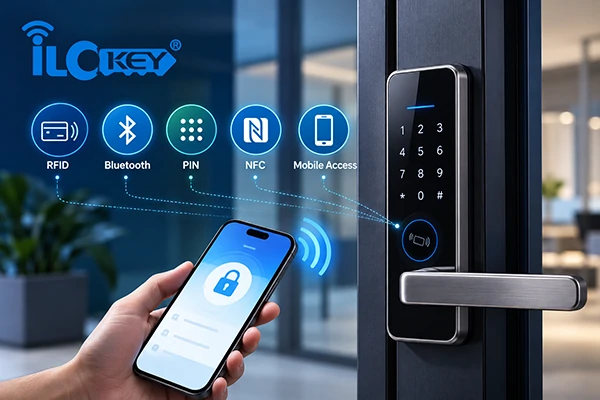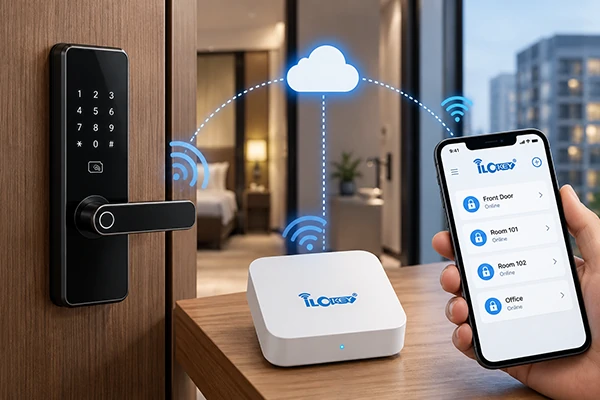
For a buyer, an RFID key card can look like a simple accessory: tap the card and open the door. In a commercial project, however, the card and lock form one credential system. Matching frequency is necessary, but cards at the same frequency can still be incompatible because of different card technologies, authentication methods or system configurations.
Security and operations matter just as much as compatibility. A low-risk internal locker and a hotel guest room may require very different credential security, revocation and audit controls. The right choice depends on the lock, the application, the permission architecture and the surrounding access systems.
This guide explains how RFID cards work with smart locks, what buyers should verify before ordering, and how to evaluate existing cards before deploying new locks.
1. How Do RFID Cards Work with Smart Locks?
The next section elucidates the compatibility of an RFID card with a smart lock, starting from the basic reading process and extending to technical and system requirements.
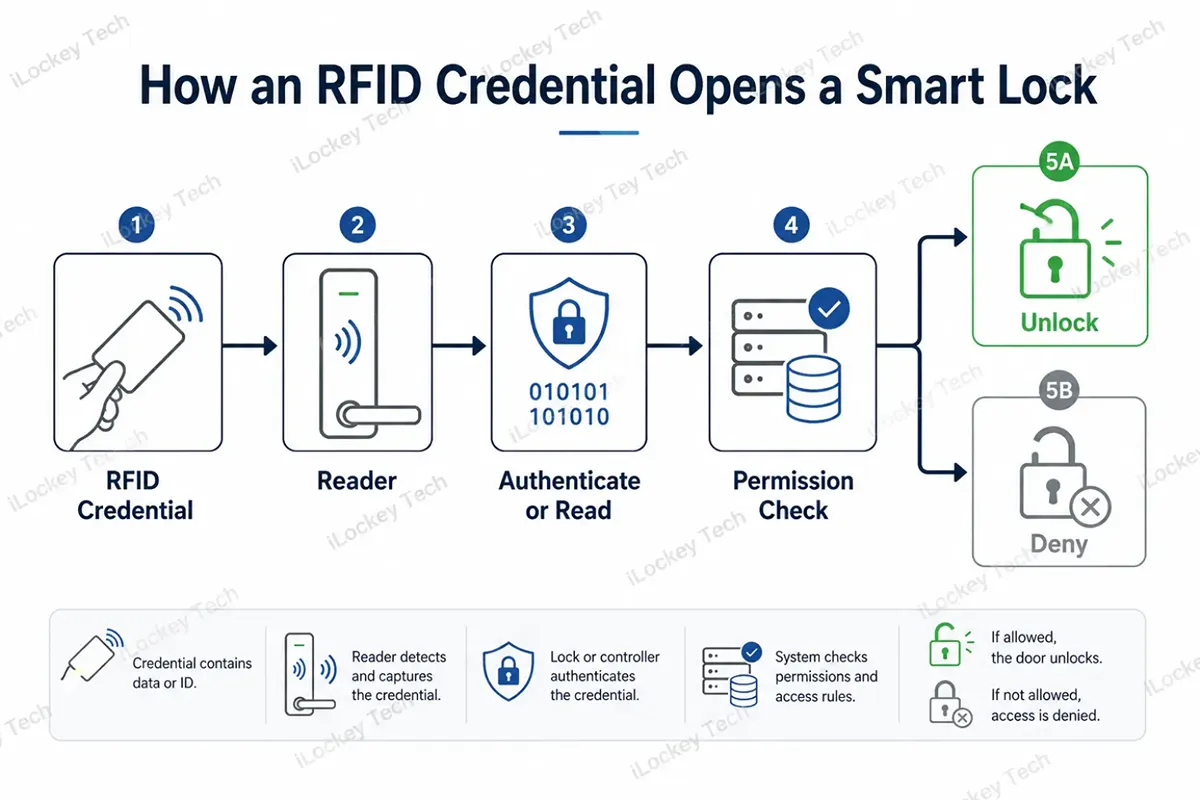
1) What Happens When You Tap a Card
An RFID smart lock includes a reader module that is designed to communicate with specific credentials technology. As a compatible card is placed into the field, the lock will read and/or authenticate the credential, determine if that credential is permitted, and then determine if the credential will be unlocked.
The important word is compatible. A credential does not open a door simply because it is an “RFID card.” The reader must support the card technology, and the credential must be enrolled or otherwise recognized by the access-control system.
2) Frequency Is the First Compatibility Check – Not the Last
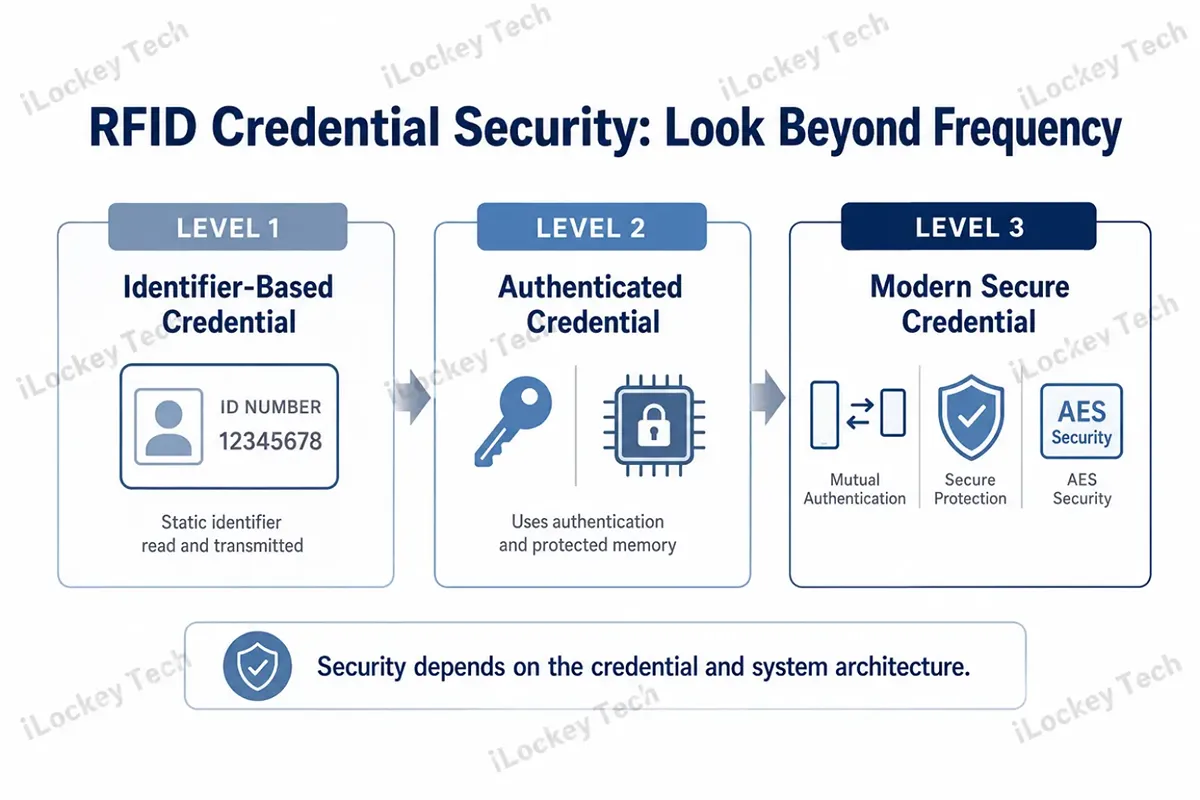
Commercial RFID access systems commonly use low-frequency credentials around 125 kHz and high-frequency contactless credentials at 13.56 MHz. The lock reader must support the frequency used by the credential. But frequency alone does not tell you whether the card will work.
Multiple card families operate at 13.56 MHz. NXP documents both MIFARE Classic EV1 and MIFARE DESFire products at this frequency, while their memory, authentication and security capabilities differ. For procurement, “13.56 MHz compatible” is the start of the technical check, not the final answer.
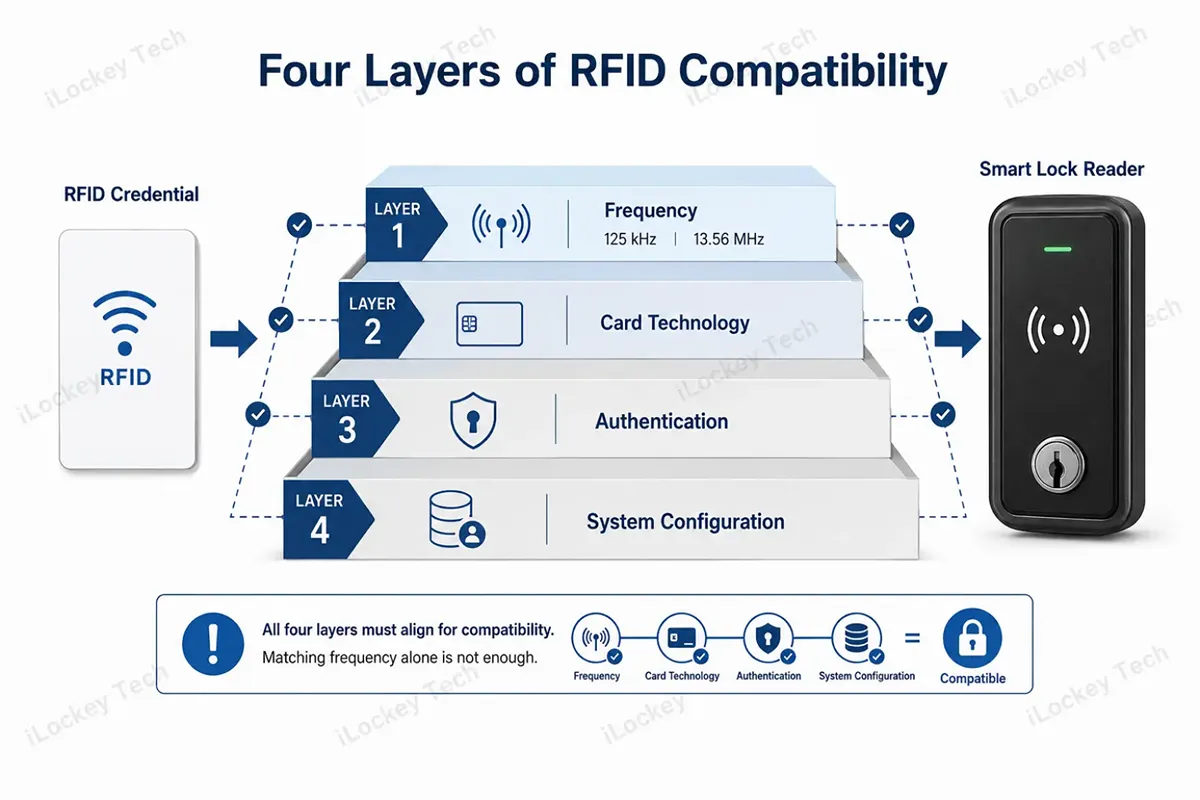
3) The Four Layers of RFID Card-Lock Compatibility
| Compatibility Layer | What to Confirm | Why It Matters |
| 1. Frequency | 125 kHz, 13.56 MHz, or another supported band | A reader cannot communicate with an unsupported frequency. |
| 2. Card Technology / Standard | Exact credential or chip family and reader support | Cards at the same frequency can use different technologies. |
| 3. Authentication / Data Access | UID-only, protected memory, keys, application authentication | The reader must use the expected authentication method and data. |
| 4. System Configuration | Enrollment, keys, applications, data format and permission rules | Even the same card family may be configured differently across systems. |
A reliable supplier should be able to move through these four layers before recommending a card. This is especially important in retrofit projects where the customer already has hundreds or thousands of cards in circulation.
2. What Buyers Should Evaluate in an RFID Credential
Once basic card-lock compatibility is established, buyers should evaluate the credential’s performance, security, management capabilities and physical format to ensure it meets the project’s operational requirements.
1) Reading Performance
A compatible card should be recognized consistently without repeated presentation. Performance depends on the complete RF system, including reader and card antennas, form factor, nearby metal and installation conditions.
For high-traffic applications, test the actual card and lock in the intended door environment instead of relying only on a claimed reading distance.
2) Security and Resistance to Unauthorized Duplication
RFID security should not be reduced to an “encrypted” or “unencrypted” label. Some systems rely mainly on a credential identifier, while advanced smart-card systems can authenticate protected data and use stronger key management.
If the door is considered to be high-risk, inquire about what card technology is used, how authentication and key management are achieved, and what will occur if there is a duplication of credential data. For instance, NXP has claimed that AES-capable security options are provided in MIFARE DESFire EV3. As for the buyers: check out the credential architecture, don’t take it for granted that all cards that can be used with 13.56 MHz work the same.
3) Read-Only vs. Read/Write Is a Memory Question
A read only credential contains fixed data, a read write credential is one that can have authorized data added to it. This is important if the system stores validity, application or other operational data on the credential.
Read/write capability does not automatically mean better security or management. A read-only credential can still be revoked when authorization is stored on the lock, controller or server; a writable card is not secure merely because its data can be changed.
4) Revocation and Auditability Depend on the Access Architecture
When a card is lost, the key question is whether the credential can be invalidated across the relevant access system, and how quickly. Central controllers may propagate revocation online, while offline locks may use different update paths depending on how permissions or blacklists are distributed.
Before rollout, test the complete lost-card procedure: report loss, revoke permission, issue a replacement, verify the old credential fails and confirm the event record.
5) One Card Across Multiple Systems
One-card use can reduce administration, but it should never be assumed from frequency alone. A site may want one credential for entrances, offices, elevators, attendance, lockers or other systems, while each application may read different data or use different authentication.
Before approving a new lock, define which existing applications must remain untouched and how the new lock will use the credential. Preserving an installed card estate can be more valuable than a small unit-price saving.
6) Card Shape Is Not Card Technology
PVC cards, key fobs, wristbands and tags are physical form factors, not card technologies. Hotels may need printable cards, gyms wristbands and industrial sites durable fobs; each format should still be tested with the intended reader.
3. Two Common Permission Architectures
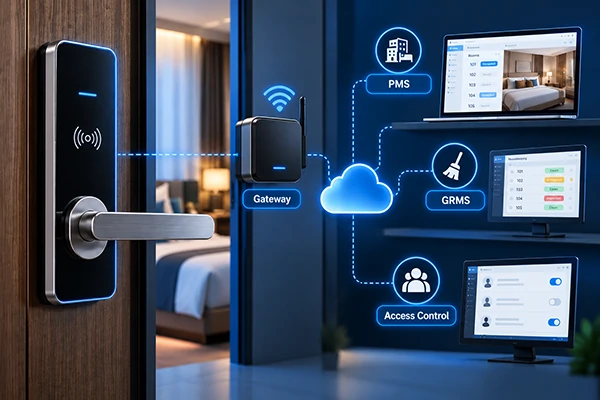
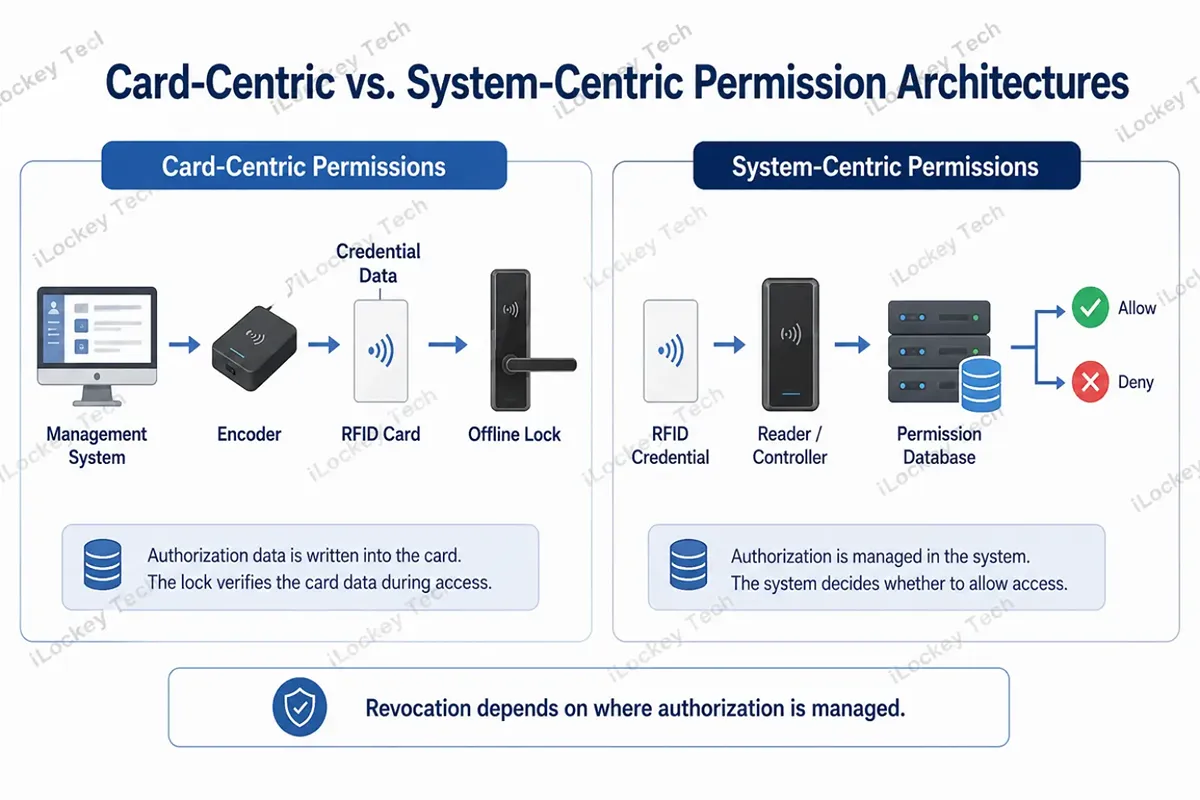
A common procurement mistake is assuming permissions always live on the card. Commercial systems can store decision data on the credential, the lock, a controller or a server. That choice changes how revocation, offline operation and integration work.
1) Card-Centric Permissions
In a card-centric design, operational information may be written to the credential. A hotel platform, for example, may encode room and validity data depending on the specific system, allowing the lock to verify the credential locally without a real-time network connection for every opening.
2) Lock-, Controller- or Server-Centric Permissions
In other systems, the credential mainly identifies the user while the permission logic is stored in the lock, access controller or server. The same card can be physically read-only and still be disabled because the backend no longer authorizes that credential.
| Question | Card-Centric Model | Lock / Controller / Server-Centric Model |
| Where is key permission data? | Partly on the credential | Primarily in lock/controller/server records |
| Can a read-only card be revoked? | Depends on system design | Yes, if the system can deny that credential |
| Network needed for each opening? | Often no | Depends on controller/lock architecture |
| Best question for supplier | What is encoded on the card? | Where is authorization stored and how is it updated? |
4. Common RFID Credential Technologies for Smart Locks
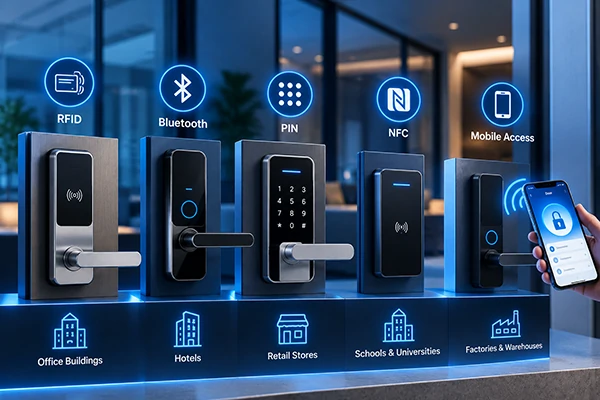
The following section compares the main RFID and contactless credential technologies commonly considered for smart-lock projects, including their typical applications and compatibility considerations.
1) 125 kHz Low-Frequency Credentials
Low-frequency credentials remain common in legacy access-control environments. Some LF transponders are read-only while others are read/write, so “125 kHz,” “ID card” and “read-only” should not be treated as exact synonyms.
For higher-security projects, evaluate the authentication and anti-duplication capability of the complete credential system. In retrofit work, existing 125 kHz cards may still matter when preserving the installed credential base is a business priority.
2) 13.56 MHz Contactless Cards
13.56 MHz is widely used for contactless memory and smart-card applications, covering multiple technology families and security models. Request the exact credential specification rather than simply ordering an “IC card.”
If a site already uses access, elevator or attendance cards, provide actual samples and available system information before choosing the lock reader. A card photograph is usually not enough to prove compatibility.
3) Secure Smart-Card Credentials
For stronger authentication or multi-application use, secure smart-card technologies may be appropriate. Evaluate reader support, key ownership, personalization, system compatibility and who controls the keys over the life of the project.
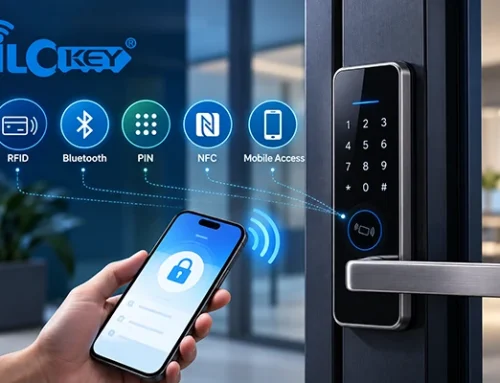
4) Mobile Credentials: NFC and BLE
A smartphone can be an access credential in supported systems, but this is not the same as copying any RFID card into a phone. Android supports host-based NFC card emulation for compatible application architectures, while Apple Wallet can support access credentials such as employee badges in supported ecosystems.
Whether it is NFC, BLE, or another mobile-key method, what kind of phones can be used, if an app or cloud service is needed, and what is the alternative if an app/ cloud service is not needed. Physical cards can remain in service as a backup credential.
5) Card, Key Fob, Wristband or Tag?
Choose the physical format for the environment: printable cards for hotels, wristbands for gyms, badges or phones for offices, and durable fobs for service teams. Test durability, printing and reading performance before bulk order.
5. Which RFID Credential Fits Your Project?
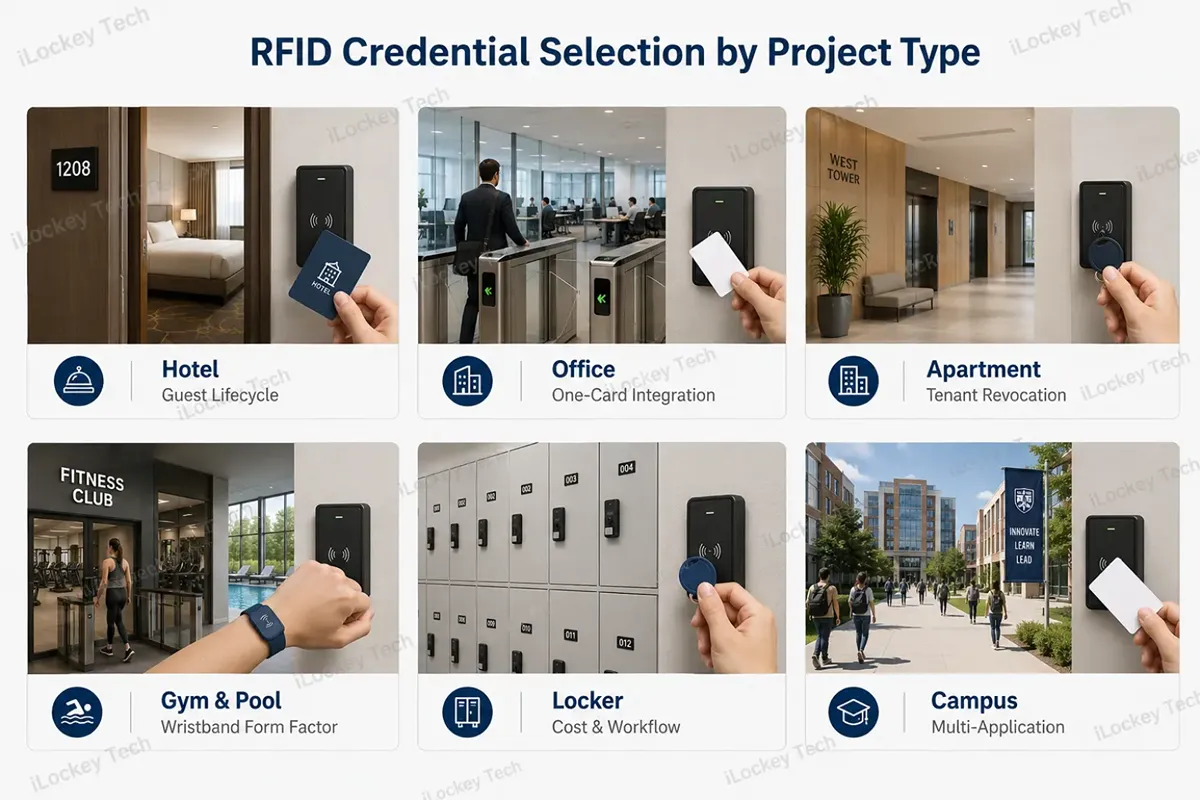
There is no universal “best RFID card.” You should match the credential to security exposure, user turnover, online/offline operation, and the number of systems that must share it. We have listed some typical application scenarios below for your reference.
| Project Type | Recommended Direction | Why | Key Procurement Check |
| Hotel guest rooms | Secure contactless credential matched to hotel lock system | Guest validity, staff hierarchy and frequent reissuance | Encoder/PMS workflow, guest expiry, staff-card rules |
| Office/business park | Secure enterprise credential or supported mobile credential | One-card use across doors, elevator and attendance may matter | Existing card technology, access controller and application compatibility |
| Long-term apartment | RFID plus mobile credential where appropriate | Tenant turnover, shared entrances and revocation | Tenant lifecycle, common-area access, lost-card process |
| Gym/swimming pool | Secure credential in wristband or durable form | Hands-free carrying and frequent use | Water resistance of form factor, locker/door reader compatibility |
| Locker/cabinet | Credential selected by risk and management mode | Large lock quantities make cost and workflow important | Shared/private mode, management system and common-card requirement |
| Campus/enterprise campus | Multi-application secure credential | Potential access, attendance, library or payment integration | Application separation, existing card estate, system ownership |
| Warehouse/equipment area | Risk-based credential selection | May prioritize durability and cost while retaining audit needs | Security level, environmental durability, event logging |
Note on vehicle access: Long-range UHF vehicle tags belong to a different RFID use case from the short-range credentials normally used by door-lock readers. Do not assume a parking credential will work with a smart door lock just because both are described as RFID.
6. Can Your Existing RFID Cards Work with New Smart Locks?
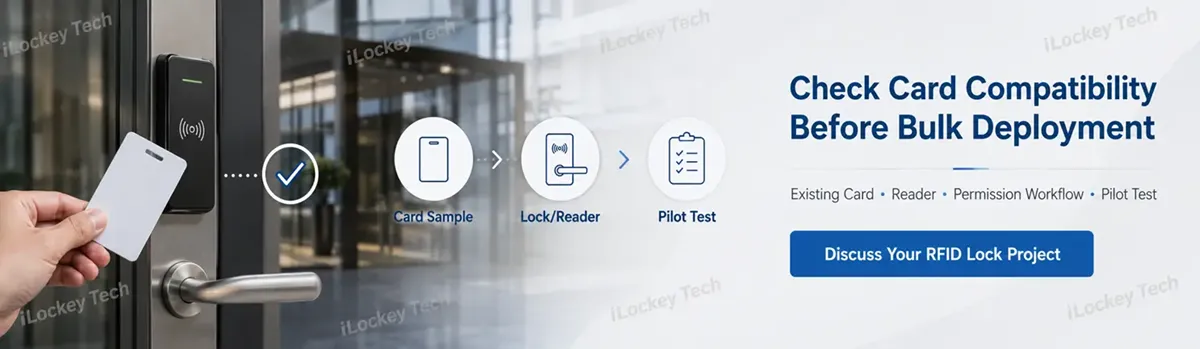
This is one of the most valuable B2B questions. If a site already has a large credential estate, replacing every card can create more cost and disruption than the price difference between two lock models. Do not approve compatibility based only on card color, printed brand name or frequency. Use a structured evaluation:
1. Identify the exact card or chip technology where possible. If documentation is unavailable, provide actual card samples for testing.
2. Confirm the operating frequency and the reader technologies supported by the proposed lock.
3. Determine whether the existing system uses a visible identifier, protected memory, an application, sector keys or another authentication method.
4. Define what must remain compatible: building entrance, elevator, attendance, locker, cafeteria or other systems.
5. Test multiple real cards with the actual lock or reader sample. Include both normal and edge cases.
6. Run the full permission lifecycle: issue, use, revoke, replace and audit.
7. Only after successful sample testing should the project move to pilot and bulk deployment.
B2B Buyer Question to Send Your Supplier: “We already use existing RFID credentials. Please confirm the exact reader technologies your lock supports, what data or authentication it uses, and whether you can test our actual cards before bulk order.”
7. RFID Card Procurement Checklist
A good procurement specification should control both the first shipment and future replenishment. The following checklist helps prevent compatibility surprises after the locks are already installed.
- Confirm the lock and reader first, then select the credential. Do not buy cards based only on a generic “125 kHz” or “13.56 MHz” description.
- Define the security level by door risk. Guest rooms, apartment entrances and business-critical areas normally deserve a more robust credential architecture than low-risk internal storage.
- Specify the exact card/chip technology, credential format and physical form factor in the purchasing record. Avoid relying on informal labels such as “ID card” or “IC card” alone.
- Test the actual card, actual lock and actual management workflow together before mass purchase.
- Control batch consistency. Keep approved samples and compare future replenishment against the approved credential specification.
- Plan spare-card inventory according to real turnover and loss patterns at the project. Avoid using an unsupported universal percentage.
- Include printing, personalization, replacement, administration and system-integration work in lifecycle cost – not only the unit price of the plastic card.
8. RFID Key Card Guide for Smart Locks FAQ
Based on customer feedback, we have summarized the questions that frequently interest clients when purchasing RFID cards, for your reference.
1) Two cards ar both 13.56 MHz. Why can one work and the other fail?
Because frequency is only the first layer. The reader must support the card technology and expected authentication or data format, and the credential must be correctly configured or enrolled.
2) If two cards use the same chip family, will they automatically work with the same lock?
Not necessarily. Cards from the same family can be configured with different keys, applications, data structures or enrollment rules. Compatibility should be verified using the actual credential and reader configuration.
3) Is a read/write card always more secure than a read-only card?
No. Read/write describes memory capability, not the complete security architecture. Security depends on credential authentication, key management, system design and how permissions are issued and revoked.
4) How do I make sure replacement cards will work with locks we already purchased?
Keep the approved specification and physical samples from the first batch. For replenishment, require the same confirmed technology and test samples before a large order, especially when changing suppliers.
5) Can our existing access-control or attendance card work with a new smart lock?
Possibly, but it must be tested. Confirm the credential technology, what existing systems read from it, and what the new lock supports. If one-card use is mandatory, make it a technical acceptance criterion.
6) Can a smartphone replace a physical RFID card?
In supported systems, yes, but not by universally cloning any physical RFID card. Mobile credentials may use NFC, BLE or platform-specific methods, so phone support, provisioning and fallback access must be evaluated.
7) What should be written into the purchase specification for RFID cards?
Record the confirmed credential technology, frequency, authentication/application requirements, form factor, personalization requirements, approved sample and compatibility result. For integrated sites, also document which existing systems must continue using the same credential.
8) What is the RFID Credential Lifecycle Management
Even strong credential technology becomes weak if issuance is uncontrolled. Define who can issue credentials, change permissions, report losses and review audit records.
A practical lifecycle is: issue → activate → use → replace → revoke → audit. Employee departures, tenant move-outs and hotel check-outs should trigger the required credential action, while encoder, key and management-software access remains restricted to authorized staff.
Periodically compare active, returned, lost and stocked credentials. Also test the project’s approved backup-opening method so a lost card or system problem does not become an operational emergency.
9. Conclusion
B2B buyers are not really purchasing a piece of plastic that opens a door. They are selecting a credential system that must remain compatible, manageable and sufficiently secure throughout the life of the project.
A practical decision sequence is simple: the lock and existing system define compatibility; the application defines security; the access architecture defines permission management; and lifecycle operations define real cost.
If you are planning a hotel, apartment, office, locker, or retrofit project, send iLockey your existing card information or samples, lock requirements, quantity and management needs. Where an existing access ecosystem must be preserved, complete compatibility testing and a small pilot before bulk deployment.